AI-Powered Video Editing: Revolutionizing Content Creation
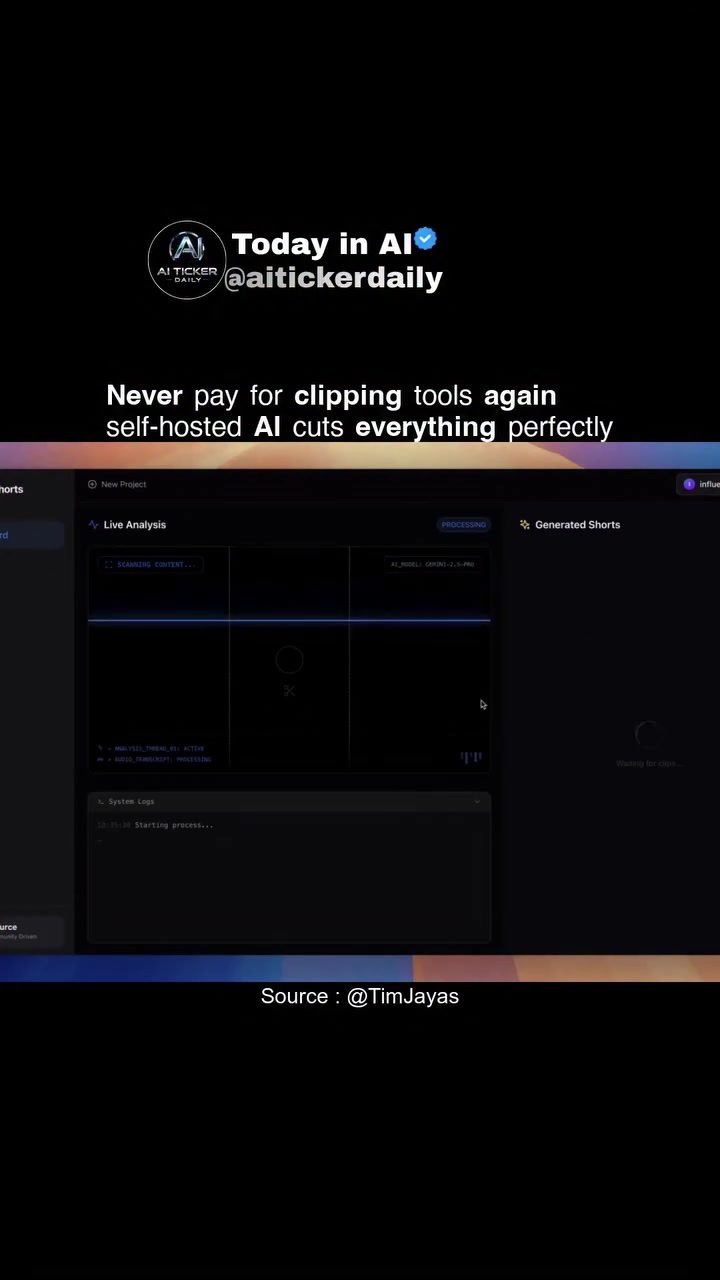
AI video editing tools are transforming the landscape of content creation. These tools are designed to simplify and enhance the process of editing videos, making it accessible to everyone from beginners to professionals. One such tool, promoted by @aitickerdaily, offers a self-hosted AI solution that can clip videos perfectly, generate viral shorts from long-form content, and even integrate with other AI models like Claude.
Context / Why This Matters
In the fast-paced world of digital content, the ability to quickly and efficiently create high-quality video clips is invaluable. Traditional video editing tools often come with hefty price tags and steep learning curves. AI-powered solutions are changing the game by offering advanced features at a fraction of the cost and with greater ease of use.
AI video editing tools are particularly useful for content creators who need to produce large volumes of content regularly. Whether you're a YouTuber, social media influencer, or marketer, these tools can save you time and resources, allowing you to focus on creating engaging content rather than spending hours on editing.
Main Discussion
Key Features
The AI video editing tool demonstrated by @aitickerdaily boasts several standout features that set it apart from traditional editing software.
Self-Hosted Solution
One of the most appealing aspects of this tool is its self-hosted nature. This means you can run the software on your own server, giving you full control over your data and content. There are no watermarks, no limits on usage, and no need to rely on third-party services. This level of autonomy is particularly attractive for creators who prioritize data privacy and security.
Automatic Subtitle Generation
The tool includes automatic subtitle generation, which is a game-changer for accessibility and engagement. Subtitles can be positioned at the top, center, or bottom of the screen, making the content more inclusive for viewers who are hard of hearing or prefer to watch videos without sound. Additionally, subtitles can enhance the viewing experience by providing clarity and emphasizing key points.
Live Analysis
Live analysis is another feature that makes this tool stand out. This feature allows you to monitor the performance of your video clips in real-time, providing valuable insights into what's working and what's not. This data-driven approach can help you make informed decisions about your content strategy, ensuring that you're always delivering high-quality, engaging material to your audience.
Customization and Integration
The tool's flexibility is one of its strongest points. You can customize the editing process to suit your specific needs, whether you're working with YouTube URLs or local video files. The user-friendly interface makes it easy to upload files, generate clips, and apply various editing features.
Moreover, the tool supports integration with other AI models like Claude, allowing you to leverage advanced technologies to enhance your content further. This level of customization and integration makes the tool a powerful asset for anyone looking to stay ahead in the content creation game.
Practical Tips
Getting Started
To get started with this AI video editing tool, follow these steps:
-
Set Up Your Server: Since the tool is self-hosted, you'll need to set up a server to run the software. This process can vary depending on your technical expertise, but there are plenty of resources available to guide you through the setup.
-
Upload Your Content: Once your server is set up, you can start uploading your YouTube URLs or local video files. The interface is straightforward, making it easy to navigate and use.
-
Generate Clips: Use the tool's features to generate clips from your long-form content. You can choose from various options to tailor the clips to your specific needs.
-
Add Subtitles and Live Analysis: Take advantage of the auto-subtitle generation and live analysis features to enhance your content. This will not only improve accessibility but also provide valuable insights into your audience's preferences.
-
Customize and Export: Customize your clips with various editing options and then export them to your preferred format. The tool supports high-quality exports, ensuring your content looks professional.
Important Takeaways
AI-powered video editing tools are revolutionizing the way content is created and shared. The ability to self-host, generate clips, and integrate with other AI models makes these tools indispensable for creators looking to stay competitive in the digital landscape. The automatic subtitle generation and live analysis features further enhance the user experience, making content more accessible and engaging.
Conclusion
AI video editing tools are more than just a trend; they are a necessary evolution in content creation. With the ability to generate viral clips, integrate with other AI models, and provide real-time analysis, these tools offer a comprehensive solution for creators of all levels. Whether you're a seasoned professional or just starting, investing in an AI-powered video editing tool can significantly enhance your content creation process.
Watch the Reel
Questions readers ask
What is AI video editing and how does it benefit content creators?
AI video editing involves using artificial intelligence to automate and enhance the video editing process. It benefits content creators by speeding up workflows, reducing manual effort, and enabling the creation of engaging content without extensive technical skills. This results in higher productivity, lower costs, and more engaging videos.
How does a self-hosted AI video clipping tool work?
A self-hosted AI video clipping tool operates by running AI algorithms on the user's own server, rather than relying on a third-party service. These tools analyze video content to identify key moments, such as highlights or memorable scenes, and automatically create clips. This makes the process of creating engaging snippets from long-form videos much more efficient.
Can AI video editing tools generate viral shorts from long-form content?
Yes, many AI video editing tools are designed to generate viral shorts from long-form content. They use machine learning algorithms to identify the most engaging and shareable moments in a video. This feature is particularly useful for creators looking to maximize their reach and appeal to audiences who prefer bite-sized, easily digestible content.
What are the cost benefits of using AI video editing tools for YouTube and other platforms?
Using AI video editing tools can significantly reduce costs associated with content creation. These tools eliminate the need for expensive software licenses and reduce the time spent on manual editing. Additionally, self-hosted solutions can further lower costs by eliminating the need for recurring subscription fees to third-party services.
How does AI video editing software integrate with other AI models like Claude?
AI video editing software can integrate with other AI models to enhance its capabilities. For instance, integrating with a model like Claude can provide advanced text generation and analysis features. This allows the editing software to automatically generate captions, descriptions, and even hashtags, making the content creation process even more streamlined and efficient.
What are the key features to look for in an AI video clipping tool?
When choosing an AI video clipping tool, look for features such as automatic clip generation, customizable settings, ease of use, and integration capabilities with other AI models. Additionally, ensure the tool supports a variety of video formats and offers high-quality output. Self-hosted options provide added security and control over your data, which can be a significant advantage.
Related deep dives
Similar reads based on topic and creator.




Recent articles
Fresh deep dives from the latest Reels we unpacked.




Comments
Be the first to comment.