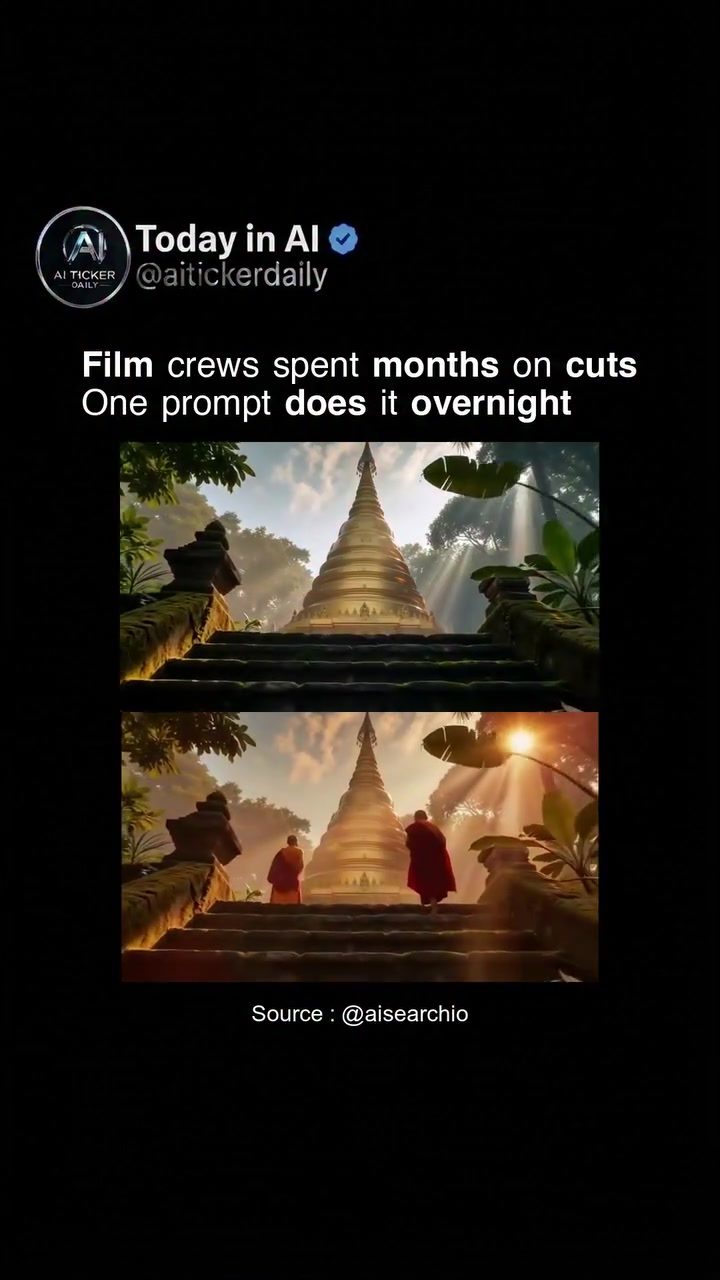
AI Image Generation: Revolutionizing Video Editing
Traditional film crews spend months crafting a single cut, meticulously piecing together scenes and ensuring seamless transitions. Today, those involved in video production are witnessing a paradigm shift. AI technology now allows a single text prompt to rebuild an entire video, significantly altering the landscape of video editing. ByteDance has open-sourced the Bernini a Gemini Omni stack, a powerful tool for AI video generation and editing.
Context / Why this Matters
Historically, video editing required a team of professionals, countless hours, and an eye for detail. The advent of AI in video editing democratizes the process, making it accessible to a wider audience. This doesn't just streamline workflows; it opens up new creative possibilities. Traditional methods may still be favored in high-stakes productions, but for many, the speed and efficiency of AI are game-changers.
The Bernini a Gemini Omni Stack
Understanding AI Video Generation
At its core, AI video generation involves using AI models to create, modify, or enhance video content. AI can interpret text prompts—describing desired changes—then process these prompts to generate or edit video clips. The Bernini a Gemini Omni stack, open-sourced by ByteDance, exemplifies this technology. This stack allows users to describe changes in plain text, add image or video references, and let the model handle the rest. The code for this groundbreaking tool is available on GitHub at bernini-ai.github.io.
How It Works
The process begins with a text prompt—this could be a simple description of the desired change or a detailed instruction. The AI model then interprets this prompt, analyzing the video or images provided as references. It uses this information to generate new content or modify existing footage, seamlessly integrating it into the video. The rapid advancement of AI means that tasks which once took months can now be completed overnight, transforming the video editing landscape.
Examples of AI-Generated Scenes
Imagine a jungle temple, a futuristic cityscape, a vintage car, and a snowy mountain landscape. Each of these scenes, showcased in AI-generated images, demonstrates the technology's capabilities. AI can now replicate the work of film crews, crafting intricate and detailed scenes with remarkable speed and precision. These examples underscore the potential of AI in video generation, highlighting how technology can enhance creativity and efficiency in the production process.
Practical Tips
Getting Started
-
Explore the Code: The Bernini a Gemini Omni stack is open-sourced, making it accessible to anyone interested in experimenting with AI video generation. Visit the GitHub repository to explore the code and understand its capabilities.
-
Experiment with Prompts: Start with simple text prompts and gradually move to more complex instructions. This will help you understand how the AI interprets and executes different types of instructions.
-
Integrate References: Add image or video references to guide the AI model. This can help refine the generated content, ensuring it aligns with your vision.
-
Quality Control: While the AI-generated output can be impressive, it's essential to treat it as demo-level until you run it yourself. This technology is still evolving, and the output quality may vary.
Integrating AI into Your Workflow
-
Identify Opportunities: Assess your current video editing workflow to identify areas where AI could add value. This could be in generating new scenes, enhancing existing footage, or streamlining the editing process.
-
Train AI Models: If you have specific needs, consider training AI models to better understand and execute your instructions. This can help tailor the output to your unique requirements.
-
Collaborate with Editors: While AI can handle many tasks, human intuition and creativity are still invaluable. Consider keeping editors in the loop to refine and enhance the AI-generated content.
-
Stay Updated: AI technology is rapidly evolving, with new tools and techniques emerging regularly. Stay updated with the latest developments to leverage AI effectively in your projects.
Important Takeaways
AI image generation is transforming the video editing landscape, offering unprecedented speed and efficiency. The Bernini a Gemini Omni stack, open-sourced by ByteDance, is a powerful tool in this domain, allowing users to generate and edit video content with simple text prompts. While the technology is impressive, it's essential to experiment and understand its capabilities before fully integrating it into your workflow.
Conclusion
The future of video editing is here, and it's powered by AI. From generating complex scenes to streamlining the editing process, AI technology is revolutionizing the way we create and enhance video content. The Bernini a Gemini Omni stack is a testament to this transformation, offering a powerful tool for anyone interested in exploring AI video generation. As the technology continues to evolve, the possibilities are endless, making it an exciting time for creators and editors alike.
Watch the Reel
Questions readers ask
What is the Bernini a Gemini Omni stack and how does it change video editing?
The Bernini a Gemini Omni stack is an open-source AI tool developed by ByteDance for video generation and editing. It allows users to create or modify video content using simple text prompts, significantly speeding up the editing process and reducing the need for extensive manual work.
How does AI video editing improve workflow efficiency?
AI video editing tools like the Bernini a Gemini Omni stack can complete tasks that traditionally take months in a fraction of the time. By using text prompts to generate or modify content, these tools streamline workflows, allowing professionals to focus on creative aspects rather than tedious editing tasks.
What kind of tasks can be accomplished with a single text prompt in AI video editing?
With AI video editing, a single text prompt can instruct the software to rebuild an entire video, modify specific scenes, or even generate new content. This capability transforms the editing process, making it faster and more flexible.
What are the benefits of using AI in video production?
AI in video production democratizes the process by making it accessible to a wider range of users. It reduces the need for large teams and extensive manual labor, allowing for more efficient and cost-effective video creation. This also opens up new creative possibilities for both professionals and enthusiasts.
Can AI video editing tools replace human editors entirely?
While AI video editing tools can automate many tasks, they are not designed to replace human editors entirely. Instead, they serve as powerful assistants, allowing human editors to focus on creative decisions and high-level direction while the AI handles the more time-consuming and technical aspects of editing.
How does AI video editing impact the traditional video editing process?
AI video editing disrupts traditional methods by introducing a new level of efficiency and flexibility. Instead of piecing together scenes manually, editors can use AI to generate or modify content with simple text prompts, leading to faster turnaround times and new creative possibilities.
What are some practical applications of AI in filmmaking?
In filmmaking, AI tools can be used to automate tasks such as scene generation, transition creation, and content modification. For example, a filmmaker can use a text prompt to instruct the AI to rebuild a scene with different lighting or change the background of a shot, saving significant time and effort.
Related deep dives
Similar reads based on topic and creator.

Recent articles
Fresh deep dives from the latest Reels we unpacked.




Comments
Be the first to comment.