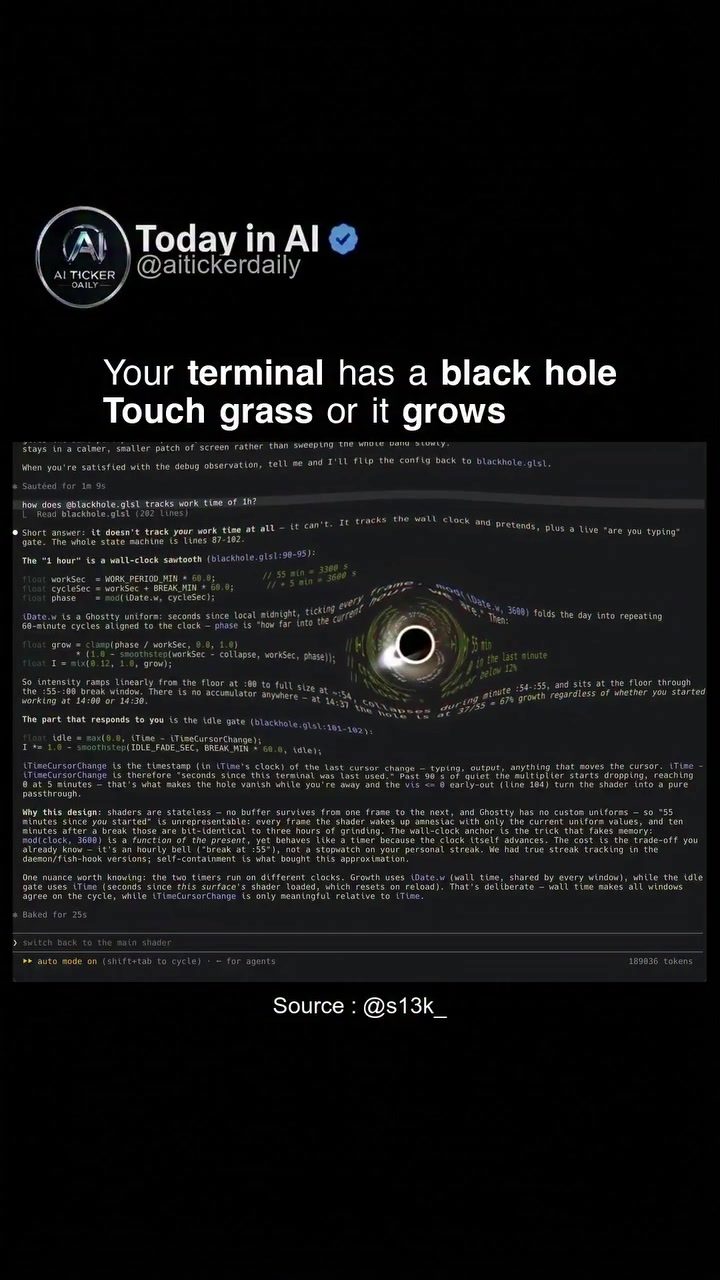
AI Terminal Visualization, powered by AI Ticker, transforms the way users interact with their computer terminals, adding a visual flare and a reminder to take much-needed breaks. This innovative concept, which uses a Ghostty shader, creates a "black hole" effect on a terminal screen. This visual becomes the focal point of the terminal, gently reminding users to step away from their screens.
Context / Why This Matters
The concept of a 'black hole' in the terminal is both intriguing and practical. The Ghostty shader generates a swirling, abstract graphic that visually represents a black hole. This graphic overlays the scrolling code and text, creating a dynamic and engaging visual effect. More than just a cool visual, this feature encourages users to take breaks by increasing the size of the black hole when a user works continuously. It becomes a visual prompt to take a break.
This unique approach not only serves as a productivity tool but also as a reminder to take care of one's well-being. The idea of "touching grass" is a playful way to remind users to step away from their screens and engage with the real world. Taking breaks from prolonged screen time can help reduce eye strain, improve focus, and enhance overall productivity.
For those who spend extended periods working on their terminals, the AI Ticker visualization serves as a gentle nudge to step back, rest, and recharge. By creating a visual reminder of the passage of time and the need for breaks, it helps users maintain a healthy work-life balance.
Main Discussion
The Ghostty Shader and Black Hole Effect
The visual effect of the black hole is generated by the Ghostty shader. This shader overlays an abstract, swirling graphic on the terminal screen, creating a dynamic visual representation of time. The 'black hole' expands as the user works continuously, providing a visual cue that it is time to take a break.
The shader also incorporates playful language, encouraging users to "touch grass" if the black hole grows too large. The idea is simple: if the black hole becomes so large that it visually dominates the terminal, it is a sign that the user has been working for too long without a break. The visual prompt acts as a reminder to step away from the terminal and engage in other activities, such as going outside or taking a short walk.
How the Black Hole Grows
The black hole grows over time, based on the duration of continuous work. As the user works without taking a break, the black hole expands, eventually becoming a prominent feature on the screen. The growth of the black hole is designed to be non-intrusive, but it becomes increasingly noticeable as it grows. This visual cue is intended to prompt the user to take a break.
The terminal's black hole visualizes the concept of continuous work and its effects on the user. The expanding black hole serves as a reminder that prolonged screen time can be harmful, both mentally and physically. By providing a visual representation of the passage of time and the need for breaks, it helps users maintain a healthy work-life balance.
Taking a Break
When the user takes a break, the black hole begins to shrink. This visual effect provides positive reinforcement for taking breaks and encourages users to continue practicing good work habits. The black hole shrinks quietly, reducing its presence on the screen as the user takes more breaks.
Integrating the Black Hole Visual Effect
The black hole visual effect is integrated seamlessly into the terminal. It overlays the existing code and text, providing a visually engaging reminder to take breaks. The visual style combines playful language with a dynamic graphic, making it both visually appealing and practical.
Benefits of the Visualization
The AI Ticker visualization offers several benefits to users. It helps users maintain a healthy work-life balance by encouraging them to take breaks. The visual reminder of the passage of time and the need for breaks can help reduce eye strain, improve focus, and enhance overall productivity.
Practical Tips
Adjusting Visualization Settings
To make the most of the AI Ticker visualization, users can adjust the settings to customize the black hole effect. This includes changing the size, color, and intensity of the black hole, as well as the frequency and duration of breaks.
Integrating Visual Reminders
Users can integrate the black hole visual effect with other productivity tools and techniques. For example, they can use the black hole as a visual reminder to take breaks, while also using other productivity tools to track their progress and stay on task.
Customizing the Black Hole Effect
The black hole effect can be customized to suit individual preferences. Users can choose the style, color, and intensity of the black hole, as well as the frequency and duration of breaks. This customization allows users to tailor the visualization to their specific needs and preferences, making it a more effective productivity tool.
Important Takeaways
The AI Ticker visualization serves as a gentle reminder to take breaks and maintain a healthy work-life balance. By providing a visual representation of the passage of time and the need for breaks, it helps users stay focused and productive. The visual effect is both engaging and practical, making it a valuable tool for anyone who spends extended periods working on their terminals. Users can customize the visualization to suit their specific needs and preferences, making it an effective productivity tool that can enhance both productivity and well-being.
Conclusion
The AI Ticker visualization offers a unique and engaging way to remind users to take breaks and maintain a healthy work-life balance. With its dynamic, swirling black hole effect and playful language, it provides a visually engaging reminder to step away from the terminal and engage in other activities. This visualization is a valuable tool for anyone who spends extended periods working on their terminals, helping to reduce eye strain, improve focus, and enhance overall productivity.
Watch the Reel
Questions readers ask
What is the primary purpose of AI Terminal's 'Black Hole' Break Reminder?
The primary purpose of AI Terminal's 'Black Hole' Break Reminder is to encourage users to take regular breaks from their screens. It does this by creating a visual reminder in the form of a swirling black hole that expands with continuous use, prompting users to step away and recharge.
How does the Ghostty shader contribute to the break reminder feature?
The Ghostty shader generates an engaging and dynamic black hole graphic that overlays the terminal's content. This visual effect serves as a constant reminder for users to pause their work and take a break, making the reminder more effective and noticeable.
Can the 'Black Hole' Break Reminder be customized to suit individual preferences?
As of now, the specifics of customization for the 'Black Hole' Break Reminder are not detailed. However, users can expect the visual effect to grow with continuous use, which is designed to prompt breaks. For more details on customization, users should refer to the official AI Terminal documentation or support resources.
Is the 'Black Hole' Break Reminder compatible with all types of terminal activities?
The 'Black Hole' Break Reminder is designed to work with various terminal activities, including scrolling code and text. The black hole graphic overlays these activities, ensuring that users are consistently reminded to take breaks regardless of their terminal usage.
What are the benefits of using a visual reminder like the 'Black Hole' Break Reminder?
A visual reminder like the 'Black Hole' Break Reminder helps to break the monotony of screen time and encourages users to take regular breaks, which can improve productivity and overall well-being. By making the reminder visually engaging, it is more likely to capture the user's attention and prompt them to step away from their screens.
Related deep dives
Similar reads based on topic and creator.




Recent articles
Fresh deep dives from the latest Reels we unpacked.




Comments
Be the first to comment.