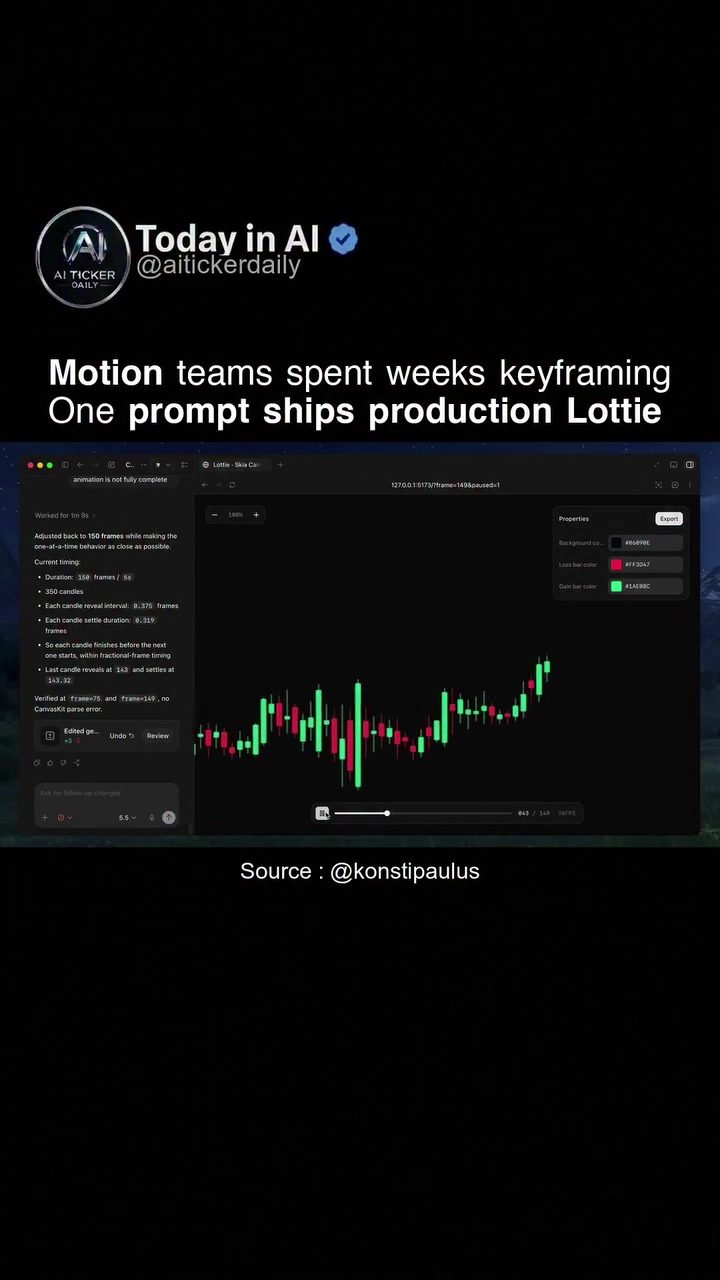
With the rise of AI, animation production is undergoing a significant transformation. Traditional methods of keyframing every micro-interaction can now be streamlined with AI, allowing for faster and more efficient creation of Lottie animations. This shift from manual labor to automated processes is changing how professionals approach motion design. This article will dive into AI-driven animation production, detailing the practical aspects and benefits of this new approach.
Context / Why this matters
The traditional process of animation production, particularly for micro-interactions, involves motion designers meticulously keyframing every frame. This process can take weeks to complete, especially for complex animations. The introduction of AI into this workflow significantly reduces the time and effort required. AI-driven tools can now generate production-ready Lottie animations from simple text prompts, revolutionizing how motion designers work.
This shift is especially important for designers who want to stay ahead in a competitive field. By automating repetitive tasks, designers can focus on more creative and strategic aspects of their work. Moreover, the open-source nature of some AI animation tools democratizes access to high-quality animation production, making it easier for smaller teams and independent designers to create professional-grade animations.
Main discussion
The Role of AI in Animation Production
AI is transforming motion design by automating keyframing, a crucial step in animation production. Traditionally, motion designers would spend countless hours creating keyframes for every micro-interaction, ensuring smooth transitions and movements. However, with AI, this process can be significantly accelerated. AI can generate keyframes from simple text prompts, reducing the time and effort required for this task.
For example, tools like text-to-lottie can convert simple text prompts into production-ready Lottie files. This open-source skill is designed to work with Codex and Claude Code, popular coding frameworks. By using commands like npx skills add diffusionstudio/lottie, designers can easily integrate this tool into their workflow. This not only speeds up the production process but also ensures consistency and quality in the animations created.
The Process of AI-Driven Animation
The process of creating animations using AI involves several key steps. First, the designer provides a text prompt that describes the desired animation. This prompt is then processed by the AI, which generates the necessary keyframes and animations. The result is a Lottie file, a widely used format for interactive animations on the web and mobile apps.
Spotify is one of the companies leveraging this technology. By using AI to generate animations, Spotify can quickly produce high-quality visuals for their user interfaces. This allows them to maintain a consistent and engaging visual experience across their platforms. The use of AI in animation production is not limited to large corporations. Independent designers and smaller teams can also benefit from this technology, making it easier to create professional-grade animations.
Benefits of AI in Animation Production
The benefits of using AI in animation production are numerous. Firstly, it significantly reduces the time and effort required to create animations. With AI handling the keyframing process, designers can focus on more creative aspects of their work. This not only speeds up the production process but also enhances the overall quality of the animations.
Secondly, AI-driven tools can ensure consistency in animations. By using predefined prompts and parameters, designers can create animations that are consistent in style and quality. This is particularly important for brands that need to maintain a consistent visual identity across their platforms.
Finally, the use of AI democratizes access to high-quality animation production. Open-source tools like text-to-lottie make it easier for smaller teams and independent designers to create professional-grade animations. This levels the playing field, allowing smaller teams to compete with larger corporations in terms of visual quality and consistency.
AI Animation Tools and Software
Several AI-driven animation tools and software are available, each with its unique features and benefits. Tools like text-to-lottie are specifically designed for generating Lottie animations from text prompts. These tools are open-source, making them accessible to a wide range of users. Other tools and software may offer additional features, such as customizable prompts, advanced keyframing options, and integration with other design tools.
When choosing an AI animation tool, it's important to consider your specific needs and requirements. For example, if you're working on a project that requires complex animations, you may need a tool that offers advanced keyframing options. On the other hand, if you're looking for a tool that can quickly generate simple animations, a tool like text-to-lottie may be sufficient.
Real-World Applications of AI in Animation
AI-driven animation production has numerous real-world applications. For example, companies like Spotify use AI to create high-quality visuals for their user interfaces. This allows them to maintain a consistent and engaging visual experience across their platforms. AI can also be used to create interactive animations for web and mobile apps, enhancing user engagement and interaction.
In addition, AI can be used to create animations for marketing and advertising campaigns. By using AI to generate animations, marketers can create visually engaging content that captures the attention of their target audience. This not only enhances the effectiveness of their campaigns but also ensures consistency in their visual messaging.
Practical tips
Getting Started with AI Animation
If you're new to AI-driven animation production, getting started can seem daunting. However, with the right tools and resources, you can quickly master this technology. Here are some practical tips to help you get started:
-
Choose the Right Tool: Select an AI animation tool that fits your needs and requirements. Consider factors like ease of use, customization options, and integration with other design tools.
-
Learn the Basics: Familiarize yourself with the basics of AI animation. This includes understanding how to create text prompts, generate keyframes, and produce animations. Many online tutorials and resources are available to help you get started.
-
Experiment with Prompts: Experiment with different text prompts to see how they affect the generated animations. This will help you develop a better understanding of how AI interprets and translates prompts into visuals.
-
Integrate into Your Workflow: Integrate AI animation tools into your existing workflow. This will help you streamline your production process and ensure consistency in your animations.
-
Stay Updated: Keep up with the latest developments in AI animation technology. New tools and features are constantly being developed, which can enhance your production capabilities and efficiency.
Improving Animation Quality
Quality is crucial in animation production. Here are some tips to help you improve the quality of your AI-generated animations:
-
Refine Prompts: Use precise and descriptive language in your text prompts to ensure the AI generates accurate and high-quality animations. Vague or unclear prompts can lead to subpar results.
-
Customize Keyframes: While AI-generated keyframes are a good starting point, customizing them can significantly improve the quality of your animations. This allows you to fine-tune the movements and transitions to better suit your needs.
-
Use High-Quality Assets: Incorporate high-quality assets into your animations to enhance their visual appeal. This includes images, graphics, and sound effects that complement the animations.
-
Test and Iterate: Continuously test and iterate your animations to ensure they meet your quality standards. This involves reviewing the animations, identifying areas for improvement, and making the necessary adjustments.
-
Seek Feedback: Share your animations with colleagues, peers, or other professionals to get feedback. Their insights can help you identify potential improvements and enhance the overall quality of your animations.
Important takeaways
The shift from traditional keyframing to AI-driven animation production represents a significant advancement in motion design. By automating keyframing, AI allows designers to generate production-ready Lottie animations from simple text prompts, reducing the time and effort required for this task.
AI-driven tools like text-to-lottie offer numerous benefits, including faster production times, consistent animation quality, and democratized access to high-quality animation production. These tools are particularly useful for designers who want to stay ahead in a competitive field, as they allow for greater focus on creative and strategic aspects of work.
For those looking to integrate AI into their animation production workflow, getting started can be straightforward with the right resources and tools. By choosing the right tools, learning the basics, and continuously refining your skills, you can master AI-driven animation production and create high-quality, engaging visuals.
Conclusion
AI-driven animation production is transforming the way motion designers work, offering numerous benefits and opportunities. By automating keyframing and generating production-ready Lottie animations from text prompts, AI allows designers to create high-quality visuals more efficiently and effectively. As AI technology continues to evolve, it will undoubtedly play an even more significant role in animation production, reshaping the future of motion design. Embracing this technology can give designers a competitive edge, enabling them to create visually engaging and consistent animations that captivate audiences and drive meaningful interactions.
Watch the Reel
Questions readers ask
What are Lottie animations and how does AI simplify their creation?
Lottie animations are a popular format for high-quality, interactive animations used in web and mobile applications. AI simplifies their creation by automating the keyframing process, which involves setting the parameters for each frame of the animation. This automation significantly reduces the time and effort required, allowing designers to focus more on the creative aspects of their work.
How does AI-driven animation production differ from traditional methods?
Traditional animation production involves manually keyframing every micro-interaction, which can be time-consuming and labor-intensive. AI-driven animation production, on the other hand, automates this process, enabling faster and more efficient creation of animations. This shift allows motion designers to handle more complex projects and iterate more quickly.
What specific benefits does AI bring to motion design?
AI brings several benefits to motion design, including increased efficiency, reduced production time, and the ability to handle more complex animations. By automating keyframing and other repetitive tasks, AI allows designers to explore more creative possibilities and produce higher-quality animations in less time.
Can AI tools for animation be used by beginners?
Yes, AI tools for animation are designed to be user-friendly and can be beneficial for beginners. These tools often come with intuitive interfaces and pre-set templates, making it easier for new users to create professional-looking animations without extensive experience. Additionally, many AI animation tools offer tutorials and resources to help users get started.
What are some popular AI animation tools available today?
There are several popular AI animation tools available today, such as Adobe After Effects with its AI-powered plugins, LottieFiles, and Runway ML. These tools offer a range of features, from automated keyframing to advanced motion tracking, making them suitable for various animation projects. It's worth exploring different options to find the one that best fits your specific needs.
How does AI keyframing improve the workflow in motion design?
AI keyframing improves the workflow in motion design by automating the repetitive task of setting keyframes for each frame of an animation. This automation saves time and reduces the likelihood of human error, allowing designers to focus on more creative and strategic aspects of their projects. Additionally, AI keyframing can generate more consistent and precise animations, enhancing the overall quality of the final product.
Related deep dives
Similar reads based on topic and creator.




Recent articles
Fresh deep dives from the latest Reels we unpacked.




Comments
Be the first to comment.