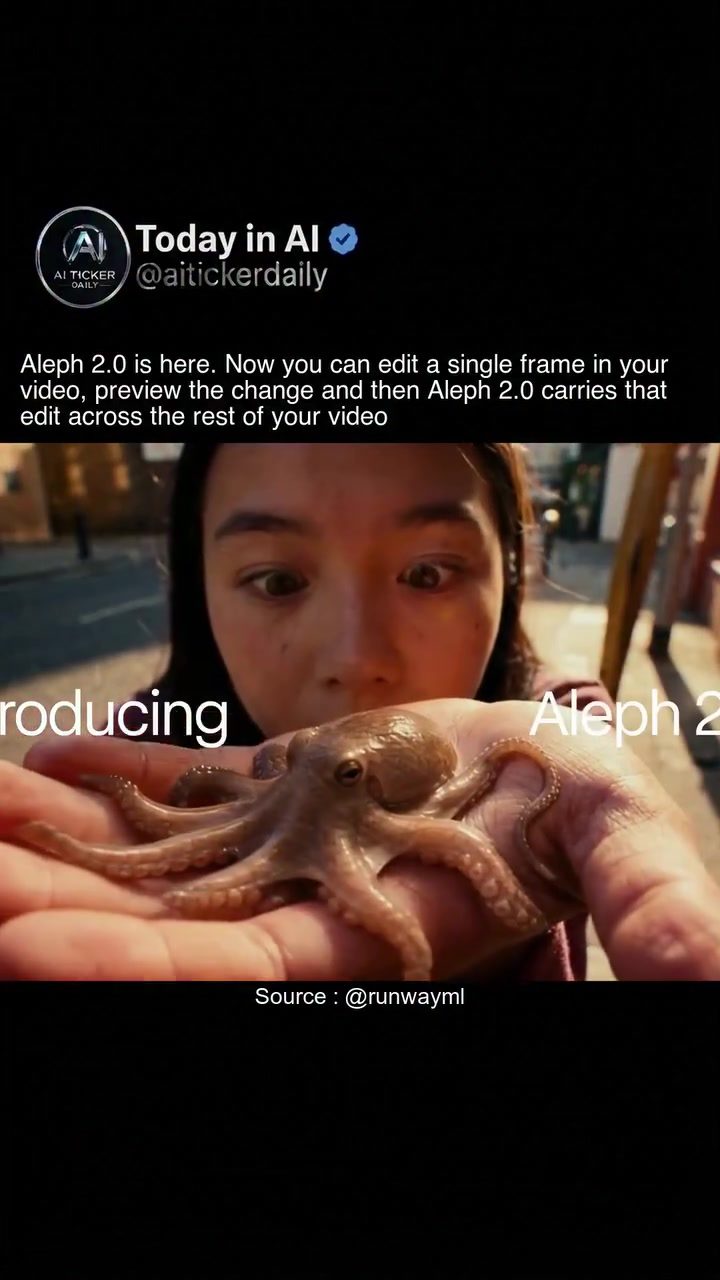
AI Image Editing with RunwayML's Aleph 2.0
AI image editing has taken a significant leap forward with the introduction of RunwayML's Aleph 2.0. This innovative tool allows users to edit a single frame of a video and automatically apply those changes across the entire sequence. Whether you're a professional editor or an enthusiast, Aleph 2.0 offers a new level of efficiency and creativity.
Why AI Image Editing Matters
The ability to edit a single frame and have those changes propagate throughout a video sequence is a game-changer. It saves time and effort, making the editing process more streamlined. This is particularly useful for content creators who need to make quick edits or for professionals working on large projects with tight deadlines.
Main Discussion
How Aleph 2.0 Works
Aleph 2.0 leverages advanced AI algorithms to analyze and understand the content of a video frame. When a user makes an edit to a single frame, the AI intelligently applies similar edits to the rest of the video. This ensures consistency and coherence throughout the entire sequence.
Key Features
Single-Frame Editing: The core feature of Aleph 2.0 is its ability to edit a single frame. This is particularly useful for making minor adjustments or corrections without having to go through the entire video.
Preview and Apply: Users can preview the edit on a single frame before applying it to the rest of the video. This allows for greater control and precision, ensuring that the edit looks exactly as intended.
Automatic Propagation: Once the edit is applied to a single frame, Aleph 2.0 automatically carries that change across the rest of the video. This is done seamlessly, ensuring that the edit is consistent throughout the sequence.
Examples of AI Image Editing
To fully appreciate the capabilities of Aleph 2.0, let's look at some examples of how it can be used:
Object Manipulation: A common use case is manipulating objects within a video. For instance, if you want to remove an unwanted object from a scene, you can edit a single frame to remove it, and Aleph 2.0 will handle the rest.
Color Correction: Another useful feature is color correction. If you need to adjust the color of a specific object or scene, you can do so in a single frame, and the AI will ensure the changes are consistent throughout the video.
Face and Body Adjustments: For videos that require face or body adjustments, Aleph 2.0 can handle these with ease. Whether it's smoothing out skin, changing facial expressions, or adjusting body positions, the AI ensures the edits look natural and consistent.
Practical Tips
Getting Started with Aleph 2.0
- Upload Your Video: Start by uploading the video you want to edit to the RunwayML platform.
- Select the Frame: Choose the frame you want to edit. This can be any frame within the video sequence.
- Make Your Edits: Use the editing tools provided by Aleph 2.0 to make the necessary changes. This could be anything from object removal to color correction.
- Preview the Changes: Before applying the edits to the entire video, use the preview feature to ensure everything looks as intended.
- Apply and Export: Once you're satisfied with the preview, apply the changes to the entire video and export the final version.
Advanced Techniques
Layered Editing: For more complex edits, consider using layered editing. This involves making multiple edits to different layers of the video. Aleph 2.0 can handle these layers seamlessly, ensuring that each edit is applied correctly.
Consistency Checks: Always perform a final consistency check to ensure that the edits look natural and coherent throughout the video. This is especially important for longer videos or those with complex scenes.
Important Takeaways
Efficiency and Creativity
Aleph 2.0 significantly enhances both efficiency and creativity in video editing. By allowing users to make edits on a single frame and apply them across the entire sequence, it saves time and opens up new creative possibilities.
User-Friendly Interface
The platform is designed to be user-friendly, making it accessible to both beginners and professionals. The intuitive interface and powerful AI algorithms ensure that the editing process is smooth and straightforward.
Versatile Applications
From object manipulation to color correction and face adjustments, Aleph 2.0 has a wide range of applications. Whether you're working on a short clip or a full-length film, this tool can handle it all.
Conclusion
RunwayML's Aleph 2.0 represents a significant advancement in AI image editing. By allowing users to edit a single frame and apply those changes across the entire video, it offers a new level of efficiency and creativity. Whether you're a professional editor or an enthusiast, Aleph 2.0 is a powerful tool that can enhance your video editing experience. With its user-friendly interface and versatile applications, it's a must-have for anyone looking to take their video editing to the next level.
Watch the Reel
Questions readers ask
What is RunwayML's Aleph 2.0 and how does it enhance video editing?
RunwayML's Aleph 2.0 is an advanced AI video editing tool that allows users to edit a single frame of a video. The tool then automatically applies those changes across the entire video sequence, making the editing process more efficient and less time-consuming.
How can Aleph 2.0 benefit professional video editors?
Alep 2.0 provides professionals with a significant advantage by reducing the time spent on repetitive tasks. Editors can make precise changes to a single frame and have those changes propagate throughout the video, making it easier to focus on the creative aspects of the project.
Can enthusiasts and beginners use Aleph 2.0 effectively?
Absolutely, Aleph 2.0 is designed to be user-friendly, making it accessible for both enthusiasts and beginners. The tool's ability to automate frame changes helps users who may not have extensive video editing experience to achieve professional-looking results.
What kinds of changes can be made using Aleph 2.0?
Alep 2.0 supports a range of edits, including color correction, object removal, and even more complex modifications like style transfers. Any changes made to a single frame can be seamlessly applied to the rest of the video sequence.
How does Aleph 2.0 improve the video editing workflow?
By allowing users to edit a single frame and automatically apply those changes, Aleph 2.0 streamlines the video editing workflow. This reduces the need for manual frame-by-frame editing, saving both time and effort, and enabling users to complete projects more quickly.
Is Aleph 2.0 compatible with other RunwayML tools?
Yes, Aleph 2.0 is designed to integrate seamlessly with other RunwayML tools. This compatibility allows users to enhance their video editing capabilities by combining multiple AI-driven features, further improving the efficiency and creativity of their projects.
What are the key features of RunwayML's Aleph 2.0 for video editing?
The key features of Aleph 2.0 include its ability to edit a single video frame and apply those changes across the entire sequence, support for a variety of editing tasks, and seamless integration with other RunwayML tools. These features make Aleph 2.0 a powerful tool for enhancing video editing efficiency and creativity.
Related deep dives
Similar reads based on topic and creator.




Recent articles
Fresh deep dives from the latest Reels we unpacked.




Comments
Be the first to comment.