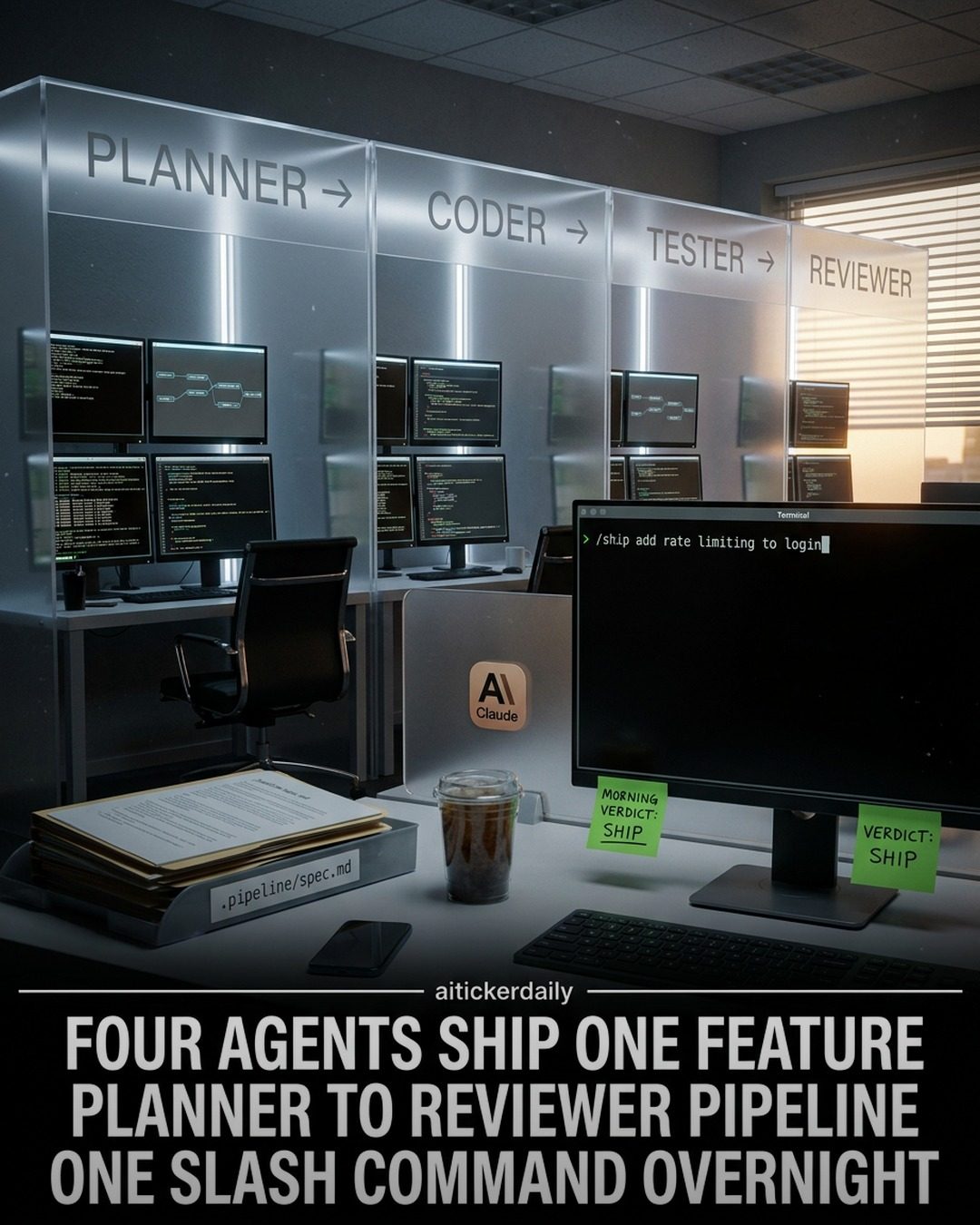
AI Agent Workflow
Software development is a complex process that has evolved significantly with the advent of AI. By leveraging AI agents, developers can optimize workflows, improve efficiency, and ensure that software features are shipped with high quality. This approach integrates multiple AI-driven entities, each responsible for a specific stage of the development cycle, creating a seamless workflow from planning to final review. Here, we delve into the roles of the Planner, Coder, Tester, and Reviewer agents, and how they collectively enhance the entire software development pipeline.
Why This Matters
Incorporating AI into the software development workflow has the potential to revolutionize the way teams operate. By automating key tasks, developers can focus on more creative and strategic aspects of their work. This not only increases productivity but also ensures that features are delivered on time and with fewer errors. Understanding how these AI agents collaborate can provide valuable insights into optimizing software development processes.
Main Discussion
The Four Agents
The AI agent workflow involves a well-orchestrated collaboration between four key agents: the Planner, Coder, Tester, and Reviewer. Each agent plays a crucial role in the development process, ensuring that features are developed, tested, and reviewed efficiently.
The Planner Agent
The Planner agent is the first step in the AI-driven development pipeline. This agent is responsible for transforming feature requests into concrete specifications. By analyzing the requirements and breaking down the tasks, the Planner sets the foundation for the entire development process. It ensures that all necessary details are considered, paving the way for the Coder to implement the feature accurately.
The Coder Agent
Following the Planner, the Coder agent takes over to translate the specifications into actual code. This agent is designed to write clean, efficient, and scalable code based on the detailed plans provided by the Planner. The Coder works tirelessly to implement the feature, ensuring that it meets all the specified requirements and adheres to best coding practices.
The Tester Agent
Once the code is written, the Tester agent plays a vital role in ensuring the quality and reliability of the feature. This agent systematically tests the code for bugs, performance issues, and any other potential problems. By running a series of tests, the Tester ensures that the feature functions as intended and is ready for deployment.
The Reviewer Agent
The final step in the AI pipeline is handled by the Reviewer agent. This agent assesses the code changes for correctness and security. The Reviewer ensures that the code meets all necessary standards and does not introduce any vulnerabilities. This step is crucial for maintaining the integrity and security of the software, making sure that it is safe for end-users.
Integration and Orchestration
The entire process can be initiated with a single command, making it incredibly efficient. The .pipeline/ handoff files and the /ship command allow for a seamless transition between the agents. This orchestration ensures that the feature can be completed while the team sleeps, enabling overnight development and deployment.
Pile vs. Pipeline
The integration of AI agents transforms the traditional "pile" of tasks into a structured pipeline. In a pile, tasks are often managed manually, leading to inefficiencies and delays. In contrast, a pipeline streamlines the workflow, ensuring that each task is handled sequentially and efficiently. This shift from pile to pipeline is a significant leap in optimizing software development processes.
Handoff Folder and Feature Completion
The handoff folder serves as the conduit between the agents, ensuring that each step of the process is clearly defined and documented. This folder contains all the necessary files and specifications, allowing for smooth and efficient transitions between the Planner, Coder, Tester, and Reviewer. The handoff folder ensures that no detail is missed, facilitating the completion of the feature.
Practical Tips
Leveraging the Power of AI Agents
To make the most of the AI agent workflow, it's essential to understand the strengths and limitations of each agent. By focusing on their unique capabilities, you can optimize the development process and ensure that features are delivered with high quality. Here are some practical tips to leverage the power of AI agents:
-
Planning with Precision: Ensure that the Planner agent has all the necessary information to create detailed specifications. The more precise the plan, the smoother the subsequent steps will be.
-
Coding with Clarity: Use the Coder agent to write clean, efficient, and scalable code. Make sure the specifications provided by the Planner are clear and unambiguous to avoid misunderstandings.
-
Testing Thoroughly: Utilize the Tester agent to run comprehensive tests. Ensure that all potential issues are identified and resolved before the code moves to the Reviewer.
-
Reviewing Rigorously: Take advantage of the Reviewer agent to assess the code for correctness and security. This step is crucial for maintaining the integrity and reliability of the software.
-
Seamless Orchestration: Use the handoff folder and the
/shipcommand to ensure a smooth transition between the agents. This will help in completing the feature efficiently.
Important Takeaways
- Efficiency through Automation: The AI agent workflow automates key tasks in the software development process, enhancing efficiency and productivity.
- Role-Specific Agents: Each AI agent has a specific role, ensuring that every aspect of the development process is covered.
- Single Command Execution: The entire process can be initiated with a single command, making it incredibly efficient.
- Pile to Pipeline Transition: The shift from a pile of tasks to a structured pipeline optimizes the development process.
- Handoff Folder for Smooth Transitions: The handoff folder ensures seamless transitions between the agents, facilitating the completion of features.
Conclusion
Incorporating AI agents into the software development workflow can significantly enhance efficiency and quality. By leveraging the unique capabilities of the Planner, Coder, Tester, and Reviewer agents, developers can streamline their processes and deliver features faster and more reliably. Understanding the roles and orchestration of these agents is crucial for optimizing the development pipeline and ensuring successful feature completion.
Watch the Reel
Questions readers ask
What are the primary benefits of using AI agents in software development?
AI agents streamline software development by automating repetitive tasks, enhancing overall efficiency, and ensuring high-quality outputs. They allow developers to focus more on innovative and strategic aspects of software creation rather than getting bogged down by mundane tasks.
How do AI agents contribute to the software development pipeline?
AI agents such as the Planner, Coder, Tester, and Reviewer work collaboratively to cover the entire software development lifecycle. The Planner helps in initial project scoping and task allocation, while the Coder writes and optimizes code. The Tester ensures code reliability through automated testing, and the Reviewer provides feedback for continuous improvement.
Can AI agents handle the entire development process from planning to production?
Yes, AI agents are designed to manage the entire software development process. From planning the initial features and tasks, through coding, testing, and reviewing, these agents ensure a seamless handoff between each development stage, facilitating a smooth transition from development to production.
What role does the AI Tester play in the development workflow?
The AI Tester is crucial for automated software testing, identifying bugs, and ensuring code quality. By running comprehensive tests, the AI Tester helps to catch issues early in the development process, reducing the risk of defects in the final product and enhancing overall reliability.
How does the AI Reviewer enhance the software development process?
The AI Reviewer provides detailed feedback and suggestions to improve code quality and adhere to best practices. This agent reviews the code written by the Coder and suggests optimizations, ensuring that the software meets high standards before it moves to the next stage of the pipeline.
What is the significance of the AI Planner in software development?
The AI Planner is essential for setting up the project's initial structure, defining tasks, and allocating resources. It ensures that the development process is well-organized and that all tasks are efficiently managed, setting a solid foundation for the entire software development lifecycle.
How do AI agents improve software development efficiency?
AI agents improve efficiency by automating key tasks, reducing manual effort, and minimizing human error. They accelerate the development process, allowing for faster iteration and quicker delivery of high-quality software features to the market.
Related deep dives
Similar reads based on topic and creator.




Recent articles
Fresh deep dives from the latest Reels we unpacked.




Comments
Be the first to comment.