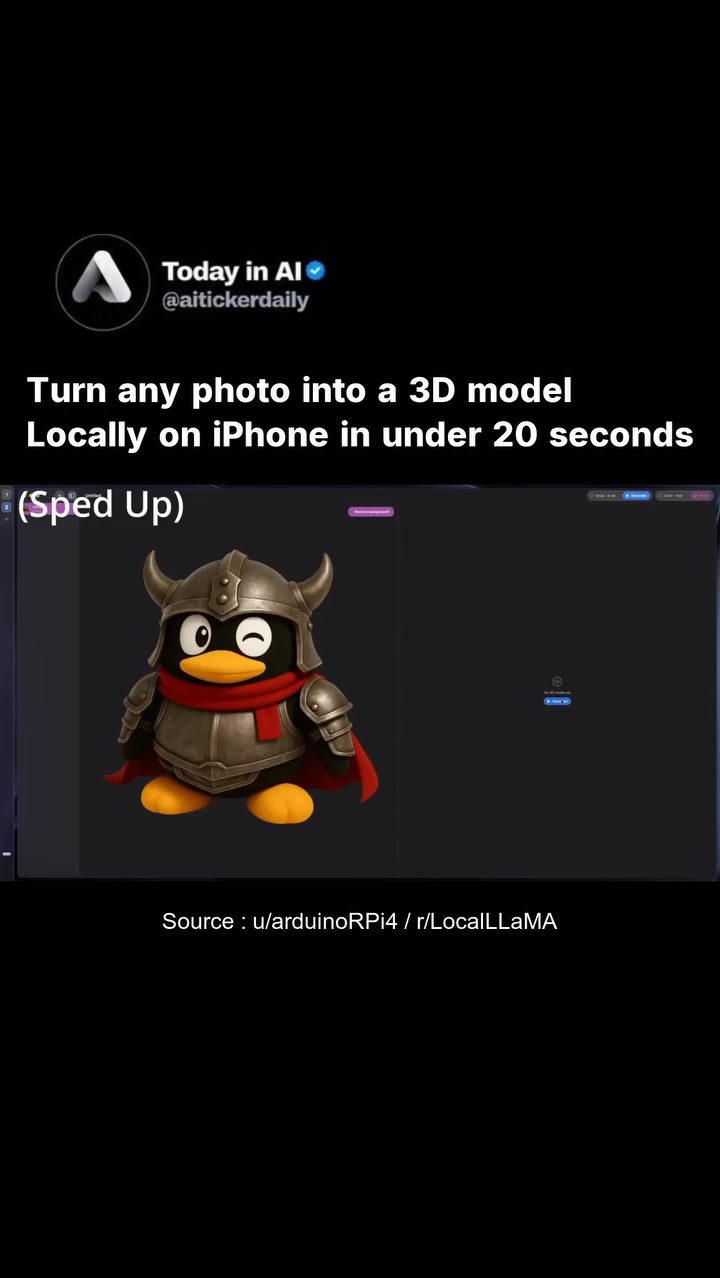
AI-Powered 3D Model Generation on iPhone
AI-powered 3D model generation is revolutionizing how quickly and efficiently we can transform 2D images into 3D assets. Thanks to recent advancements, this process can now be accomplished directly on an iPhone in under 20 seconds. This breakthrough eliminates the need for cloud processing, ensuring that your data stays secure and private on your device.
Context / Why this matters
The ability to generate 3D models from photos locally on a device like the iPhone has significant implications. It democratizes access to advanced 3D modeling capabilities, making them available to a wider audience without the need for expensive hardware or complex software. This development is particularly useful for creators, designers, and hobbyists who need to quickly turn their ideas into 3D assets.
Main discussion
Local Processing and Data Security
One of the key advantages of this technology is its local processing capability. Traditional 3D modeling software often requires significant computational power and relies on cloud processing, which can be slow and costly. By running locally on an iPhone, the process is not only faster but also more secure. Your data remains on your device, eliminating the need for cloud credits, upload queues, and subscription walls. This ensures that your privacy is maintained, and your work stays confidential.
Speed and Efficiency
The speed at which this technology operates is another significant benefit. The entire process, from uploading a photo to generating a 3D model, is completed in under 20 seconds. This efficiency is made possible by the powerful Apple Silicon used in iPhones, which can handle complex computations with ease. The application runs in under 2GB of RAM, making it accessible even on standard iPhone models.
Versatility and Creativity
The application's versatility allows users to turn any photo into a 3D model, opening up a world of creative possibilities. Whether you're a designer looking to create 3D assets for a project, a hobbyist wanting to bring your favorite photos to life, or an artist exploring new dimensions in your work, this technology provides a powerful tool. The application demonstrates this capability by showcasing the creation of a 3D penguin model, though the possibilities are endless.
Integration with iPhone
The integration with the iPhone's camera roll further enhances the usability of this application. Your camera roll becomes a 3D asset library, allowing you to quickly and easily convert any of your photos into 3D models. This seamless integration makes the process intuitive and user-friendly, ensuring that even those with limited technical knowledge can create stunning 3D assets with ease.
Practical tips
Choosing the Right Photo
When selecting a photo to convert into a 3D model, it's important to choose an image with clear, distinct features. Photos with high contrast and well-defined edges tend to yield better results. Avoid images that are blurry or have low resolution, as these can lead to less accurate 3D models.
Optimizing Your Workflow
To get the most out of this application, consider organizing your photos in a way that makes it easy to find and convert them. Create albums or folders in your camera roll that categorize your photos by project or theme. This will help you quickly locate the images you need and streamline your workflow.
Exploring Creative Possibilities
Don’t be afraid to experiment with different types of photos and subjects. The application’s versatility means you can create 3D models from a wide range of images, from landscapes to portraits and everything in between. Try converting photos of objects, animals, or even people to see the different results.
Staying Updated
Technology is constantly evolving, and this field is no exception. Keep an eye out for updates and new features that could further enhance your 3D modeling capabilities. By staying informed, you can ensure that you're always using the most efficient and effective tools available.
Important takeaways
- Efficiency and Speed: The ability to generate 3D models in under 20 seconds on an iPhone is a game-changer, making the process quick and efficient.
- Data Security: Local processing ensures that your data stays private and secure, eliminating the need for cloud storage and subscription fees.
- Versatility: The application's ability to convert any photo into a 3D model opens up a world of creative possibilities.
- User-Friendly Interface: The seamless integration with the iPhone's camera roll makes the process intuitive and user-friendly, even for those with limited technical knowledge.
Conclusion
The development of an AI-powered 3D model generation application that runs locally on an iPhone is a significant advancement in the field of 3D modeling. It offers speed, efficiency, and versatility, making it an invaluable tool for creators, designers, and hobbyists. By keeping your data secure and providing an intuitive user experience, this technology is set to revolutionize how we work with 3D assets. Embrace this innovation and explore the endless creative possibilities it offers.
Watch the Reel
Questions readers ask
Does the AI 3D model creation process require an internet connection?
No, the AI 3D model creation process on the iPhone is designed to work locally, meaning it doesn't require an internet connection. This local processing ensures that your data remains secure and private on your device.
What types of 2D images can be converted into 3D models on an iPhone?
The AI 3D model creation apps on iPhones can typically convert a variety of 2D images into 3D models, including photos, drawings, and even screenshots. The quality and complexity of the 3D model may vary depending on the clarity and detail of the 2D image.
Can users customize the 3D models generated from 2D images?
Yes, many 3D modeling apps allow users to customize the generated 3D models. This can include adjusting dimensions, textures, and other features to better suit the user's needs or artistic vision. The level of customization may depend on the specific app being used.
Why is local processing important for 3D model creation on an iPhone?
Local processing is important because it ensures that all data stays on the user's device, enhancing both privacy and security. This method eliminates the need to send sensitive information to external servers, making it a safer option for creating 3D models.
How can a 3D model creation apps benefit creators and hobbyists?
3D model creation apps on the iPhone benefit creators and hobbyists by providing quick and easy access to advanced 3D modeling tools. This allows users to transform 2D images into 3D assets in under 20 seconds, making the creative process more efficient and accessible without the need for expensive hardware or complex software.
What are the advantages of using an iPhone for 3D model creation?
Using an iPhone for 3D model creation offers several advantages, including convenience, speed, and security. The process is fast, taking less than 20 seconds, and the local processing ensures that personal data remains secure. Additionally, the ease of use and accessibility make it suitable for a wide range of users, from beginners to experienced designers.
Related deep dives
Similar reads based on topic and creator.




Recent articles
Fresh deep dives from the latest Reels we unpacked.




Comments
Be the first to comment.