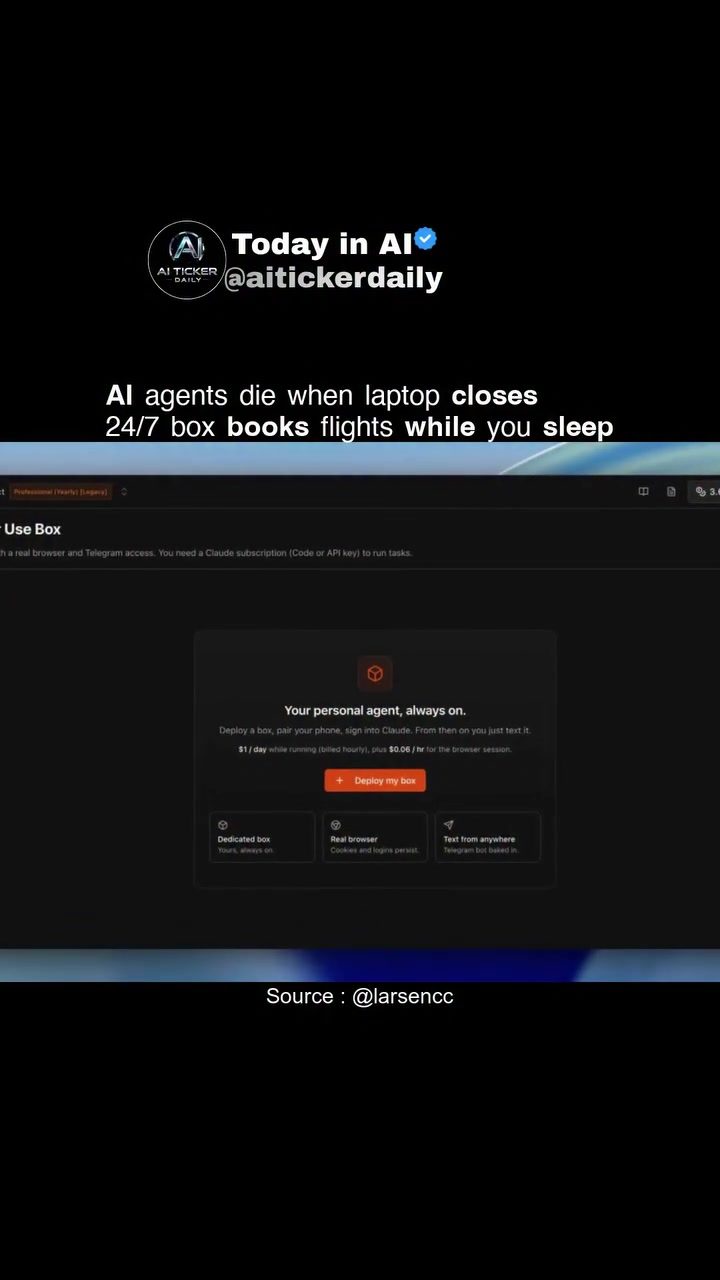
Browser Agents and 24/7 Automation with aitickerdailyBrowser
Browser agents are transforming how we approach automation and productivity. These agents, which operate within web browsers, can handle a variety of tasks, from booking flights to managing social media accounts. One standout in this field is aitickerdailyBrowser, a software solution built on Browser Harness. This always-on host for browser agents ensures that your workflow isn't restricted to an open laptop, providing a seamless and continuous operation experience.
The Benefits of 24/7 Automation
Always-On Operation
One of the primary advantages of using aitickerdailyBrowser is its 24/7 operation capability. This means that your browser agents can run continuously, even when you're not actively using your laptop. Whether you need to book a flight while you sleep or schedule social media posts overnight, this always-on feature ensures that your tasks are completed promptly and efficiently.
Real Chrome with Persistent Logins
aitickerdailyBrowser utilizes real Chrome for its operations. This ensures compatibility with all the extensions and plugins you use, providing a familiar and reliable browsing experience. Persistent logins mean that you don't have to log in repeatedly, saving time and ensuring that your sessions remain secure and uninterrupted.
Telegram Integration
Integration with Telegram adds another layer of convenience. You can receive real-time updates and notifications directly in your Telegram chat, allowing you to stay informed about the progress of your tasks and any potential issues that may arise. This integration streamlines communication and ensures that you never miss an update.
How It Works
The Box System
The term "box" refers to the system that aitickerdailyBrowser uses to provide remote access and task execution. This system ensures that your browser agents can operate independently of your physical laptop. When you close your laptop, the box continues to run, managing your tasks and ensuring that your work is not interrupted. This is particularly useful for tasks that require continuous monitoring or execution, such as booking flights or managing online orders.
Technical Demonstration
The demo showcases a terminal window displaying code and connection status, highlighting the technical prowess of aitickerdailyBrowser. This window provides a transparent view of the underlying processes, ensuring that users can trust the software's capabilities and understand how it operates. The terminal also serves as a troubleshooting tool, allowing users to diagnose and resolve any issues that may arise.
Practical Tips for Optimizing Productivity
Task Automation
To make the most out of aitickerdailyBrowser, consider automating repetitive tasks. This could include scheduling social media posts, booking flights, or managing online orders. By setting up these tasks to run automatically, you can free up your time to focus on more critical activities.
Real-Time Monitoring
Leverage the Telegram integration to monitor your tasks in real-time. This ensures that you stay informed about the progress of your tasks and can take immediate action if any issues arise.
Persistent Logins
Ensure that your logins are persistent to avoid interruptions in your workflow. This feature allows you to maintain your sessions without having to log in repeatedly, saving time and enhancing security.
Important Takeaways
Efficiency and Reliability
aitickerdailyBrowser offers a reliable and efficient solution for automating browser-based tasks. Its 24/7 operation and real Chrome integration ensure that your tasks are completed promptly and efficiently, providing a seamless workflow.
Flexibility and Control
The software provides users with flexibility and control over their tasks through the box system and Telegram integration. This ensures that you can manage your tasks remotely and stay informed about their progress.
Continuous Improvement
The continuous operation and real-time monitoring capabilities of aittickerdailyBrowser ensure that your workflow remains efficient and uninterrupted. This allows you to focus on what matters most, whether it's growing your business or managing your personal tasks.
Conclusion
aitickerdailyBrowser represents a significant advancement in browser automation, offering a reliable and efficient solution for managing tasks 24/7. By utilizing real Chrome, persistent logins, and Telegram integration, it ensures that your workflow remains seamless and uninterrupted. Whether you're booking flights, managing social media, or handling online orders, aitickerdailyBrowser provides the tools you need to stay productive and efficient.
Watch the Reel
Questions readers ask
What is *aitickerdailyBrowser* and how does it work?
*aitickerdailyBrowser* is a browser agent software that enables 24/7 automation of browser tasks. It operates continuously, even when your laptop is off, allowing you to manage tasks such as booking flights, managing social media, and more. Utilizing Browser Harness, it provides a seamless and always-on operation experience.
Can I use my favorite Chrome extensions with *aitickerdailyBrowser*?
Yes, *aitickerdailyBrowser* offers real Chrome integration, ensuring compatibility with your favorite Chrome extensions. This means you can continue to use the tools you rely on while benefiting from the 24/7 automation capabilities.
How do I receive updates from my browser agents while using *aitickerdailyBrowser*?
*aitickerdailyBrowser* integrates with Telegram to provide real-time updates and notifications. This allows you to stay informed about the progress and results of your automated tasks, even when you're not actively using your laptop.
What kind of tasks can be automated using 24/7 browser agents?
With 24/7 browser agents, you can automate a wide range of tasks such as booking flights, posting on social media, and managing online accounts. This can be particularly beneficial for small businesses looking to enhance productivity and streamline workflows.
How does *aitickerdailyBrowser* benefit small businesses?
*aitickerdailyBrowser* benefits small businesses by providing always-on automation, allowing for continuous task management and enhanced efficiency. This means tasks such as flight bookings and social media management can be handled around the clock, freeing up time for other business activities.
Is *aitickerdailyBrowser* suitable for flight booking automation?
Yes, *aitickerdailyBrowser* is well-suited for flight booking automation. Its 24/7 operation ensures that you can have browser agents continuously monitor flight prices, book flights, and manage travel arrangements, providing a significant advantage for frequent travelers.
What advantages does 24/7 browser automation offer over traditional automation tools?
24/7 browser automation, as provided by *aitickerdailyBrowser*, operates continuously without the need for a constantly open laptop, ensuring that tasks are completed around the clock. This is a significant advantage over traditional automation tools, providing nonstop efficiency that can drastically improve productivity.
Related deep dives
Similar reads based on topic and creator.




Recent articles
Fresh deep dives from the latest Reels we unpacked.




Comments
Be the first to comment.