Wispr Flow AI: Enhancing Productivity with AI-Powered Voice-to-Text
The ability to convert speech into text is a game-changer in productivity, especially for those who find typing cumbersome or time-consuming. The Wispr Flow AI app stands out in this realm, offering a seamless and efficient way to transform spoken words into written content. This app, which has garnered significant attention for its accuracy and ease of use, is a powerful tool for anyone looking to streamline their workflow.
Why This Matters
In today's fast-paced world, the ability to quickly and accurately convert speech into text can significantly enhance productivity. Whether you're a professional writer, a student, or someone who needs to jot down notes on the go, a reliable voice-to-text app can save valuable time and effort. The Wispr Flow AI app excels in this area, providing a solution that is not only efficient but also surprisingly accurate, especially when it comes to punctuation.
Main Discussion
The Core Features of Wispr Flow AI
The Wispr Flow AI app is designed to make the process of converting speech into text as seamless as possible. Unlike traditional voice-to-text applications, Wispr Flow AI excels at automatically inserting punctuation, which is a common pain point for users. This feature ensures that the text generated is not only accurate but also easy to read and understand.
A Better Alternative to Siri
One of the standout features of Wispr Flow AI is its superior performance compared to other voice-to-text apps, such as Siri. Users of Siri often find that they need to manually insert punctuation, which can be a tedious and time-consuming process. In contrast, Wispr Flow AI handles punctuation automatically, making it a more efficient choice for users who prioritize speed and accuracy.
Ease of Use
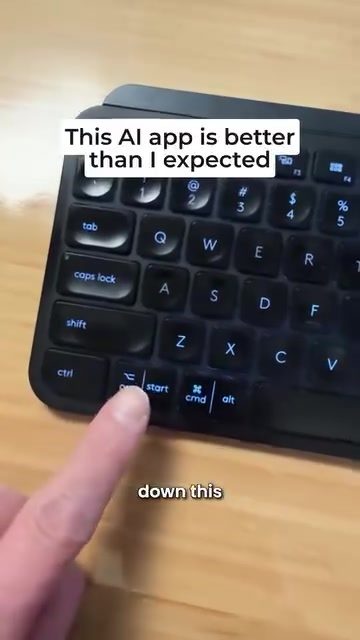
The app's user interface is designed to be intuitive and easy to navigate. Users simply need to hold down a key on their keyboard and speak, and the app will transcribe their words into clean, readable paragraphs. This simplicity makes it an excellent choice for both tech-savvy users and those who are less familiar with voice-to-text technology.
Practical Tips
Getting Started with Wispr Flow AI
To get the most out of Wispr Flow AI, it's essential to follow a few simple steps:
- Download and Install the App: Wispr Flow AI is available for download on various platforms, including mobile devices and desktops. Follow the installation instructions provided on the app's website or the app store.
- Set Up Your Microphone: Ensure that your microphone is properly set up and that the app has permission to access it. This will ensure clear and accurate transcription.
- Practice Speaking Clearly: While Wispr Flow AI is highly accurate, speaking clearly and at a moderate pace will improve the app's performance. Avoid speaking too quickly or mumbling, as this can lead to errors in transcription.
Optimizing Performance
To optimize the performance of Wispr Flow AI, consider the following tips:
- Use a High-Quality Microphone: A high-quality microphone can significantly improve the accuracy of speech-to-text transcription. Investing in a good microphone can make a noticeable difference in the app's performance.
- Minimize Background Noise: Background noise can interfere with the app's ability to transcribe speech accurately. Try to use the app in a quiet environment to minimize distractions and improve accuracy.
- Customize Punctuation Settings: Wispr Flow AI allows users to customize punctuation settings to suit their preferences. Experiment with different settings to find the configuration that works best for you.
Handling Common Issues
Even the most advanced voice-to-text apps can encounter occasional issues. Here are a few common problems and how to address them:
- Incorrect Punctuation: If you notice that the app is not inserting punctuation correctly, check the punctuation settings and adjust them as needed. Some users may prefer to manually insert punctuation in specific contexts.
- Transcription Errors: If the app is having trouble transcribing your speech accurately, try speaking more slowly and clearly. You can also use the app's built-in editing tools to correct any errors.
- Microphone Issues: If the app is not recognizing your speech, check your microphone settings and ensure that the app has permission to access the microphone. You may also want to try using a different microphone or adjusting the microphone settings in the app.
Important Takeaways
Wispr Flow AI is a powerful tool for anyone looking to enhance their productivity through efficient speech-to-text conversion. Its ability to automatically insert punctuation, intuitive user interface, and superior performance compared to other apps make it a standout choice in the market. By following the practical tips outlined above, users can optimize the app's performance and make the most of its features.
Conclusion
The Wispr Flow AI app represents a significant advancement in the field of voice-to-text technology. Its ability to convert speech into clean, readable text with accurate punctuation makes it an invaluable tool for professionals, students, and anyone who values efficiency and accuracy. By integrating Wispr Flow AI into your workflow, you can streamline your tasks and save valuable time and effort.
Watch the Reel
Questions readers ask
What makes Wispr Flow AI different from other voice-to-text apps?
Wispr Flow AI excels in its accuracy and user-friendly design. It also minimizes the need for manual editing by accurately handling punctuation, which is common challenge for many voice-to-text users. Its AI-powered technology ensures a seamless transition from speech to text, making it a standout solution.
Can Wispr Flow AI improve my typing efficiency?
Yes, Wispr Flow AI can significantly improve your typing efficiency. By converting speech directly into text, it reduces the time and effort typically required for typing, allowing you to complete tasks more quickly and effortlessly. This is particularly beneficial for those who prefer speaking over typing.
How accurate is Wispr Flow AI in converting speech to text?
Wispr Flow AI is renowned for its high accuracy in converting speech to text. The app's advanced AI technology ensures that spoken words are accurately transcribed into written content, minimizing errors and the need for extensive manual corrections.
What types of users can benefit from using Wispr Flow AI?
Wispr Flow AI is beneficial for a wide range of users, including professional writers, students, and anyone who needs to take notes on the go. Its user-friendly interface and high accuracy make it an excellent choice for those looking to enhance their productivity and streamline their workflow.
Does Wispr Flow AI support multiple languages?
Currently, the information provided does not specify language support. For the most accurate and up-to-date information, it is recommended to check the official Wispr Flow AI website or app store listing. If multilingual support is crucial for your needs, verifying this feature beforehand is essential.
Related deep dives
Similar reads based on topic and creator.



Recent articles
Fresh deep dives from the latest Reels we unpacked.




Comments
Be the first to comment.