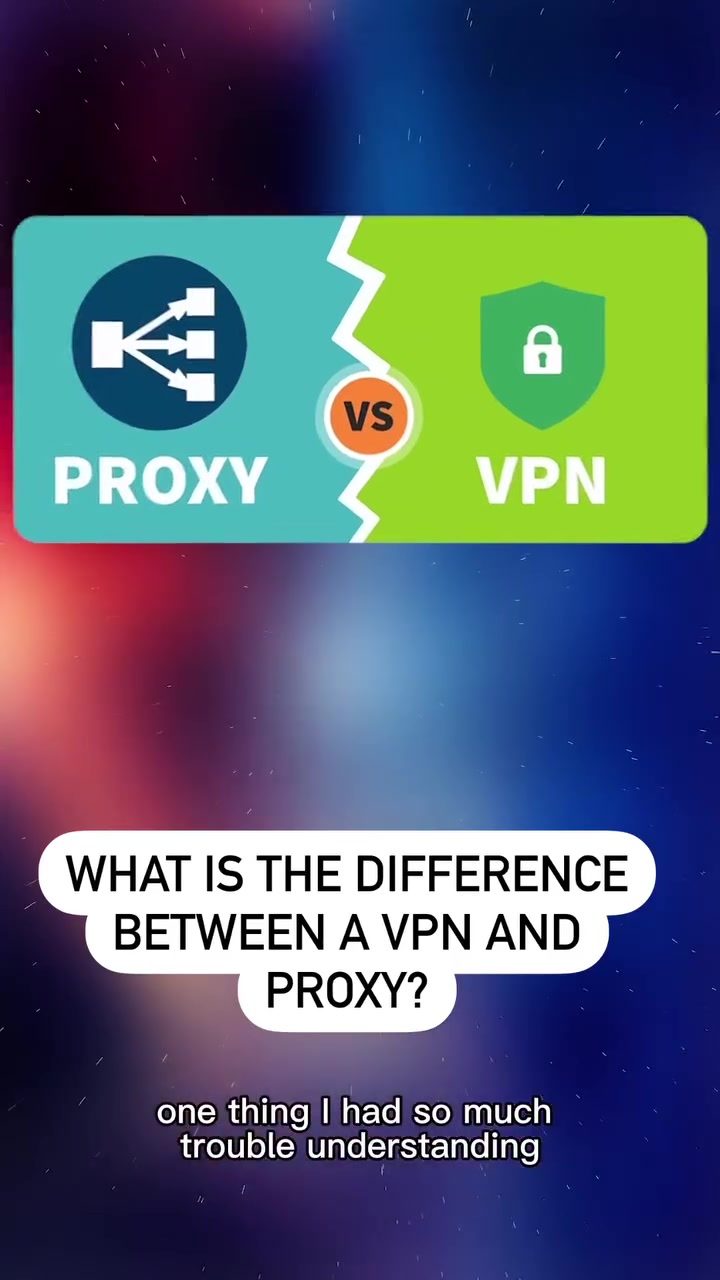
VPNs and Proxies: Understanding the Differences and Use Cases
When diving into the world of tech, one of the most confusing aspects can be understanding the difference between a VPN and a proxy. Both serve to mask your IP address, but they operate very differently. Here’s a clear breakdown of what each does, how they work, and when to use one over the other.
Context: Why This Matters
In an increasingly digital world, privacy and security are paramount. Understanding how VPNs and proxies function can help you make informed decisions about protecting your online activities. Whether you're traveling, using public Wi-Fi, or just want to access restricted content, knowing the right tool for the job is crucial.
What is a VPN?
A VPN, or Virtual Private Network, creates a virtual network interface that encrypts and routes all your device's traffic through a secure tunnel to the VPN server. This means every application on your device, whether you're using a website or an app, has its traffic protected. This encryption ensures that your data is secure from potential eavesdroppers.
How Does a VPN Work?
VPNs use specific protocols to encrypt the connection between your device and the VPN server. This encrypted tunnel ensures that all your internet traffic is protected from prying eyes. Once your data reaches the VPN server, it is decrypted and sent to its final destination.
When to Use a VPN
There are several scenarios where a VPN is particularly useful:
- Traveling Abroad: If you're in a country where certain web apps or streaming services are restricted, a VPN can help you access them by changing your virtual location.
- Public Wi-Fi: Using public Wi-Fi can be risky because your data can be intercepted. A VPN encrypts your traffic, adding an extra layer of security.
- Bypassing Censorship: In countries where internet access is restricted, a VPN can help you bypass censorship and access the free internet.
What is a Proxy?
A proxy, on the other hand, typically operates at the application level, specifically for web traffic. It acts as a middleman that forwards requests from an application, like a web browser, to the internet and back. The primary function of a proxy is to change the IP address visible to the websites you visit.
How Does a Proxy Work?
Proxies are simpler than VPNs. They intercept your web requests and forward them to the destination server, changing your IP address in the process. This means that the website you visit sees the proxy's IP address instead of yours.
When to Use a Proxy
Proxies are often used in specific situations where lightweight tasks are needed:
- Schools and Organizations: Many schools and organizations use proxies to control internet access. For example, a school might use a proxy to block access to social media sites from school computers. If someone tries to access social media, the proxy interferes or redirects the request, preventing access.
- Streamlined Tasks: If you need to perform a specific task like accessing a geo-restricted website, a proxy can be a quick and efficient solution.
VPN vs. Proxy: Key Differences
While both VPNs and proxies can mask your IP address, there are key differences:
- Encryption: VPNs encrypt all your traffic, providing a higher level of security. Proxies do not encrypt traffic.
- Scope: VPNs protect all applications on your device, not just web traffic. Proxies typically only handle web traffic.
- Anonymity: VPNs offer more anonymity by encrypting your data and masking your IP address. Proxies only change your IP address without encrypting your data.
Practical Tips
Choosing Between a VPN and a Proxy
- For Comprehensive Security: If you need to protect all your internet traffic and want maximum security, choose a VPN.
- For Specific Tasks: If you only need to access a specific website or perform a simple task like changing your IP address, a proxy might be sufficient.
- For Travel: Always use a VPN when traveling, especially in countries with strict internet regulations or when using public Wi-Fi.
- For Everyday Use: If you frequently use public Wi-Fi or need to access restricted content, a VPN is a better long-term solution.
Setting Up a VPN
Setting up a VPN is straightforward:
- Choose a Reliable VPN Service: There are many VPN providers available. Look for one with a good reputation, strong encryption, and a no-log policy.
- Download and Install: Follow the provider's instructions to download and install the VPN software on your device.
- Connect: Open the VPN app and connect to a server in your desired location.
Important Takeaways
- VPNs offer comprehensive protection and encryption for all your internet traffic.
- Proxies are useful for specific, lightweight tasks and do not encrypt your data.
- Choose the Right Tool: Understand your needs and choose the tool that best fits your situation.
Conclusion
Understanding the differences between VPNs and proxies can help you make informed decisions about your online privacy and security. Whether you're traveling, using public Wi-Fi, or just want to access restricted content, knowing when to use a VPN or a proxy can enhance your online experience and keep your data safe.
Watch the Reel
Questions readers ask
What is the main difference between a VPN and a proxy in terms of traffic handling?
A VPN encrypts all internet traffic from your device, providing a secure tunnel for your data. In contrast, a proxy only reroutes traffic from a specific application or browser, leaving other traffic unsecured.
Should I use a VPN or a proxy if I need to access streaming services from another country?
For streaming, a VPN is generally the better choice. VPNs encrypt your traffic and offer better security and speed for streaming, ensuring you can access geo-restricted content without buffering or interruptions.
Is a proxy more suitable for quick, temporary tasks?
Yes, a proxy is ideal for quick, temporary tasks that require a simple IP change, such as accessing a location-specific website or service. Proxies are often faster and more straightforward to set up for these specific needs.
When should I use a VPN for general web browsing?
Use a VPN for general web browsing when you want to ensure your entire internet connection is secure. VPNs encrypt all your data, protecting your privacy and securing you from potential threats on public Wi-Fi networks or other unsecured connections.
Can a proxy server be used to enhance online privacy?
While a proxy can mask your IP address for specific tasks, it does not offer the same level of privacy as a VPN. Proxies typically do not encrypt your data, leaving you vulnerable to potential security risks.
What should I consider when choosing between a VPN and a proxy for accessing restricted content?
For accessing restricted content, consider your security needs. A VPN is more secure as it encrypts your traffic, whereas a proxy only reroutes traffic and may not provide the same level of security. If you prioritize security and want to protect all your data, a VPN is the better option.
Can I use a VPN and a proxy together?
Yes, you can use a VPN and a proxy together for enhanced security and anonymity. By connecting to a VPN first and then a proxy, you can add an extra layer of IP masking, making it even more difficult to trace your online activities.
Related deep dives
Similar reads based on topic and creator.

Recent articles
Fresh deep dives from the latest Reels we unpacked.




Comments
Be the first to comment.