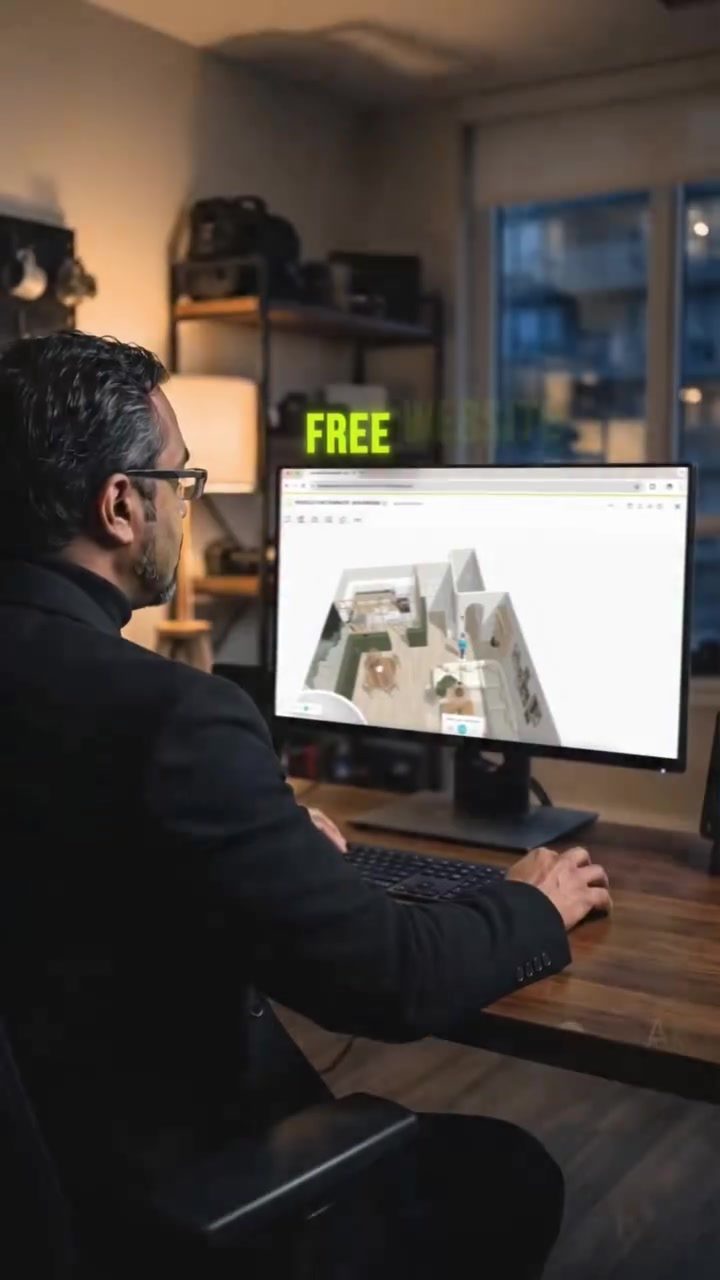
HomeByMe is a groundbreaking, free web application that allows users to design their entire home in 3D directly from their browser, revolutionizing the way people shop for furniture and plan their living spaces. This powerful tool doesn't require any downloads or prior design experience, making it accessible to anyone with an internet connection.
Why This Matters
Whether you're planning a major renovation, moving into a new place, or simply looking to upgrade your furniture, HomeByMe offers a seamless way to visualize your space before making any purchases. By creating a detailed 3D model of your room and adding real furniture from actual brands, you can avoid costly mistakes and ensure that every piece fits perfectly. This not only saves you money but also time and effort, making the design process more efficient and enjoyable.
How HomeByMe Works
Designing your home with HomeByMe is straightforward and intuitive. Here’s a step-by-step guide to get you started:
Enter Your Room's Real Dimensions
The first step in using HomeByMe is to enter the real dimensions of your room. This ensures that the 3D model accurately represents your actual space, providing a realistic view of how furniture will fit.
Drop in Walls, Doors, and Windows
Next, you drop in walls, doors, and windows to create the basic structure of your room. This step allows you to see how the layout will come together in 2D, giving you a clear understanding of the spatial arrangement.
Flip into 3D
Once the 2D layout is complete, you can flip it into 3D. This immersive experience lets you walk through the space as if you were actually there, giving you a true sense of the room's dimensions and design.
Add Real Furniture
One of the standout features of HomeByMe is the ability to add real furniture from actual brands. This means you can test if that couch, table, or bed will actually fit in your space before spending a single dollar on it. This feature is invaluable for ensuring that your furniture choices are both functional and aesthetically pleasing.
Generate a Realistic Render
When you're done designing, HomeByMe generates a realistic image of your finished room. This high-quality render is the kind of thing you'd normally pay a professional designer for, but with HomeByMe, it's completely free.
Practical Tips
To make the most out of HomeByMe, consider the following tips:
Take Accurate Measurements
Accuracy is key when entering your room's dimensions. Double-check your measurements to ensure that the 3D model closely matches your actual space.
Experiment with Different Layouts
Don’t be afraid to experiment with different layouts and furniture arrangements. The 3D view allows you to visualize how changes will affect the overall look and feel of your room.
Use the 2D View for Planning
The 2D view is great for initial planning and layout. Use it to get a sense of the room's structure before moving into the 3D view for a more immersive experience.
Test Furniture Fit
Take advantage of the feature that allows you to add real furniture from actual brands. This is a game-changer for ensuring that your furniture choices fit perfectly in your space.
Save and Share Your Designs
Save your designs so you can revisit them later or share them with others. This feature is particularly useful if you're working with a partner or a designer.
Important Takeaways
HomeByMe is a powerful tool that can transform the way you shop for furniture and design your living spaces. By providing a realistic 3D model of your room and allowing you to add real furniture from actual brands, it helps you make informed decisions and avoid costly mistakes. Whether you're planning a major renovation or simply looking to upgrade your furniture, HomeByMe offers a seamless and intuitive design experience that is both efficient and enjoyable.
Conclusion
HomeByMe is more than just a design tool; it's a game-changer for anyone looking to transform their living space. With its user-friendly interface, accurate 3D modeling, and the ability to test real furniture, it offers a comprehensive solution for all your design needs. So before you make your next furniture purchase or start a renovation, design it with HomeByMe first. It could save you from some very expensive mistakes and ensure that your space looks and feels exactly how you want it to.
Watch the Reel
Questions readers ask
Can I use HomeByMe on any device?
Yes, HomeByMe is a web-based application, so you can access it from any device with an internet connection and a web browser. This includes computers, tablets, and even smartphones, making it easy to design your home from anywhere.
How do I get started with designing my home on HomeByMe?
To begin, simply visit the HomeByMe website and sign up for a free account. Once logged in, you can start a new project by entering the dimensions of your room. From there, you can add walls, windows, and doors, and then start furnishing your space with real products from various brands.
Can I use HomeByMe to design multiple rooms or an entire home?
Absolutely. HomeByMe allows you to design multiple rooms and even entire floors of your home. You can create a detailed 3D model of your entire living space, room by room, and visualize how different pieces of furniture can work together across your home.
Is there a cost to use HomeByMe for home design?
HomeByMe is free to use. You can create as many projects as you like, access a vast library of real-world products, and use the 3D room planner without any hidden fees. However, there are premium features available for purchase if you wish to enhance your design experience.
Can I use my own measurements to design a room on HomeByMe?
Yes, you can use your own measurements for your room. Simply enter the dimensions of your space, including the length, width, and height. This ensures that your 3D design is accurate and that the furniture you choose will fit perfectly.
Can I use HomeByMe to plan a furniture layout for a room that's not a standard shape?
Yes, HomeByMe allows you to create rooms of any shape. You can adjust the lengths and angles of walls to match the exact dimensions of your room, no matter how irregular the shape may be. This makes it ideal for planning furniture layout in uniquely shaped spaces.
Can I visualize my furniture purchases before buying?
Yes, HomeByMe allows you to add real-world products from a wide range of brands. This means you can see exactly how the furniture you are considering will look and fit in your space before making any purchases. It's a great way to make sure you love the way your new furniture looks in your room.
Related deep dives
Similar reads based on topic and creator.

Recent articles
Fresh deep dives from the latest Reels we unpacked.




Comments
Be the first to comment.