ChatGPT Traffic Analysis
ChatGPT, the cutting-edge AI language model, is increasingly influencing web traffic. Understanding how to analyze and leverage this traffic can provide valuable insights into your digital marketing strategy. By diving into the analytics dashboard, particularly Google Analytics, you gain a clear view of how ChatGPT is directing traffic to your site and which pages are deemed valuable by the AI.
Context / Why This Matters
In the ever-evolving landscape of digital marketing, staying ahead of the curve means utilizing every available tool and data source to maximize your reach. ChatGPT, with its ability to generate comprehensive and contextually relevant content, is becoming a significant driver of web traffic. By analyzing this traffic, you can identify high-performing pages and double down on what works, ultimately improving your site's overall effectiveness and visibility.
Main Discussion
Understanding Traffic Acquisition
Traffic acquisition is a critical component of digital marketing. It involves the methods and strategies used to attract visitors to your website. By understanding where your traffic is coming from, you can tailor your content and marketing efforts to better engage with your audience, ultimately driving more conversions.
Navigating the Analytics Dashboard
To analyze traffic from ChatGPT, you need to delve into your analytics dashboard. Here's a step-by-step guide to navigating the process:
-
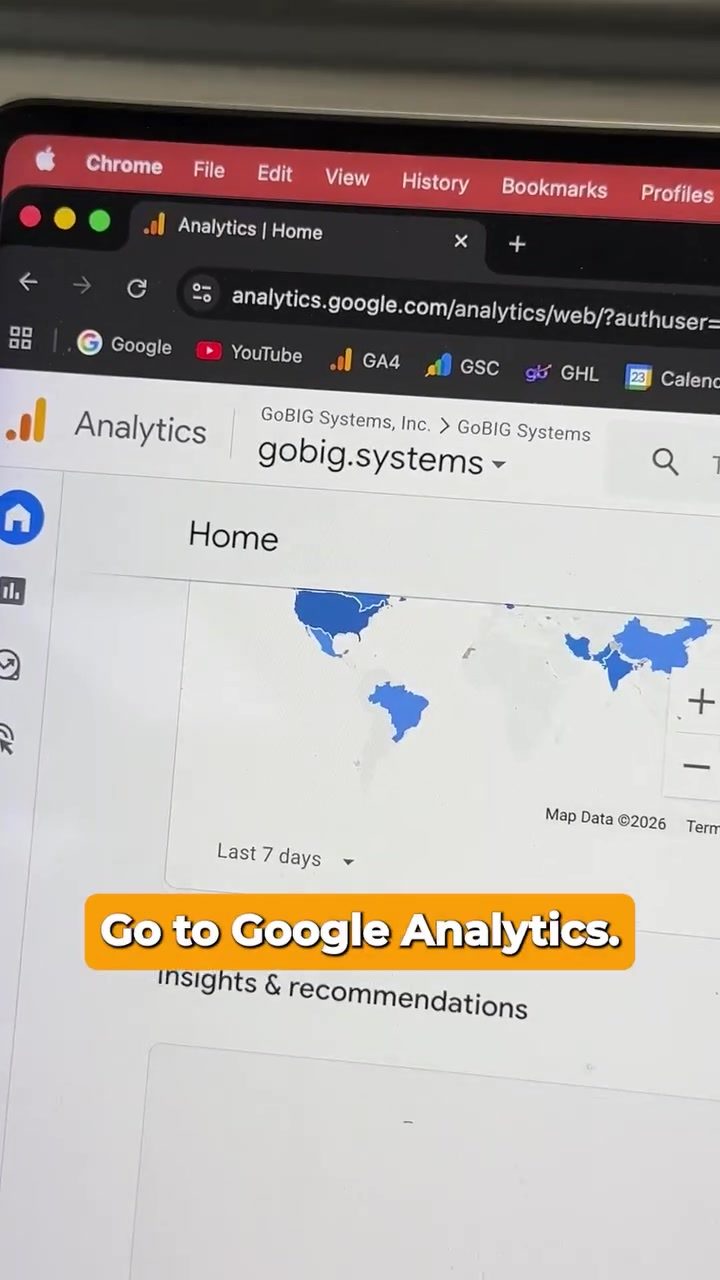
Access Google Analytics: Start by logging into your Google Analytics account. This powerful tool provides a wealth of data on your website's performance.
-
Navigate to Reports: Click on the "Reports" section to access the various metrics and data points available.
-
Traffic Acquisition: Under the "Acquisition" tab, select "Traffic Acquisition." This will show you the various sources driving traffic to your site.
-
Filter by Source Media: Click the arrow next to the source media and change it to "Source Media." This allows you to filter traffic by specific sources, such as ChatGPT.
-
Type ChatGPT.com: In the search bar, type "ChatGPT.com." This will filter the data to show only the traffic coming from ChatGPT.
-
Engagement Metrics: Click on "Engagement" and then "Pages and Screens." Add a filter to show only sessions where the source contains "ChatGPT." This will give you a clear view of the pages that ChatGPT is citing, which are deemed valuable by the AI.
Identifying Valuable Pages
Once you have filtered the data, you will see a list of pages that ChatGPT is directing traffic to. These pages are considered valuable by the AI and are likely to be more engaging for your audience. By identifying these pages, you can focus your efforts on creating similar content, improving SEO, and optimizing for better performance.
Leveraging ChatGPT Traffic
Double down on the pages that ChatGPT is citing. These pages are already performing well, and by optimizing them further, you can attract even more traffic. Here are some practical tips:
- Optimize Content: Ensure that the content on these pages is high-quality, relevant, and keyword-rich. This will improve search engine rankings and attract more organic traffic.
- Engage with AI: Use ChatGPT to generate additional content that can be added to these pages, enhancing their value and relevance.
- Monitor Performance: Regularly check the performance of these pages in your analytics dashboard to track their effectiveness and make necessary adjustments.
Utilizing Free SEO Tools
There are several free SEO tools available that can help you analyze and optimize your site. Commenting with a request for SEO assistance can often unlock access to these tools, providing you with valuable insights and recommendations to improve your site's performance.
Practical Tips
-
Regularly Monitor Traffic Sources: Make it a habit to check your traffic sources regularly. This will help you stay updated on which sources are driving the most valuable traffic to your site.
-
Use Filters Effectively: Utilize filters in your analytics dashboard to get a granular view of your traffic. This will help you identify patterns and trends that can inform your marketing strategy.
-
Enhance Valuable Pages: Once you've identified the pages that ChatGPT is citing, focus on enhancing their content, making them more engaging, and optimizing for better performance.
-
Leverage AI Tools: Use AI tools like ChatGPT to generate content and gain insights into how to improve your site's performance and SEO.
-
Seek Expert Help: Don't hesitate to seek free SEO assistance if needed. Exploiting all available resources to improve your site can make a significant difference in your digital marketing efforts.
Important Takeaways
-
Traffic from ChatGPT is valuable: Identifying and leveraging traffic from ChatGPT can provide valuable insights into your site's performance and help you optimize for better engagement and conversions.
-
Regular monitoring is crucial: Regularly monitoring your traffic sources and using filters effectively can help you stay informed and make data-driven decisions.
-
Optimize high-performing pages: Focus on enhancing the pages that ChatGPT is citing, as these are deemed valuable by the AI and are likely to attract more traffic.
-
Utilize available tools: Make use of free SEO tools and AI-generated content to improve your site's performance and SEO.
Conclusion
Analyzing traffic from ChatGPT using an analytics dashboard can provide valuable insights into your site's performance. By identifying high-performing pages and optimizing them for better engagement, you can improve your site's overall effectiveness and visibility. Regularly monitoring your traffic sources and leveraging available tools and resources will help you stay ahead in the competitive digital marketing landscape.
Watch the Reel
Questions readers ask
How can I track AI-driven web traffic from ChatGPT using Google Analytics?
To track AI-driven web traffic from ChatGPT, you can use Google Analytics to identify and analyze specific traffic patterns. Look for unusual spikes in traffic or referrals from known AI sources. Additionally, you can set up custom segments and filters within Google Analytics to isolate and study traffic that exhibits characteristics typical of AI-generated interactions, such as specific landing pages or unique pathways through your site.
What are the key metrics to watch when analyzing ChatGPT traffic in Google Analytics?
Key metrics to monitor include the number of sessions, user engagement, bounce rate, and the specific pages visited by AI-driven traffic. By examining these metrics, you can determine which content is most appealing to AI visitors and optimize your site accordingly. Additionally, tracking the acquisition channels and sources can help you understand the pathways through which ChatGPT is directing traffic to your site.
How do I optimize my content for better visibility to ChatGPT and its users?
Optimizing your content for better visibility to ChatGPT and its users involves creating concise and informative content that answers common queries or provides comprehensive solutions. Incorporate relevant keywords and phrases that ChatGPT might use to generate responses. Additionally, ensure that your content is structured with clear headings, bullet points, and meta descriptions to enhance readability and SEO performance.
Can I identify the exact pages on my site that AI traffic is visiting?
Yes, you can identify the exact pages on your site that AI traffic is visiting by using the 'Pages' report in Google Analytics. This report will show you the specific URLs that receive the most traffic from AI sources. By analyzing this data, you can gain insights into which content is most valuable to AI visitors and optimize those pages to maximize engagement and conversions.
What are some effective strategies for leveraging ChatGPT traffic in Google Analytics?
Effective strategies for leveraging ChatGPT traffic include segmenting your audience to focus on AI-driven visits and analyzing their behavior. Customize your content strategy based on the insights gained from these segments, such as creating more AI-friendly content or optimizing landing pages. Additionally, tracking the flow of traffic from AI sources can help you identify the most effective pathways and content types to drive engagement and conversions.
How can I differentiate between human and AI-driven traffic in Google Analytics?
Differentiating between human and AI-driven traffic can be challenging, but it can be done by analyzing traffic patterns and characteristics. Look for sudden spikes in traffic, unusual user behavior, and consistent visit times. Additionally, you can use custom filters and segments in Google Analytics to isolate traffic that exhibits known patterns of AI interaction, such as multiple visits to specific pages or quick exits. This analysis can help you refine your content strategy to better engage both AI and human visitors.
What is the significance of analyzing source traffic from ChatGPT?
Analyzing source traffic from ChatGPT is crucial for understanding how AI-generated content is impacting your web traffic. By identifying the specific sources and referral paths, you can tailor your content and SEO strategies to better align with the needs and behaviors of AI-generated traffic. This analysis can also help you optimize your content for higher visibility and engagement, making your site more attractive to both AI and human visitors.
Related deep dives
Similar reads based on topic and creator.

Recent articles
Fresh deep dives from the latest Reels we unpacked.




Comments
Be the first to comment.