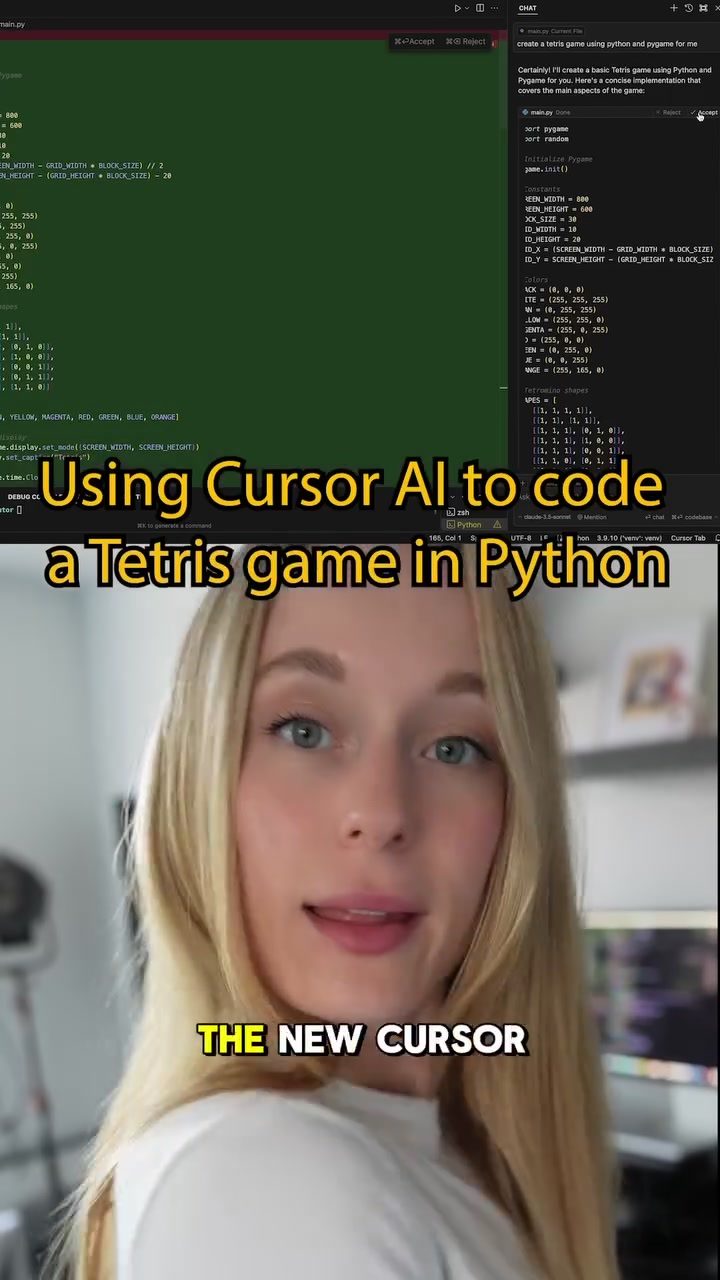
Tetris Game Development in Python and the Role of Cursor AI
Developing games is always challenging, especially when you want to build a classic like Tetris from scratch. Today, we will explore how to use the Cursor AI coding tool to build a Tetris game in Python. This powerful tool speeds up the coding process and offers suggestions for improving the game.
Context / Why This Matters
In the ever-evolving landscape of software development, tools like Cursor AI offer new ways to build and enhance applications. For developers, understanding how to leverage these tools can significantly boost productivity and creativity. By exploring the process of building a Tetris game in Python, we can see how Cursor AI can assist in coding, testing, and improving the game.
Main Discussion
Building the Tetris Game with Cursor AI
The journey of building a Tetris game in Python starts with a clear plan. First, we need to set up the development environment. This involves installing Python and the necessary libraries, such as Pygame, which is a popular choice for game development in Python. Once the environment is set up, the next step is to write the initial code.
Cursor AI can generate the code for the game, and then the developer can apply it to the file. This process is straightforward: after generating the code, you simply hit the 'apply' button, and the code is integrated into your project. Running the code will then show the game in action, ready to play.
Testing and Refining the Code
After the initial build, the next step is to test the game. This involves running the game and checking for any bugs or issues. Cursor AI can also assist in this phase by providing suggestions for improving the code. For instance, one of the suggestions might be to preview the building blocks of Tetris before the player starts playing. This feature can enhance the user experience by giving players a better understanding of the game mechanics.
Enhancing the Game
There are various ways to make the game even better. For example, you can add a scoring system, improve the graphics, or introduce different levels of difficulty. Cursor AI provides a ton of different options for enhancing the code. These options can be explored and chosen based on the developer's preferences and the needs of the game.
Practical Tips
Setting Up the Development Environment
Before diving into the coding process, ensure that your development environment is properly set up. This includes installing Python and the Pygame library. You can do this by running the following commands in your terminal:
pip install pygame
Writing the Initial Code
Once the environment is set up, you can start writing the initial code for the Tetris game. Cursor AI can generate the code for you, making the process faster and more efficient. After generating the code, apply it to your file and run the game to see it in action.
Testing and Refining
Testing is a crucial part of the development process. Run the game and look for any issues or bugs. Cursor AI can provide suggestions for improving the code, such as previewing the building blocks before playing. Implement these suggestions to enhance the user experience.
Enhancing the Game
To make the game even better, explore the different options provided by Cursor AI. This can include adding features like a scoring system, improving graphics, or introducing different levels of difficulty. Choose the options that best suit your needs and preferences.
Important Takeaways
- Efficiency: Using a tool like Cursor AI can significantly speed up the coding process, making it more efficient and less time-consuming.
- Productivity: With Cursor AI, developers can focus more on the creative aspects of game development, rather than getting bogged down by the technical details.
- Improvement Options: The tool provides a variety of options for improving the game, from bug fixes to enhancements, making it a versatile assistant for developers.
- Learning Opportunity: Understanding how to use tools like Cursor AI can be a valuable learning experience for developers, helping them stay up-to-date with the latest technologies and trends.
Conclusion
Building a Tetris game in Python using Cursor AI is a powerful way to streamline the development process. From generating the initial code to refining and enhancing the game, Cursor AI offers a range of features that can make the process more efficient and enjoyable. By leveraging these tools, developers can focus on the creative aspects of game development, leading to more innovative and engaging games.
Watch the Reel
Questions readers ask
What is Cursor AI and how can it help in developing a Tetris game in Python?
Cursor AI is an advanced coding assistant that provides real-time suggestions, auto-completions, and bug fixes, designed to enhance the development process. For a Tetris game in Python, it can help by speeding up coding tasks, offering feature enhancements, and ensuring smoother testing phases.
How does Cursor AI improve the coding process for a Tetris game?
Cursor AI improves the coding process by providing context-aware code suggestions, which can reduce the time spent on writing and debugging code. It helps in implementing features like piece movement, rotation, and collision detection more efficiently, allowing developers to focus on game logic and design.
Can Cursor AI assist in testing a Python Tetris game?
Yes, Cursor AI can assist in testing by identifying potential bugs and issues in the code. It offers immediate feedback and suggestions for fixes, helping developers ensure that the game runs smoothly and that all features, such as scoring and level progression, function correctly.
What kind of Python game development tasks can Cursor AI automate?
Cursor AI can automate various tasks, including code completion, syntax checking, and even generating boilerplate code. For a Tetris game, it can handle repetitive tasks like creating game loops, handling user inputs, and managing the game's state, freeing up developers to work on more complex aspects of the game.
How can Cursor AI enhance the features of a Python Tetris game?
Cursor AI can suggest improvements for various game features, such as adding new gameplay modes, enhancing graphics, or implementing advanced scoring systems. By analyzing the existing codebase, it can provide insights and recommendations to make the game more engaging and polished.
Is Cursor AI suitable for both beginners and experienced Python developers?
Yes, Cursor AI is beneficial for both beginners and experienced developers. Beginners can use it to learn best practices and coding standards, while experienced developers can leverage it to boost productivity and explore new ideas more efficiently.
What are some of the key benefits of using Cursor AI for Python game development?
Using Cursor AI for Python game development offers several key benefits, including increased coding speed, improved code quality, and enhanced feature implementation. It also reduces the time spent on debugging and testing, allowing developers to create more polished and engaging games.
Related deep dives
Similar reads based on topic and creator.

Recent articles
Fresh deep dives from the latest Reels we unpacked.




Comments
Be the first to comment.