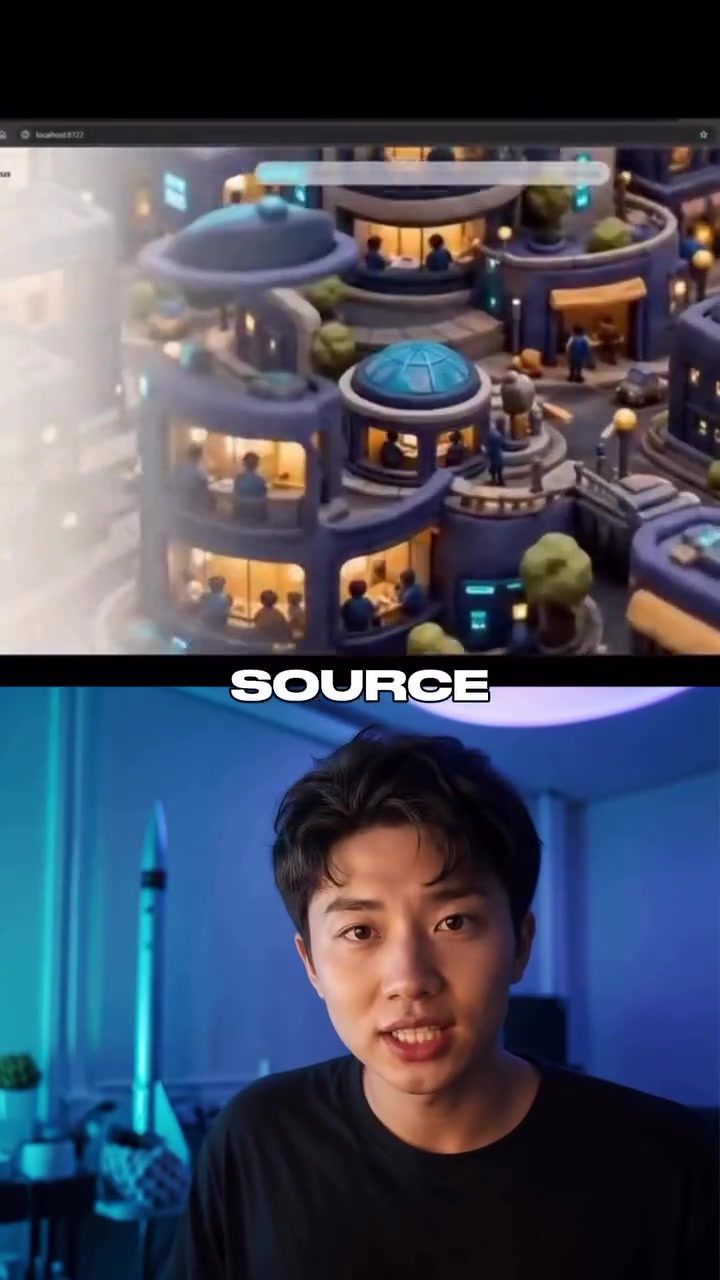
Scroll World: Simplifying Animated Scrolling Websites with AI
Scroll World is an open-source skill designed to revolutionize the way developers create animated scrolling websites. This tool leverages the power of AI models like Claude Sonnet 4.5 and GPT 5.1 to streamline the process, making it accessible even to those with limited coding experience. By using Scroll World, developers can quickly generate still images, convert them into videos, and stitch them together into seamless animations.
Why This Matters
The ability to create dynamic, engaging websites without extensive coding knowledge is a game-changer in the web development industry. Animated scrolling websites have become increasingly popular due to their ability to capture and maintain user attention. However, the traditional methods of creating such websites often require a deep understanding of programming languages and graphic design. Scroll World addresses this challenge by automating much of the process, allowing developers to focus on the creative aspects of their projects.
Main Discussion
How Scroll World Works
Scroll World operates through a series of straightforward steps that make the process of creating animated scrolling websites both efficient and user-friendly.
Installation and Setup
To get started with Scroll World, users need to install the skill and integrate it with their development environment. This typically involves running a few commands in the terminal. Once installed, users can access the skill through a command-line interface (CLI), making it easy to manage and customize their projects.
Generating Still Images
One of the key features of Scroll World is its ability to generate still images based on user input. Users simply need to specify the type of website they want to build, and the tool will create a still image that serves as the foundation for the animation. This step is crucial as it allows users to visualize the final product before committing to the full animation process.
Converting Images to Videos
Once users are satisfied with the still images, Scroll World converts them into high-quality videos. The conversion process is seamless, ensuring that the final output maintains the integrity of the original design. This step is where the AI models, such as Claude Sonnet 4.5 and GPT 5.1, come into play, automating the complex task of creating smooth, fluid animations.
Stitching Videos Together
The final step involves stitching the individual video clips together to create a cohesive, animated scrolling website. Scroll World handles this aspect with precision, ensuring that the transitions between clips are smooth and the overall animation flows seamlessly.
Mobile Improvements and Budget Tiers
Scroll World offers a fork of the original skill that includes mobile improvements and budget tiers. These enhancements are designed to optimize the performance of the animated websites on mobile devices, ensuring that users have a consistent experience regardless of the device they are using.
Mobile Improvements
The mobile improvements in the forked version of Scroll World focus on optimizing the animation for smaller screens. This includes adjusting the resolution, frame rate, and other technical parameters to ensure that the animations run smoothly on mobile devices. These improvements are particularly important in today's mobile-first world, where a significant portion of web traffic comes from smartphones and tablets.
Budget Tiers
The budget tiers in the forked version of Scroll World are designed to make the tool more accessible to a wider range of users. By offering different pricing options, developers can choose a tier that best fits their budget without compromising on the quality of their projects. This flexibility allows even small businesses and individual developers to create high-quality animated scrolling websites.
Practical Tips
Optimizing Performance
To get the most out of Scroll World, consider the following tips for optimizing performance:
- Choose the Right AI Model: Depending on the complexity of your project, you may want to experiment with different AI models to see which one produces the best results. Both Claude Sonnet 4.5 and GPT 5.1 are powerful options, but their strengths may vary depending on the specific requirements of your project.
- Use High-Quality Input: The quality of the still images you generate will have a significant impact on the final output. Make sure to provide clear, detailed input to ensure that the AI models can produce high-quality animations.
- Test on Multiple Devices: To ensure that your animated scrolling website performs well on all devices, test it on a variety of screens, including desktops, tablets, and smartphones. This will help you identify any performance issues and make the necessary adjustments.
Enhancing Creativity
While Scroll World automates much of the technical process, there is still plenty of room for creativity in your projects:
- Experiment with Different Styles: Don't be afraid to experiment with different animation styles and techniques. Scroll World's flexibility allows you to create unique, visually stunning websites that stand out from the crowd.
- Incorporate Interactive Elements: Adding interactive elements to your animated scrolling websites can enhance the user experience and make your projects more engaging. Consider incorporating buttons, forms, and other interactive components to create a dynamic, user-friendly interface.
Important Takeaways
- Scroll World simplifies the process of creating animated scrolling websites, making it accessible to a wider range of developers.
- The tool leverages AI models like Claude Sonnet 4.5 and GPT 5.1 to automate the generation of still images, videos, and seamless animations.
- Mobile improvements and budget tiers in the forked version of Scroll World ensure that the tool is optimized for performance and accessible to all users.
- By following best practices for performance optimization and creativity, developers can create high-quality, engaging animated scrolling websites using Scroll World.
Conclusion
Scroll World is a powerful tool for anyone looking to create animated scrolling websites with minimal effort. By automating much of the technical process, this open-source skill allows developers to focus on the creative aspects of their projects, resulting in visually stunning, engaging websites. Whether you're a seasoned developer or just starting out, Scroll World offers a flexible, user-friendly solution for creating dynamic, high-quality animations.
Watch the Reel
Questions readers ask
What AI models does Scroll World utilize for creating animations?
Scroll World leverages advanced AI models including Claude Sonnet 4.5 and GPT 5.1 to generate animations. These models help in converting still images into videos and crafting seamless animations, making the process efficient and user-friendly.
Can beginners use Scroll World to create animated websites?
Yes, Scroll World is designed to be accessible to developers with limited coding experience. It simplifies the creation of animated scrolling websites by automating complex tasks, allowing beginners to produce engaging content with ease.
Is Scroll World a free tool?
Yes, Scroll World is an open-source tool, which means it is freely available for use. This makes it a budget-friendly option for developers looking to enhance their websites with animations without incurring additional costs.
What are the key features of Scroll World?
Scroll World allows users to generate still images, convert them into videos, and stitch them together into seamless animations. It is designed to streamline the process of creating animated scrolling websites, making it easier for developers to produce dynamic content.
How does Scroll World help in creating engaging websites?
Scroll World helps in creating engaging websites by simplifying the process of adding animations. Animations can capture and maintain user attention, making websites more interactive and visually appealing. With Scroll World, even those with limited coding skills can achieve this.
What makes Scroll World stand out among other animation tools?
Scroll World stands out due to its use of advanced AI models and its open-source nature. It provides a user-friendly interface that allows for quick generation of animations, making it a powerful tool for developers looking to create dynamic websites without extensive coding knowledge.
Can Scroll World be used for projects other than website animations?
While Scroll World is primarily designed for creating animated scrolling websites, the skills and techniques learned can be applied to other animation projects. The tool's flexibility and ease of use make it a versatile option for various creative endeavors beyond just web development.
Recent articles
Fresh deep dives from the latest Reels we unpacked.




Comments
Be the first to comment.