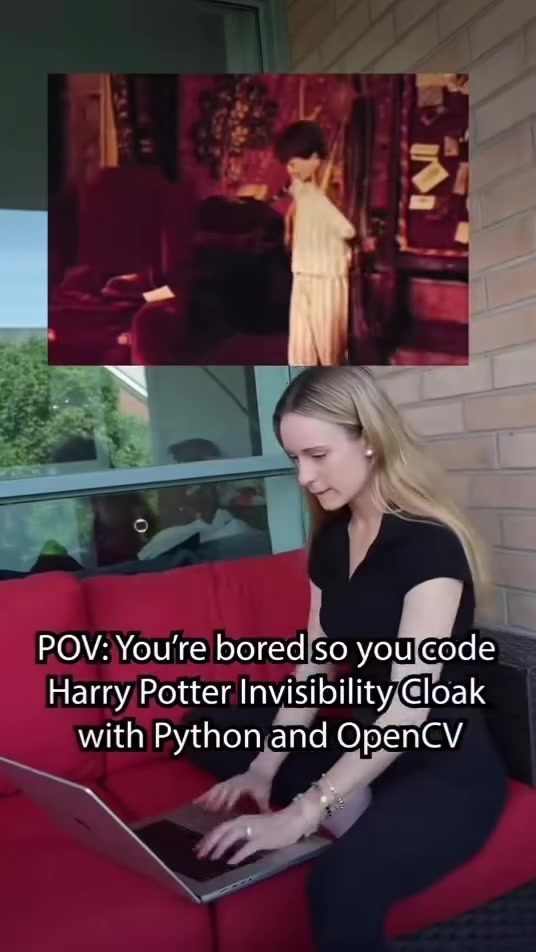
Creating an Invisibility Cloak with Python and OpenCV
When you find yourself with some free time and a curious mind, coding projects can be a great way to pass the hours. One such project that combines entertainment and a bit of magic is creating an invisibility cloak using Python and OpenCV. This effect, reminiscent of Harry Potter's cloak, can be a fun and impressive trick to pull off, especially around the holiday season.
Context
OpenCV, or Open Source Computer Vision Library, is a powerful tool for computer vision tasks. When paired with Python, it becomes even more versatile, allowing for a wide range of applications from simple image processing to complex machine learning models. The toolkit's ability to manipulate video frames in real-time makes it an excellent choice for projects like an invisibility cloak.
Main Discussion
How the Invisibility Cloak Works
The invisibility cloak effect relies on a few key steps to achieve the desired result. The process involves capturing video frames from a camera, detecting specific colors in each frame, and replacing those colors with the background. Here’s a breakdown of the steps:
- Open Camera and Capture Background: The script begins by opening the camera and capturing a background image. This background will be used to replace the detected color in subsequent frames.
- Process Video Frames: The script continuously processes new frames captured by the camera. Each frame is analyzed to detect areas of a specific color.
- Detect and Mask Blue Areas: The script focuses on detecting blue pixels in each frame. A mask is created for these blue areas, which will be replaced with the background.
- Replace Blue with Background: The blue areas detected in the mask are then replaced with the background image captured earlier.
- Display Result in Real-Time: The final step involves displaying the processed frame in real-time, giving the illusion of invisibility.
Required Software and Libraries
To create this invisibility cloak effect, you'll need a few key tools and libraries:
- Python: The programming language used to write the script.
- OpenCV: A library for computer vision tasks, essential for processing video frames and detecting colors.
- Pygame: A library for creating games and multimedia applications, useful for displaying the final output.
Step-by-Step Code Explanation
Here’s a brief explanation of the code involved in creating the invisibility cloak:
-
Import Necessary Libraries:
import cv2 import numpy as np import pygame -
Initialize Camera and Capture Background:
cap = cv2.VideoCapture(0) ret, bg = cap.read() bg = cv2.cvtColor(bg, cv2.COLOR_BGR2RGB) -
Process Each Frame:
while True: ret, frame = cap.read() hsv = cv2.cvtColor(frame, cv2.COLOR_BGR2HSV) -
Create a Mask for Blue Areas:
lower_blue = np.array([100, 150, 0]) upper_blue = np.array([140, 255, 255]) mask = cv2.inRange(hsv, lower_blue, upper_blue) -
Replace Blue Areas with Background:
frame = cv2.bitwise_and(frame, frame, mask=mask) result = np.where(mask == 255, bg, frame) -
Display the Result:
cv2.imshow('Invisibility Cloak', result)
if cv2.waitKey(1) & 0xFF == ord('q'):
    break
Practical Tips
Setting Up Your Environment
Before diving into the code, ensure you have Python and the necessary libraries installed. You can install OpenCV and Pygame using pip:
pip install opencv-python
pip install pygame
Choosing the Right Color
The invisibility cloak demo uses blue as the color to be replaced. However, you can customize the script to detect and replace any color. Make sure the color you choose is distinct from the background to achieve the best results. Adjust the lower_blue and upper_blue arrays to match the HSV values of the color you want to detect.
Optimizing Performance
For real-time processing, it’s crucial to optimize the code for performance. Consider the following tips:
- Efficient Color Detection: Ensure the color detection is accurate and efficient. Fine-tune the HSV ranges to minimize errors.
- Frame Rate: Adjust the frame rate to balance between smoothness and performance. Higher frame rates provide smoother video but require more processing power.
- Background Capture: Capture a clear and stable background image to enhance the invisibility effect.
Important Takeaways
Creating an invisibility cloak with Python and OpenCV is a fun and educational project that showcases the power of computer vision. The project involves capturing video frames, detecting specific colors, and replacing them with the background. This technique can be applied to various applications, from simple tricks to more advanced video editing tasks. By understanding the basics of OpenCV and Python, you can experiment with different colors and effects to create unique and impressive visuals.
Conclusion
The invisibility cloak effect is a fantastic way to explore the capabilities of Python and OpenCV. Whether you're a coding enthusiast looking for a new project or a developer interested in computer vision, this project offers a hands-on experience with practical applications. So, the next time you find yourself with some free time, why not create your own invisibility cloak and impress your friends and family?
Watch the Reel
Questions readers ask
What is the basic principle behind the Python invisibility cloak effect using OpenCV?
The invisibility cloak effect works by using computer vision to detect and replace specific colors in video frames. By identifying a particular color, such as green or blue, and replacing it with the background, the effect makes it seem like objects of that color are disappearing.
Which programming language and library are needed to create this effect?
To create the invisibility cloak effect, you will need Python and the OpenCV library. Python is a versatile and widely-used programming language, while OpenCV is a powerful toolkit for computer vision tasks, making them an excellent combination for this project.
Can this invisibility effect work in real-time?
Yes, with the right setup and optimizations, the invisibility cloak effect can process video frames in real-time. This involves using OpenCV's capabilities to capture video, detect colors, and replace them instantaneously, providing a seamless and magical experience.
How does OpenCV handle color detection for the invisibility effect?
OpenCV uses color detection algorithms to identify specific colors in video frames. By setting a color range, OpenCV can isolate the targeted color and then replace it with the background. This is often done using techniques like color thresholding and inpainting.
What hardware is required to implement this invisibility cloak project?
To implement the invisibility cloak project, you will need a computer or laptop with a webcam. Additionally, having a green or blue screen (or cloth) can enhance the effect by providing a uniform background that is easy to replace with the targeted color detection.
Can I use a different color for the invisibility effect besides green or blue?
Yes, while green and blue are commonly used due to their ease of detection and minimal interference with other colors, you can use any color for the invisibility effect. You will need to adjust the color detection parameters in your code to match the desired color range.
Are there any resources or tutorials available to help with the invisibility cloak code?
There are numerous online resources and tutorials available to guide you through creating an invisibility cloak with Python and OpenCV. These resources often include step-by-step instructions, code samples, and tips on optimizing your project for better performance.
Related deep dives
Similar reads based on topic and creator.

Recent articles
Fresh deep dives from the latest Reels we unpacked.




Comments
Be the first to comment.