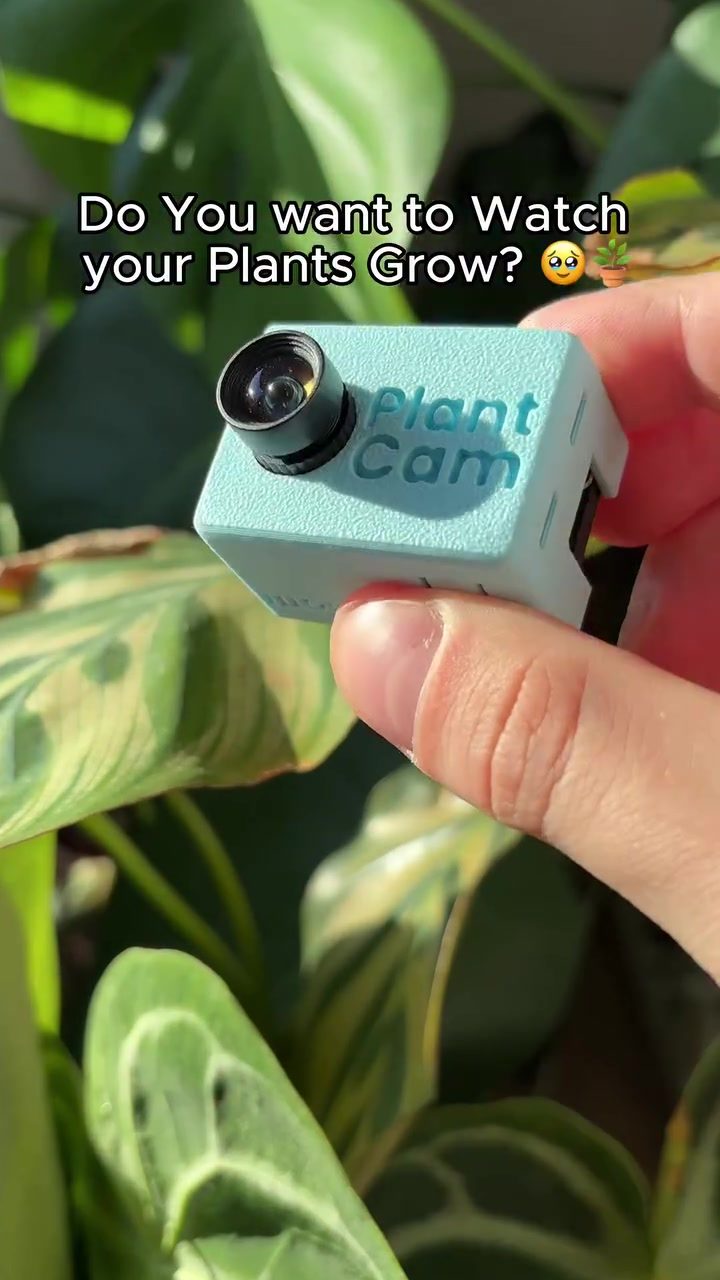
PlantCam: Timelapse Cameras for Plants
Do you often wonder how your plants grow when you're not looking? PlantCam, a timelapse camera specifically designed for plants, lets you watch the growth process unfold over time. It's a unique gadget for plant enthusiasts who want a closer look at their greenery's development.
Context: Why This Matters
For many plant lovers, the joy of nurturing a plant comes from witnessing its journey from a tiny seedling to a thriving, lush plant. However, plant growth is a slow process, and it's easy to miss the subtle changes that occur daily. PlantCam bridges this gap by capturing the growth process in a time-lapse video, allowing you to observe the changes that happen over days or even weeks in just a few minutes.
Understanding PlantCam
What is PlantCam?
PlantCam is a small, dedicated timelapse camera designed to monitor plant growth. Unlike general-purpose cameras, PlantCam is optimized for plant photography, ensuring that you capture clear and detailed images of your plants as they grow.
Key Features
- Automated Timelapse: PlantCam automatically takes photos at set intervals, compiling them into a seamless timelapse video.
- Easy Setup: The device is compact and can be easily attached to plant pots or nearby surfaces, making it convenient to position near your plants.
- App Integration: The PlantCam app provides an intuitive interface to view and manage your timelapse videos. You can track the growth of multiple plants and even share your timelapse videos with fellow plant enthusiasts.
Practical Tips for Using PlantCam
Choosing the Right Location
Position PlantCam close to your plants for the best results. Ensure that the camera has a clear view of the plant and that the lighting conditions are consistent. Avoid placing it in direct sunlight, as this can cause glare or overexposure in the photos.
Optimizing Camera Settings
PlantCam typically comes with preset settings optimized for plant photography. However, you can adjust the interval between photos and the resolution based on your preferences. Experiment with different settings to find what works best for your specific plants and lighting conditions.
Monitoring Multiple Plants
If you have multiple plants, consider using multiple PlantCam devices or moving a single device between plants. This way, you can create a comprehensive collection of timelapse videos showcasing the growth of various plants in your collection.
Important Takeaways
PlantsCam is designed specifically for capturing the growth of plants. This gadget can provide unique insights into your plant's development, helping you identify any growth issues or success stories. It's a simple yet powerful tool for plant enthusiasts who wish to deepen their understanding of plant growth.
Conclusion
PlantCam offers a fascinating way to observe and appreciate the growth of your plants. Its automated timelapse feature, combined with the user-friendly app, makes it an invaluable tool for any plant lover. Whether you're a seasoned gardener or a casual plant parent, PlantCam can enhance your plant care experience by providing a unique perspective on your plants' development.
Watch the Reel
Questions readers ask
How does PlantCam capture the growth of my plants?
PlantCam uses a built-in camera to take a series of photographs at set intervals. These images are then stitched together to create a time-lapse video, allowing you to see your plant's growth over time in a condensed format. You can watch your seedling transform into a full-grown plant in just minutes.
Can I use PlantCam for both indoor and outdoor plants?
Yes, PlantCam is designed to be versatile. It can be used for both indoor houseplants and outdoor garden plants. You can monitor the growth of your tomato plants in the garden or your potted herbs on the kitchen windowsill.
What are the benefits of using a plant growth monitor like PlantCam?
Using a plant growth monitor like PlantCam allows you to understand the life cycle of your plants better. By observing the growth process, you can identify issues early, like pests or nutrient deficiencies, and take corrective actions. Plus, it's a great way to document the development of your greenery.
How often should I check the growth videos?
The frequency of checking the videos depends on how fast your plants grow and your personal interest. For slow-growing plants, you might want to check the video weekly. For faster-growing plants, every few days could be more beneficial. Regular checks can help you stay updated on your plants' progress.
Can PlantCam help with plant care?
Absolutely. PlantCam provides insights into your plant's health and growth patterns. By observing the timelapse video, you can detect any irregularities or changes in growth that might indicate a problem. This helps you take timely action to ensure your plants thrive.
Is PlantCam suitable for all types of plants?
PlantCam is suitable for a wide range of plants, from small seedlings to larger plants. Whether you're growing succulents, herbs, or even larger plants like trees, PlantCam can help you observe their growth. However, extremely delicate or rare plants might require extra care and monitoring, but PlantCam is still useful for tracking their development.
Can I share the plant growth videos with others?
Yes, PlantCam allows you to export and share your timelapse videos with friends, family, or on social media. Whether you want to show off your green thumb or share the joy of plant growth with others, you can easily do so with the videos created by PlantCam.
Related deep dives
Similar reads based on topic and creator.



Recent articles
Fresh deep dives from the latest Reels we unpacked.




Comments
Be the first to comment.