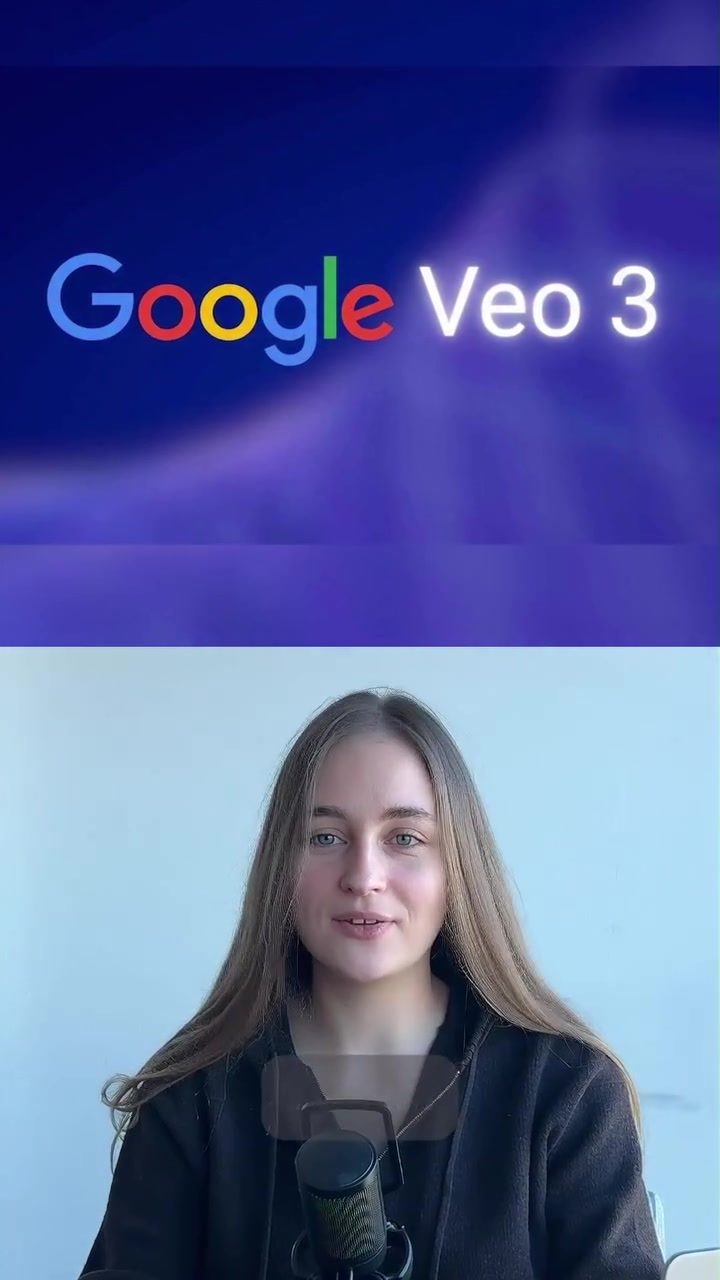
Open-Source AI Video Generation: A Cost-Effective Alternative
Creating high-quality videos no longer requires a hefty subscription fee. The emergence of open-source AI tools has revolutionized video generation, making it accessible and affordable for everyone. These tools can produce full videos from text or images, complete with audio, sound effects, and background music. The best part? You don't need to spend hours on complex setups or expensive subscriptions.
Why This Matters
The shift in video creation technology is not just about cost. It's about accessibility and efficiency. Open-source tools are catching up to premium software at a rapid pace, offering features that were once exclusive to paid platforms. This democratization of video creation empowers creators, small businesses, and enthusiasts to produce professional-quality content without breaking the bank.
Main Discussion
The Power of Open-Source Tools
Open-source AI video generation tools offer a range of capabilities that make them a formidable alternative to paid subscriptions. For instance, you can generate videos from text or images, and the tool automatically includes audio, sound effects, and music. This means that even if you don't have the resources to hire a professional sound engineer or a composer, your videos can still have high-quality audio and sound effects.
Automatic Lip Sync and Scene-Matched Audio
One of the standout features of these tools is their ability to add realistic speech with smooth lip sync. The timing and sound are matched to the scene, ensuring that the audio syncs perfectly with the visuals. This is a game-changer for content creators who want to produce videos with spoken content. Whether it's a tutorial, a product demo, or a social media post, the lip sync feature ensures that the audio matches the on-screen action seamlessly.
In-Browser Functionality
Another significant advantage is that these tools run fully in-browser. This means no installation is needed, and you can start creating videos immediately. The convenience of in-browser functionality makes it easy to access the tool from any device with an internet connection, eliminating the need for powerful hardware or software installations.
Practical Tips
Getting Started
To get started with open-source AI video generation tools, you don't need any prior technical knowledge. Simply open the platform and start creating. The user-friendly interface guides you through the process, making it easy to generate videos from text or images. Here are some practical tips to help you make the most of these tools:
- Experiment with Text and Images: Try inputting different types of text and images to see how the tool interprets and generates the video. This will give you a better understanding of the tool's capabilities and limitations.
- Utilize the Library: Most open-source platforms come with a library of pre-existing audio and sound effects. Make use of these resources to enhance the quality of your videos.
- Leverage Community Support: Engage with the community of users who share your interest in open-source video generation. They can provide valuable insights, tips, and tricks to help you improve your skills and capabilities.
Optimizing the Process
While these tools are incredibly user-friendly, there are a few things to keep in mind to optimize the video generation process:
- Choose High-Quality Inputs: The quality of the generated video depends on the quality of the input. Make sure to use high-resolution images and clear, concise text.
- Refine Audio Settings: Pay attention to the audio settings and customize them to match the tone and style of your video. This will ensure that the audio complements the visuals perfectly.
- Consider the Context: When generating videos, consider the context in which they will be viewed. Tailor the content and style to suit the audience and the platform.
Important Takeaways
The advent of open-source AI video generation tools has opened up a world of possibilities for creators. These tools offer a cost-effective, accessible, and efficient way to produce high-quality videos. By leveraging their capabilities, you can create engaging content without the need for expensive subscriptions or complex setups. Whether you're a seasoned creator or just starting, these tools provide the resources and support you need to succeed.
Cost-Effectiveness
One of the most compelling reasons to use open-source AI video generation tools is their cost-effectiveness. You no longer need to pay for expensive subscriptions or hardware. Instead, these tools offer a free alternative that delivers professional-quality results.
User-Friendly Interface
Another significant advantage is the user-friendly interface. These tools are designed to be accessible to everyone, regardless of their technical expertise. This ensures that you can start creating videos right away, without needing to spend hours learning the software.
Community and Support
Open-source platforms thrive on community support. By engaging with other users, you can gain valuable insights, tips, and tricks to improve your video creation skills. This community-driven approach fosters a collaborative environment where everyone can learn and grow together.
Conclusion
The future of video creation is here, and it's open-source. With the availability of free, high-quality tools, anyone can produce professional-quality videos. By embracing these tools, you can unlock your creative potential and produce engaging content that stands out. Whether you're a content creator, a small business owner, or an enthusiast, open-source AI video generation tools offer a world of possibilities. So, why wait? Start creating your masterpieces today.
Watch the Reel
Questions readers ask
What are open source AI tools and how do they benefit video creation?
Open source AI tools are software programs developed by communities and available for free. These tools are revolutionizing video creation by making it more accessible and affordable. They can generate full videos from text or images, complete with high-quality audio, sound effects, and background music, all without the need for expensive subscriptions or complex setups.
Can open source AI tools produce professional-quality videos?
Yes, open source AI tools can produce professional-quality videos. These tools are rapidly catching up to premium software and offer a range of features that were once exclusive to paid platforms. They can generate high-quality audio, sound effects, and background music, making them a cost-effective alternative for video creation.
Do I need prior experience to use open source AI video editing tools?
No, you do not need prior experience to use open source AI video editing tools. These tools are designed to be user-friendly and accessible, making video creation efficient and straightforward. Most open-source AI video editing tools come with simple interfaces and intuitive features, making them suitable for beginners.
What are some examples of open source AI tools for video creation?
There are several open source AI tools for video creation, such as OpenShot, Shotcut, and Blender. These tools offer a range of features, from basic video editing to more advanced functionalities like 3D modeling and animation. Additionally, tools like Runway ML and DeepDream provide specific AI-driven features for generating videos from text or images.
How can AI video background music and sound effects enhance my videos?
AI-generated video background music and sound effects can enhance your videos by adding a professional touch. These tools can automatically generate music and sound effects that match the mood and pacing of your video, saving you time and effort. They can also help create a consistent and engaging audio experience, making your videos more appealing to viewers.
Is it possible to create videos without a subscription using AI video creation software?
Yes, it is possible to create videos without a subscription using AI video creation software. Open-source AI tools often come with no hidden costs or subscriptions. These tools provide a cost-effective solution for video creation, allowing you to generate high-quality videos from text or images, complete with audio, sound effects, and background music, without the need for expensive subscriptions.
Can I use open source AI tools to convert images into videos?
Yes, you can use open source AI tools to convert images into videos. Tools like DeepDream and Runway ML offer image-to-video conversion capabilities. These tools can take a series of images and generate a cohesive video, complete with smooth transitions and background music, making the process efficient and enjoyable.
Related deep dives
Similar reads based on topic and creator.




Recent articles
Fresh deep dives from the latest Reels we unpacked.




Comments
Be the first to comment.