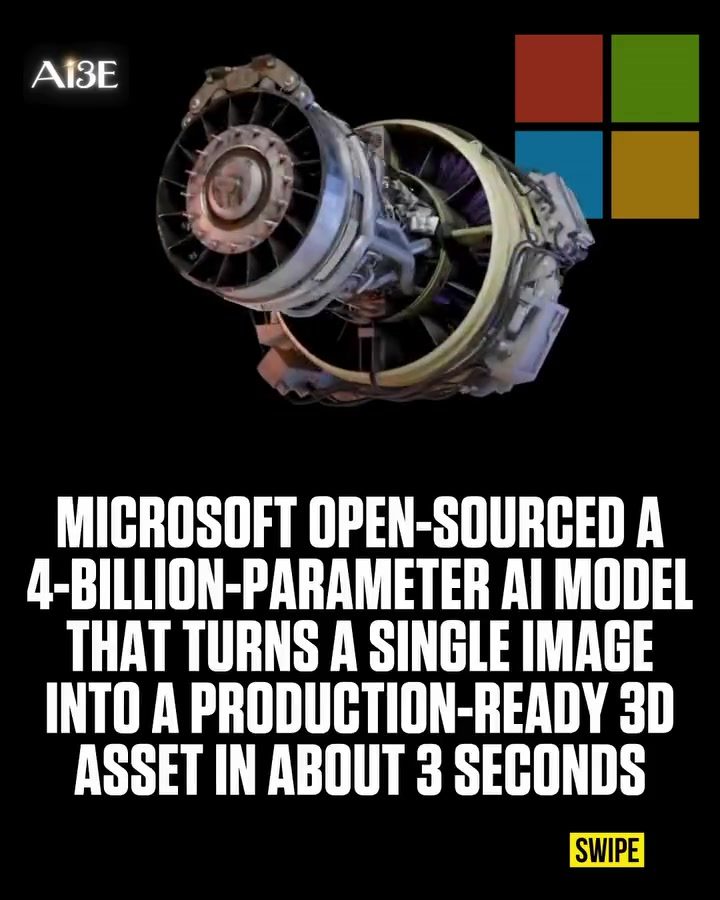
AI 3D Model Generation
The release of a powerful AI model by Microsoft that can transform a single image into a production-ready 3D asset in just three seconds has sparked excitement in the fields of game development, filmmaking, and product design. This ground-breaking technology leverages a 4-billion-parameter model, making it a game-changer for studios looking to streamline their workflows and enhance their creative capabilities.
Why This Matters
The ability to quickly generate high-quality 3D models from a single image can significantly reduce the time and resources required for asset creation. This is particularly beneficial for industries that rely heavily on 3D modeling, such as gaming, film, and product design. By open-sourcing the model, Microsoft has made this advanced technology accessible to a broader range of professionals, enabling them to innovate and create more efficiently.
Main Discussion
Microsoft’s AI Model: Key Features
Microsoft's open-sourced AI model is designed to convert a single 2D image into a detailed 3D asset. This process is remarkably fast, taking only about 3 seconds to generate a 512³ asset on an NVIDIA H100 GPU. For higher resolutions, the time increases to roughly 17 to 60 seconds, but the overall efficiency is still impressive.
The model is based on a 4-billion-parameter architecture, which allows it to produce highly accurate and detailed 3D models. The finished models can be exported as GLB files, making them compatible with popular 3D software like Blender, Unity, and Unreal Engine. This compatibility ensures that the generated assets can be seamlessly integrated into various projects, from games and films to product designs.
Technical Requirements
While the model's capabilities are impressive, it does come with some technical requirements. Currently, it needs a Linux operating system and an NVIDIA GPU with at least 24GB of memory. This puts it beyond the reach of most everyday laptops and desktop computers. However, for studios and professionals with the necessary hardware, the benefits far outweigh the technical demands.
Customization and Local Use
The model, along with its weights, code, and training pipeline, is released under an MIT license. This allows studios to run and customize the model locally, tailoring it to their specific needs. The flexibility of the MIT license means that developers can modify the code, integrate it into their existing workflows, and even distribute their modifications, fostering a collaborative environment within the industry.
Applications in Different Industries
Game Development
In game development, the ability to quickly generate 3D assets can accelerate the production process. Game studios can use this technology to create detailed environments, characters, and objects, reducing the time and cost associated with traditional 3D modeling techniques.
Filmmaking
For filmmakers, the AI model offers a way to enhance visual effects and create more realistic scenes. By converting 2D images into 3D assets, filmmakers can add depth and dimension to their projects, making the visuals more immersive and engaging.
Product Design
In product design, the AI model can be used to create detailed 3D prototypes from 2D sketches. This allows designers to visualize and refine their concepts more efficiently, leading to faster and more innovative product development cycles.
Practical Tips
Getting Started
To get started with Microsoft's AI model, you'll need to ensure you have the necessary hardware and software. Here are some steps to help you set up:
- Hardware Requirements: Ensure you have a Linux system with an NVIDIA GPU that has at least 24GB of memory. This is crucial for running the model efficiently.
- Install Necessary Software: Install the required software, including the model weights, code, and training pipeline. You can find these resources on the official Microsoft GitHub repository.
- Customization: Once you have the model up and running, you can start customizing it to suit your specific needs. The MIT license allows for modifications, so feel free to tweak the code to better align with your workflow.
- Exporting Models: Export your finished 3D models in GLB format. This ensures compatibility with popular 3D software like Blender, Unity, and Unreal Engine, making it easy to integrate the models into your projects.
- Integrate into Workflow: Incorporate the AI-generated models into your existing workflows, whether it's for game development, filmmaking, or product design. The seamless integration will help you streamline your processes and enhance your creative output.
Optimization Tips
- Batch Processing: If you have multiple images to convert, consider setting up batch processing to save time and effort.
- Hardware Upgrades: If your current hardware is not sufficient, consider upgrading to a more powerful GPU to speed up the processing time.
- Regular Updates: Keep an eye on updates and improvements to the model. Microsoft and the community may release new versions with enhanced capabilities and optimized performance.
- Community Collaboration: Engage with the community of developers and designers who are using the model. Sharing insights, tips, and customizations can help you get the most out of the technology.
Important Takeaways
- Speed and Efficiency: The AI model's ability to convert a single 2D image into a 3D asset in just 3 seconds is a significant advancement, particularly for industries that rely heavily on 3D modeling.
- Flexibility and Customization: The MIT license allows for extensive customization, making the model adaptable to various needs and workflows.
- Industry Applications: The technology has wide-ranging applications, from game development and filmmaking to product design, offering new possibilities for creative professionals.
Conclusion
Microsoft's open-sourced AI model represents a significant leap forward in 3D model generation. Its speed, flexibility, and compatibility make it a valuable tool for studios and professionals in various industries. By leveraging this technology, you can enhance your creative processes, reduce costs, and achieve better results. The future of 3D modeling is here, and it's more accessible than ever. Embrace this technology to stay ahead in your field and unlock new levels of creativity and efficiency.
Watch the Reel
Questions readers ask
How does Microsoft's AI transform images into 3D models?
Microsoft's AI utilizes a 4-billion-parameter model to analyze and interpret 2D images, converting them into detailed, production-ready 3D assets. This process involves understanding the depth, texture, and structure of the objects within the image to create a three-dimensional representation.
What industries can benefit from this AI technology?
The technology is particularly beneficial for industries that rely heavily on 3D modeling, such as gaming, filmmaking, and product design. It can streamline workflows, reduce the time and resources needed for asset creation, and enhance creative capabilities.
How quickly can the AI generate 3D models?
The AI can generate 3D models from a single image in as little as three seconds. This speed is crucial for industries that require rapid prototyping and iterative design processes.
Why did Microsoft open-source the AI 3D model generator?
By open-sourcing the AI 3D model generator, Microsoft enables a broader community of creators to access and utilize this advanced tool. This encourages innovation, collaboration, and the development of new applications for 3D asset creation.
What are the key features of the AI 3D asset generator?
The key features include the ability to transform 2D images into 3D models quickly and efficiently, a high level of detail and accuracy in the generated models, and compatibility with various creative workflows in gaming, filmmaking, and product design.
How does this technology impact the workflows in gaming, filmmaking, and product design?
By reducing the time and resources needed for 3D asset creation, this technology allows professionals to focus more on creative aspects and less on technical details. It also enables faster prototyping and iteration, leading to more efficient workflows and quicker project completion.
Related deep dives
Similar reads based on topic and creator.

Recent articles
Fresh deep dives from the latest Reels we unpacked.




Comments
Be the first to comment.