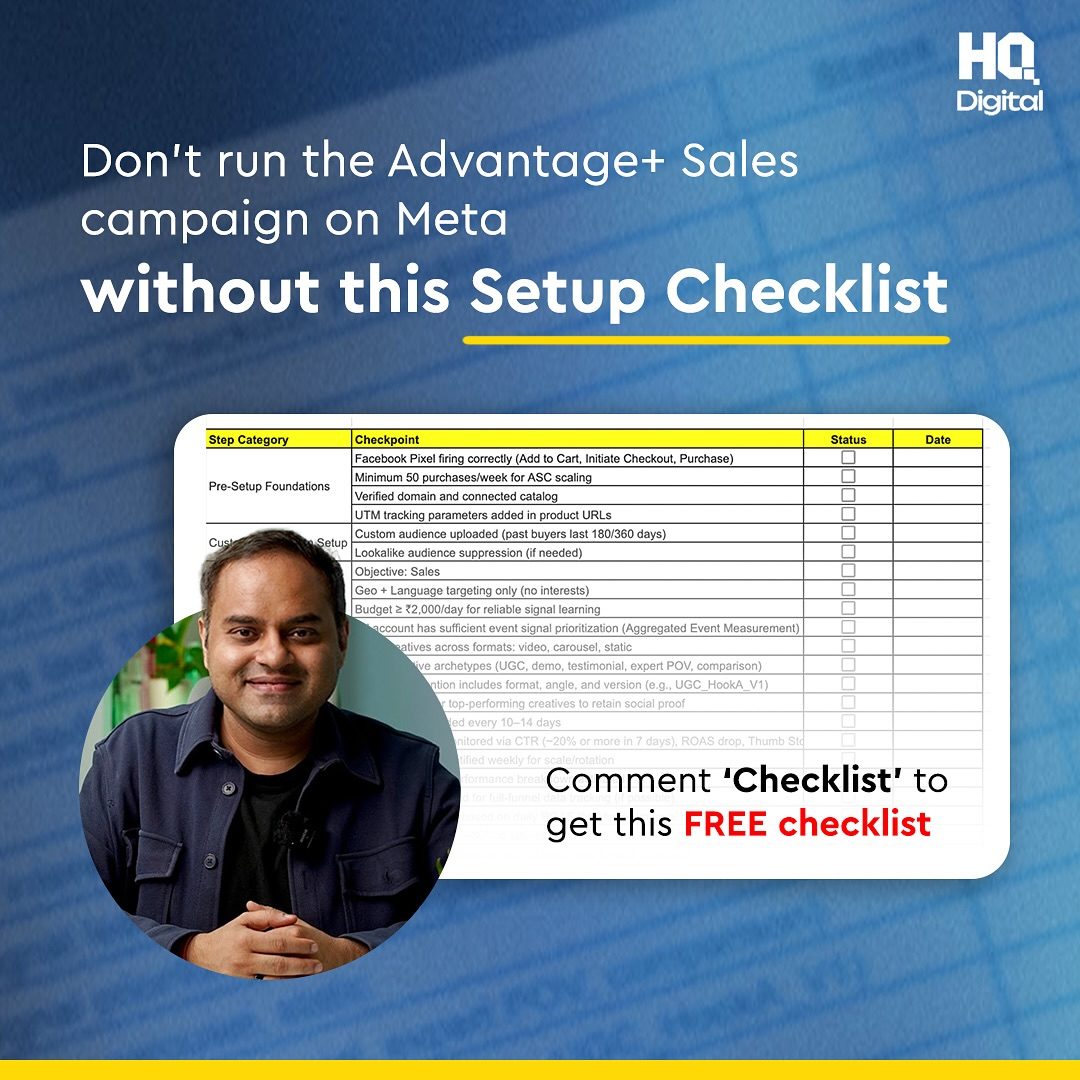
Advantage+ Sales Campaigns: A Comprehensive Setup Checklist
Many Advantage+ Sales Campaigns on Meta fail due to a broken setup. Often, these issues arise from fundamental misconfigurations that hinder performance. This checklist, developed by HQ Digital, helps ensure your campaign is set up for success before you launch.
Why This Matters
A well-executed Advantage+ Sales Campaign can significantly boost your sales and ROI on Meta platforms. However, skipping essential setup steps can lead to poor performance and wasted ad spend. This checklist ensures you cover all critical aspects, from pixel configuration to audience targeting, helping you avoid common pitfalls.
Main Discussion
Facebook Pixel Configuration
Facebook Pixel is a crucial tool for tracking user interactions on your website. Proper configuration is essential for monitoring key events that contribute to sales. Ensure that your pixel is correctly set up to track the following events:
- Add to Cart: Track when users add items to their shopping cart. This helps in understanding user intent and optimizing your ad spend.
- Initiate Checkout: Monitor when users start the checkout process. This event is vital for understanding where users drop off in the purchasing journey.
- Purchase: Track completed purchases to measure the effectiveness of your ads and optimize your sales funnel.
Minimum Purchase Requirements
To leverage the full potential of Advantage+ Sales Campaigns, aim for at least 50 purchases per week. This volume is necessary for Auto-Scaling Campaigns (ASC) to gather enough data to optimize effectively. If your current sales volume is lower, consider running smaller, more targeted campaigns to build up to this threshold.
Audience Targeting
Efficient audience targeting is key to the success of your Advantage+ Sales Campaigns. Utilize both custom and lookalike audiences to maximize your reach and conversion rates.
Custom Audiences
Custom audiences are created from your existing customer data, such as email lists or website visitors. Ensure your custom audiences are built from data within the last 180 to 360 days to keep them relevant and up-to-date. This approach targets users who have already shown interest in your products or services, increasing the likelihood of conversion.
Lookalike Audiences
Lookalike audiences are generated based on the characteristics of your custom audiences. These audiences help you reach new users who are similar to your best customers. To avoid overlapping with your custom audiences, implement suppression techniques. This ensures that your ads are shown to a broader but still relevant audience, maximizing your ad spend efficiency.
Practical Tips
Step-by-Step Setup
Follow these practical steps to ensure your Advantage+ Sales Campaign is set up correctly:
- Verify Pixel Installation: Use the Facebook Pixel Helper tool to confirm that your pixel is correctly installed and firing for the key events mentioned earlier.
- Build Custom Audiences: Upload your customer data or create audiences based on website interactions. Ensure the data is recent and relevant.
- Create Lookalike Audiences: Generate lookalike audiences based on your custom audiences and apply suppression techniques to avoid overlap.
- Set Budget Allocation: Allocate your budget effectively, ensuring that you have enough data to optimize your campaigns. Aim for at least 50 purchases per week to enable ASC scaling.
- Optimize Creatives: Continuously test and optimize your ad creatives to improve engagement and conversion rates.
Utilize the Free Checklist
HQ Digital offers a free ASC Setup Checklist that covers all the essential steps for setting up your Advantage+ Sales Campaigns. This checklist is actionable and designed for both product and service industries. To access the checklist, comment "Checklist" to get the resource.
Important Takeaways
- Pixel Configuration: Ensure your Facebook Pixel is correctly set up to track key events like Add to Cart, Initiate Checkout, and Purchase.
- Purchase Volume: Aim for a minimum of 50 purchases per week to enable ASC scaling and optimize your campaigns effectively.
- Audience Targeting: Use a combination of custom and lookalike audiences, with suppression techniques, to reach a broader but relevant audience.
- Continuous Optimization: Regularly review and optimize your campaign settings, including pixel configuration, audience targeting, and ad creatives, to improve performance.
Conclusion
Setting up an Advantage+ Sales Campaign correctly is crucial for its success. By following the checklist provided by HQ Digital, you can ensure that your campaign is optimized for maximum performance. From configuring your Facebook Pixel to targeting the right audiences and allocating your budget effectively, each step plays a vital role in driving sales and ROI. Utilize the free checklist and continuously optimize your campaigns to achieve the best results.
Watch the Reel
Questions readers ask
What are the key components of the Facebook Pixel Configuration for a successful Meta Advantage+ Sales Campaign?
The key components of Facebook Pixel Configuration include installing the base code on your website, setting up standard and custom events to track user interactions, and ensuring the pixel is correctly integrated with your Meta Ads Manager. This setup allows you to measure the effectiveness of your ads and optimize your campaign performance.
How can I optimize audience targeting in my Meta Advantage+ Sales Campaigns?
To optimize audience targeting, start by defining your ideal customer based on demographics, interests, and behaviors. Utilize custom audiences and lookalike audiences to reach users who have already interacted with your business or those similar to your best customers. Additionally, leverage Meta's detailed targeting options to refine your audience further.
What should I include in my Meta Advantage+ Sales Campaigns to boost ROI?
To boost ROI, focus on clear and compelling ad creatives, test different ad formats, and optimize your bidding strategy to maximize conversions. Ensure your landing pages are aligned with your ad content and provide a seamless user experience. Regularly monitor and adjust your campaign based on performance data.
Why is a comprehensive setup checklist important for Meta Advantage+ Sales Campaigns?
A comprehensive setup checklist is crucial for Meta Advantage+ Sales Campaigns as it helps you avoid common pitfalls and ensures all essential steps are completed correctly. This includes setting up the Facebook Pixel, defining your target audience, and configuring your campaign settings. By following a detailed checklist, you can enhance your campaign's success and improve overall performance.
What are some common pitfalls to avoid when setting up Meta Advantage+ Sales Campaigns?
Common pitfalls to avoid include improper pixel installation, inaccurate audience targeting, and neglecting to align ad content with landing pages. Ensure you verify your pixel is working correctly, use detailed targeting options, and maintain consistent messaging across your ads and landing pages.
How can I ensure my Facebook Pixel is working correctly for my Meta Advantage+ Sales Campaigns?
To ensure your Facebook Pixel is working correctly, install the base code on your website and set up event tracking. Use the Meta Pixel Helper tool to troubleshoot any issues and verify that your pixel is firing correctly. Additionally, regularly check your Meta Events Manager to confirm that events are being tracked accurately.
What is the benefit of using custom audiences and lookalike audiences in Meta Advantage+ Sales Campaigns?
Using custom audiences and lookalike audiences allows you to reach users who have already shown interest in your business or those who share similar characteristics with your best customers. This targeted approach can lead to higher engagement, better conversion rates, and more efficient use of your ad spend. Custom audiences are created from your existing customer data, while lookalike audiences are generated based on the traits of your best customers.
Recent articles
Fresh deep dives from the latest Reels we unpacked.




Comments
Be the first to comment.