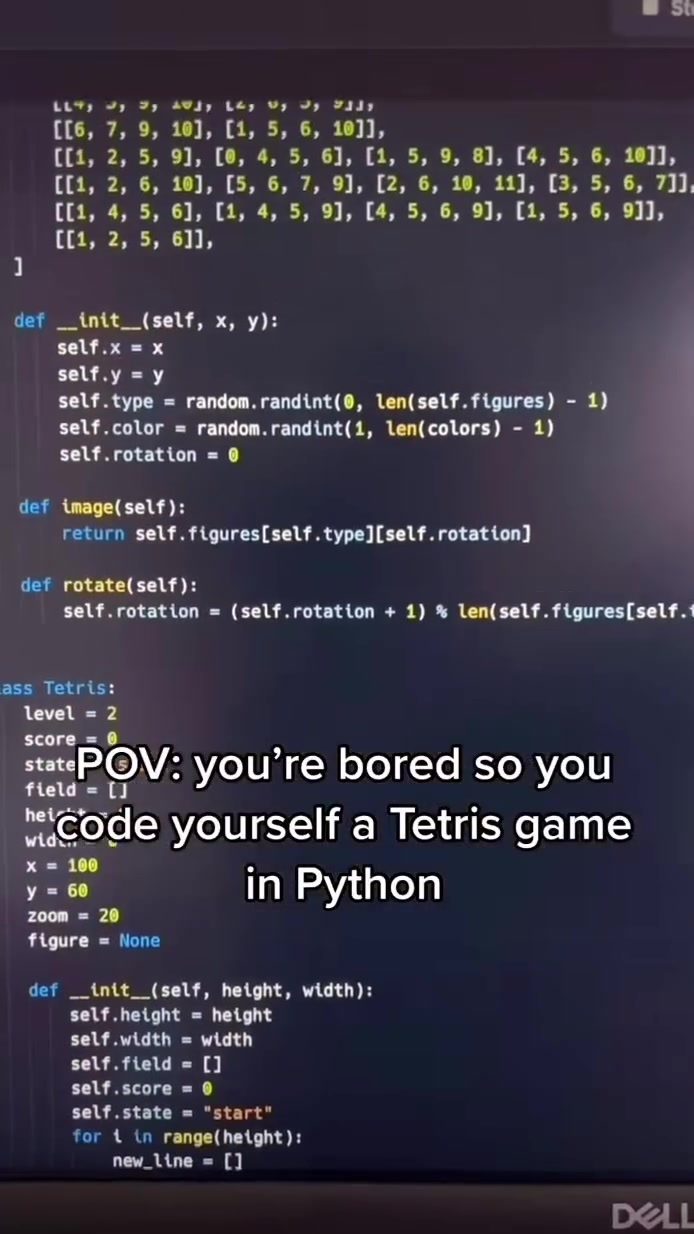
Coding a Tetris Game in Python
Coding a Tetris game in Python is a fun and engaging way to dive into the world of programming, combining the retro nostalgia of a classic game with the practical skills of coding. This project serves as an excellent introduction to Python and game development, offering a hands-on tutorial to guide you through the process.
Context/Why This Matters
Tetris, a timeless puzzle game, has a unique appeal that transcends generations. Creating a Tetris game in Python not only allows you to recreate a beloved classic but also offers a practical way to learn programming concepts. Python, known for its readability and simplicity, is a great language for beginners and experienced developers alike.
Main Discussion
Getting Started with Python and Pygame
Before diving into the coding process, it's essential to set up your development environment. Python is a versatile language that can be used for a variety of tasks, from web development to data analysis. However, for game development, Pygame is a popular library that simplifies the process by providing tools to create games and multimedia applications.
Installing Python and Pygame
To start, ensure you have Python installed on your computer. You can download the latest version from the official Python website. Once installed, you can verify the installation by opening a command prompt or terminal and typing:
python --version
To add game development capabilities, install Pygame. This can be done using pip, the Python package installer, with the following command:
pip install pygame
The Game Development Process
Creating a Tetris game involves several key components. These include setting up the game window, handling user input, and implementing the game logic.
Setting Up the Game Window
The first step in coding a Tetris game is to create a game window. This can be done using Pygame's display module. Here's a basic example of how to set up a game window:
import pygame

# Initialize Pygame
pygame.init()

# Set up the game window
screen = pygame.display.set_mode((300, 600))
pygame.display.set_caption("Tetris Game")
Handling User Input
User input is crucial for any interactive game. In Tetris, players need to control the falling blocks. This involves detecting key presses and translating them into game actions. Pygame's event handling system makes this straightforward:
for event in pygame.event.get():
    if event.type == pygame.QUIT:
        running = False
    if event.type == pygame.KEYDOWN:
        if event.key == pygame.K_LEFT:
            # Move the block left
        elif event.key == pygame.K_RIGHT:
            # Move the block right
        elif event.key == pygame.K_DOWN:
            # Speed up the block's descent
        elif event.key == pygame.K_UP:
            # Rotate the block
Implementing Game Logic
The core of any Tetris game is the logic that controls the falling blocks, checks for completed lines, and handles the game over conditions. This involves creating a grid to represent the game board and implementing the rules of Tetris.
Creating the Tetris Grid
The game grid is a 2D array that holds the state of each cell on the game board. Here's a simple way to initialize the grid:
grid = [[0 for _ in range(10)] for _ in range(20)]
Handling the Falling Blocks
Falling blocks, or tetrominoes, are the heart of the game. Each tetromino has a specific shape and can be rotated. You need to handle the movement and rotation of these blocks:
class Tetromino:
    def __init__(self, shape):
        self.shape = shape
        self.x = 5
        self.y = 0

    def rotate(self):
        # Logic to rotate the tetromino
        pass

    def move(self, dx, dy):
        # Logic to move the tetromino
        pass
Practical Tips
Coding a Tetris game in Python can be a rewarding experience, but it also comes with its challenges. Here are some practical tips to help you along the way:
Start Small
Begin with a simple version of the game that includes basic functionality. As you become more comfortable with the code, you can gradually add more features. This approach will help you avoid feeling overwhelmed and make the development process more manageable.
Utilize Online Resources
There are plenty of online tutorials and forums where you can find help and inspiration. Websites like Stack Overflow, GitHub, and Pygame's official documentation are invaluable resources.
Test Frequently
Regular testing is essential to catch bugs early and ensure your game runs smoothly. Test each feature as you implement it to identify and fix issues promptly.
Important Takeaways
Creating a Tetris game in Python is a fantastic way to learn and practice programming skills. By following a structured approach and utilizing available resources, you can build a fully functional game that you can be proud of. Remember, the key to success is to start small, test frequently, and leverage online resources for support and inspiration.
Conclusion
Coding a Tetris game in Python is a fun and practical way to dive into the world of game development. Whether you're a beginner or an experienced developer, this project offers a unique blend of nostalgia and learning. By setting up your development environment, handling user input, and implementing game logic, you can create a functional and engaging Tetris game. With the right approach and resources, you can turn a fun idea into a rewarding coding project.
Watch the Reel
Questions readers ask
What are the prerequisites for following the Tetris in Python tutorial?
To follow this tutorial, you should have a basic understanding of Python programming. Familiarity with object-oriented programming concepts will be beneficial. Additionally, ensure you have Python and Pygame installed on your computer. The tutorial will guide you through the setup process if you need help.
Can I modify the Tetris game code to create my own unique game?
Absolutely! The tutorial is designed to help you understand the underlying game logic and structure. Once you're comfortable with the code, you can modify it to create your own unique game. You can change the game mechanics, add new features, or even design entirely new gameplay elements.
What is Pygame and why is it used in this tutorial?
Pygame is a set of Python modules designed for writing video games. It includes computer graphics and sound libraries. In this tutorial, Pygame is used to handle the graphics, sound, and user input for the Tetris game, making it easier to create and manage the game's visual and interactive components.
I'm new to game development. Will this tutorial help me get started?
Yes, this tutorial is an excellent starting point for beginners in game development. It provides a step-by-step guide to creating a classic puzzle game, allowing you to learn fundamental game development concepts. By the end of the tutorial, you'll have a functional Tetris game and a solid foundation in game programming.
What programming concepts can I learn from building a Tetris game in Python?
Building a Tetris game in Python will help you learn various programming concepts, including object-oriented programming, handling user inputs, game loops, collision detection, and more. You'll also gain experience in structuring your code, managing game states, and working with libraries like Pygame.
Can I run the Tetris game on different operating systems after completing the tutorial?
Yes, one of the benefits of using Python and Pygame is their cross-platform compatibility. Once you've completed the tutorial and built your Tetris game, you should be able to run it on Windows, macOS, and Linux without any modifications. This makes your game accessible to a wider audience.
Are there any additional resources to enhance my Tetris game development experience?
To further enhance your Tetris game development experience, consider exploring additional Pygame tutorials and documentation. Engaging with online communities, such as forums and coding groups, can also provide support and inspiration. Experimenting with different features and mechanics will help you deepen your understanding and creativity in game development.
Related deep dives
Similar reads based on topic and creator.


Recent articles
Fresh deep dives from the latest Reels we unpacked.




Comments
Be the first to comment.