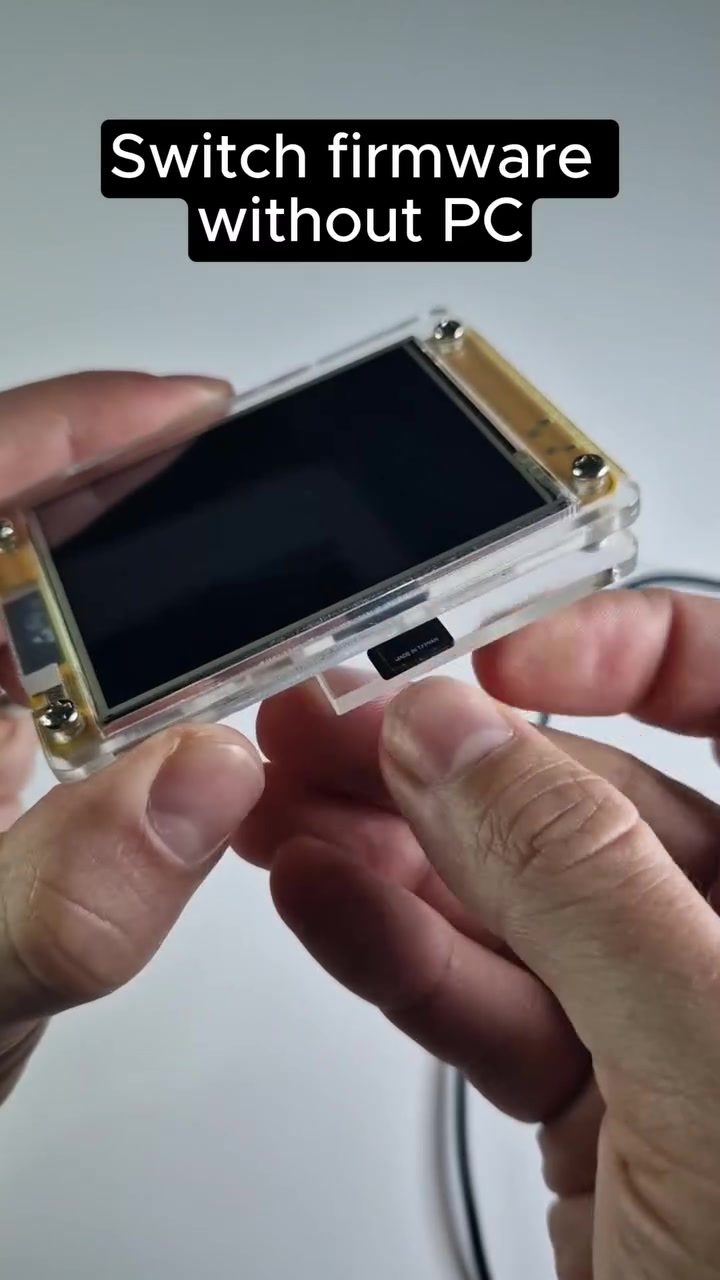
ESP32 Firmware Updates: A Guide to Installing and Running Firmware Without a Computer
ESP32 devices are versatile microcontrollers known for their robust connectivity options, including WiFi, GPS, and Bluetooth. One of the standout features of these devices is the ability to update and run various firmware, such as Marauder, Bruce, and Ghost ESP, directly from an SD card. This capability eliminates the need for a traditional PC, making firmware updates more accessible and convenient.
Why This Matters
The ESP32's flexibility in firmware updates is crucial for users who need to adapt their devices for different applications. This can be especially useful for beginners and those who want an easy way to customize IoT devices, whether for security applications, automation, or development projects. The ESP32's ability to work without a PC makes it a strong choice for hobbyists and professionals alike.
Firmware Installation Process
Preparing the SD Card
Before diving into the installation process, you'll need to prepare your SD card. The card should be formatted to FAT32, and it should contain the firmware files you plan to install. Firmware files typically come with an extension like .bin or .ota.
Device Setup
The ESP32 device you're using for the update should be powered on and ready to go. Ensure that the SD card is securely inserted into the device's card slot. The device features a menu-driven interface, making it straightforward to navigate through various options using onboard buttons.
Navigating the Menu
Once your device is set up, you can start the firmware update process. Navigate to the 'Apps' section, where you'll find an option to select the firmware file from the SD card. Using the buttons on the device, scroll through the list of available firmware files and select the one you wish to install. The device will then proceed to read the file from the SD card and initiate the firmware update.
Essential Firmware Options
Marauder
The Marauder firmware is tailored for security and penetration testing. It's particularly useful for those who need to test and improve the security of their IoT devices. Marauder leverages the ESP32's Bluetooth and WiFi capabilities to simulate various attack scenarios.
Bruce
Bruce is a versatile firmware option for general-purpose applications. It offers a comprehensive set of tools for developers, making it easier to prototype and deploy IoT solutions. Bruce is highly customizable and can be adapted to a wide range of projects, from automation to environmental monitoring.
Ghost
Ghost ESP firmware is designed to run lightweight applications with minimal resource usage. Suitable for battery-powered devices, it offers efficient performance and reduces power consumption, making it ideal for long-term deployment in IoT systems.
Practical Tips
Using an SD Card
Ensure that your SD card is in good condition and correctly formatted. An improperly formatted card can lead to errors during the firmware installation process. Always double-check the file names and extensions to prevent any mismatches.
Updating Firmware
When performing a firmware update, it's essential to follow the instructions carefully. Ensure that the device remains powered on during the entire process. Interrupting the update can result in a corrupted firmware installation, which may require a complete re-flashing of the device.
Troubleshooting Connectivity
If you encounter issues with WiFi, Bluetooth, or GPS connectivity after a firmware update, try resetting the device. Sometimes, a simple reboot can resolve connectivity issues. If the problem persists, check the firmware documentation for specific troubleshooting steps.
Important Takeaways
Updating the firmware on an ESP32 device without using a PC is a straightforward process, making it accessible for a wide range of users. The ability to do this via an SD card and a menu-driven interface enhances the device's versatility and ease of use. Whether you're using Marauder, Bruce, or Ghost ESP firmware, the ESP32's connectivity options and customization capabilities make it a valuable tool for various applications.
Conclusion
The ESP32 device's capability to update and run firmware directly from an SD card is a game-changer for IoT enthusiasts and developers. This method streamlines the updating process, making it more efficient and user-friendly. By following the steps outlined and being mindful of practical tips, you can effectively manage and customize your ESP32 device for a variety of projects and applications. The ability to switch between different firmware options like Marauder, Bruce, and Ghost ESP further enhances the device's utility, catering to a broad spectrum of needs.
Watch the Reel
Questions readers ask
What types of firmware can be updated on an ESP32 using an SD card?
Several types of firmware can be updated on an ESP32 using an SD card, including Marauder, Bruce, and Ghost ESP. These firmwares offer a range of features and functionalities for various applications, from security to IoT development.
Is it possible to update the ESP32 firmware without a computer?
Yes, one of the key advantages of using an SD card for firmware updates is that it allows you to update the ESP32 firmware without needing a computer. This method is particularly convenient for users who prefer a more straightforward and portable approach to managing their devices.
What are the steps to update ESP32 firmware from an SD card?
To update ESP32 firmware from an SD card, you typically need to format the SD card, copy the firmware file to the SD card, and then insert the SD card into the ESP32. The device will then detect the firmware and start the update process automatically.
Can this method be used for updating firmware on small IoT devices?
Yes, the method of updating firmware via an SD card is particularly useful for small IoT devices. This approach simplifies the process, making it easier to manage and adapt devices in various environments, especially where access to a computer might be limited.
How do I access the firmware update menu on an ESP32?
Accessing the firmware update menu on an ESP32 typically involves entering a specific boot mode. This is often done by pressing and holding a designated button while powering on the device. Consult the specific firmware documentation for precise instructions on entering the update menu.
What are some benefits of using an SD card for ESP32 firmware updates?
Using an SD card for ESP32 firmware updates offers several benefits, including convenience, portability, and the ability to update firmware without a computer. This method is also useful for users who need to adapt their devices for different applications, such as security or automation.
Can I update the ESP32 firmware using a mobile device?
While the article focuses on using an SD card for firmware updates, it is not typically possible to update the ESP32 firmware directly from a mobile device. The SD card method is the most straightforward way to achieve this without a computer.
Recent articles
Fresh deep dives from the latest Reels we unpacked.




Comments
Be the first to comment.