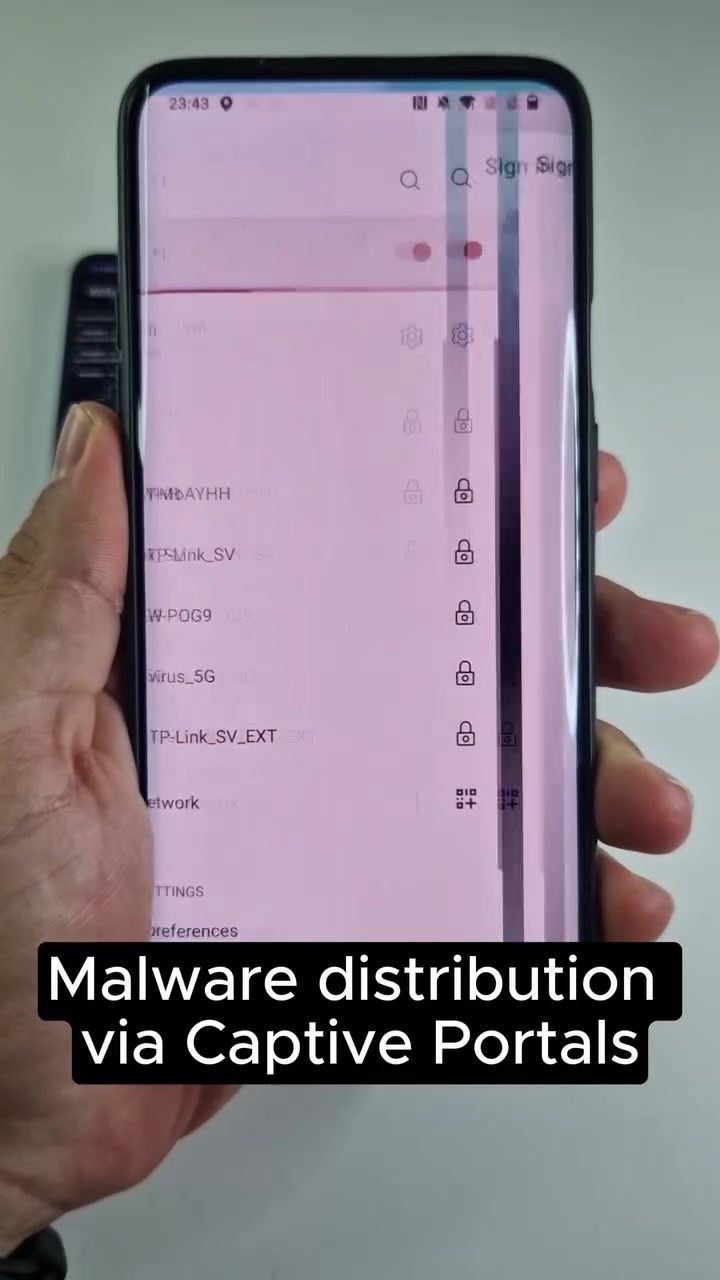
Wi-Fi Captive Portals and Android Malware
Wi-Fi captive portals are common in public spaces and serve as a gateway to access the internet. They are primarily used by businesses to capture user data, monitor network usage, and ensure compliance with terms of service. However, these portals can also be exploited by malicious actors to distribute malware. Understanding the risks and defensive strategies is crucial for smartphone users.
Why This Matters
Captive portals often require users to log in or accept terms before granting internet access. While this process is generally secure, hackers have found ways to exploit it. By creating fake captive portals, also known as Evil Twin Access Points, attackers can intercept sensitive user data and distribute malware. This technique is particularly concerning for Android users, as it can lead to the installation of malicious applications that can compromise personal information and device security.
The Mechanics of the Attack
Wi-Fi Pumpkin: The Tool of Choice
Wi-Fi Pumpkin is a powerful tool that allows attackers to create fake Wi-Fi networks and intercept user traffic. It is part of Kali NetHunter, a comprehensive penetration testing toolkit for Android devices. With Wi-Fi Pumpkin, hackers can set up an Evil Twin Access Point, which mimics legitimate Wi-Fi networks in public places. When users connect to this fake network, they are directed to a malicious captive portal designed to trick them into downloading malware.
Setting Up the Attack
To create a malicious captive portal, an attacker would typically follow these steps:
- Create a Fake Access Point: Using Wi-Fi Pumpkin, the attacker sets up a fake Wi-Fi network with a name similar to legitimate ones (e.g., "Free Wi-Fi").
- Enable Captive Portals: The attacker enables captive portals to intercept user traffic and display a fake login page.
- Customize the Portal: The attacker customizes the captive portal to mimic a legitimate site, such as a custom Google Play website, to trick users into downloading malicious applications.
- Deploy the Malware: Once a user connects to the fake network and is directed to the captive portal, they are prompted to install a malicious application, typically disguised as a necessary software update or network management tool.
The Role of Captive Portals
Captive portals are web pages that users encounter before accessing public Wi-Fi networks. They are commonly found in places like coffee shops, airports, and hotels. These portals often require users to log in or accept terms of service before granting internet access. While this process is designed to ensure legitimate use of the network, it can also be exploited by attackers.
Practical Tips to Stay Safe
Verify Network Authenticity
Always verify the authenticity of the Wi-Fi network you are connecting to, especially in public places. Legitimate networks will have clear and consistent naming conventions. If a network name seems suspicious or unfamiliar, avoid connecting to it.
Use Data Plans
When possible, use a mobile data plan instead of public Wi-Fi. This reduces the risk of connecting to a malicious network. If you must use public Wi-Fi, ensure that it is secure and managed by a trusted entity.
Avoid Downloading Apps from Unknown Sources
Never download applications from unknown or untrusted sources. Always use official app stores like Google Play. Be wary of prompts to install applications from third-party sources, as these can be malicious.
Keep Security Software Up-to-Date
Ensure that your device's security software is up-to-date. Regular updates help protect against the latest threats and vulnerabilities. Security software can detect and block malicious applications, providing an additional layer of protection.
Examples of Suspicious Activity
During a demonstration, a fake Wi-Fi access point appeared with the name "Free Wi-Fi." When connected, users were directed to a captive portal that displayed a fake Google Play website. This portal prompted users to install a malicious application disguised as a network management tool. The standard warning about not installing apps from third-party sources was present, but the request to install the third-party application was still made.
Important Takeaways
Recognizing the Risks
Understanding the risks associated with captive portals and fake Wi-Fi networks is the first step in protecting your device. Recognize that public Wi-Fi networks can be exploited by attackers to distribute malware.
Protecting Your Device
Implement practical security measures to protect your device. Verify the authenticity of Wi-Fi networks, use data plans when possible, avoid downloading apps from unknown sources, and keep your security software up-to-date.
Staying Vigilant
Remain vigilant when connecting to public Wi-Fi networks. Be cautious of suspicious network names and captive portals that prompt you to install applications. Always verify the legitimacy of the network and the applications you are installing.
Conclusion
Wi-Fi captive portals, while useful for managing network access, can be exploited by hackers to distribute malware. By understanding the risks and implementing practical security measures, you can protect your device and personal information from malicious attacks.
Watch the Reel
Questions readers ask
What exactly is a captive portal and where are they commonly found?
A captive portal is a web page that users see when they connect to a public Wi-Fi network, often requiring them to log in or accept terms before accessing the internet. They are commonly found in public spaces such as cafes, airports, and hotels.
How do hackers exploit captive portals to distribute Android malware?
Hackers create fake captive portals, known as Evil Twin Access Points, which mimic legitimate networks. When users connect to these fake networks, they can be tricked into downloading malware or having their sensitive data intercepted.
What is an Evil Twin Access Point and why is it dangerous?
An Evil Twin Access Point is a false Wi-Fi network set up by hackers to mimic a real one. It is dangerous because users may unknowingly connect to it, allowing hackers to intercept data and distribute malware.
What tools do hackers use to create fake captive portals?
Hackers use various tools to create fake captive portals, with one of the well-known ones being WiFiPumpkin. This tool enables attackers to set up a rogue access point and capture data from unsuspecting users.
How can I protect my Android device from malware distributed through captive portals?
To protect your Android device, avoid connecting to unknown or unsecured Wi-Fi networks. Use a reputable VPN and ensure your device's software and security settings are up-to-date. Additionally, be cautious of any prompts or downloads that seem suspicious.
What should I do if I suspect my data has been intercepted through a captive portal?
If you suspect your data has been intercepted, immediately disconnect from the Wi-Fi network and run a full system scan using a reliable antivirus app. Change your passwords for sensitive accounts and monitor your accounts for any unusual activity.
Related deep dives
Similar reads based on topic and creator.

Recent articles
Fresh deep dives from the latest Reels we unpacked.




Comments
Be the first to comment.