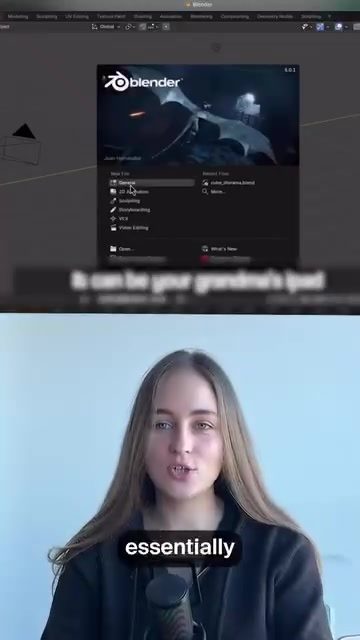
Blender and Cloud-Native Computing
Cloud-native operating systems are revolutionizing how professional software, including 3D animation tools like Blender, are accessed and used. This innovative model allows users to launch robust applications directly from a web browser, with all processing handled in the cloud. This shift has significant implications for both individual users and the broader tech industry.
Why This Matters
The rise of cloud-native computing signifies a major leap forward in digital infrastructure. By moving heavy computing tasks to the cloud, users no longer need high-powered local machines to run professional-grade software. This democratizes access to powerful tools, making them available on almost any device, from old laptops to tablets. This change aligns with the broader trend of cloud computing, where users only pay for the time they actually use, much like a subscription service.
Main Discussion
Cloud-Native Operating Systems
Cloud-native operating systems represent a fundamental change in how we think about computing power. Traditionally, running professional software like Blender or DaVinci required a powerful local machine capable of handling the intensive processing demands. However, with cloud-native computing, this processing is handled in the cloud. Users log in through a web browser, open an app library, and select the software they need. This approach greatly expands accessibility, as users can now work on high-end applications from almost any device with an internet connection.
Accessibility and Affordability
One of the most compelling aspects of cloud-native computing is its accessibility. Users can launch heavy applications like Blender from a wide range of devices, including older laptops and tablets. This not only makes professional software more accessible but also more affordable. With the pay-as-you-go pricing model, users only pay for the time they spend using the software, eliminating the need for hefty upfront investments in hardware.
The Future of Work
The shift towards cloud-native computing has the potential to revolutionize the future of work. By making powerful tools available on-demand, it opens up new possibilities for professionals in various fields. For instance, 3D animators can work on the go, editing high-quality videos or creating complex 3D models from virtually any location. This flexibility allows for greater mobility and collaboration, as teams can easily share resources and work together regardless of their physical location.
Practical Tips
If you are considering transitioning to a cloud-native operating system, here are some tips to help you get started:
-
Choose the Right Platform: Research different cloud-native computing platforms to find one that best suits your needs. Look for platforms that offer the software you use and have a user-friendly interface.
-
Check Compatibility: Ensure that your devices are compatible with the cloud-native platform. While most modern devices should work, it's good to verify this before making the switch.
-
Practice: Spend some time getting familiar with the interface and features of the cloud-native platform. This will help you navigate the system more efficiently and make the most of its capabilities.
-
Explore Additional Features: Many cloud-native platforms offer additional features like collaboration tools, cloud storage, and more. Take advantage of these features to enhance your workflow.
-
Consider Security: When using cloud-based systems, it's crucial to prioritize security. Ensure that your data is encrypted and that the platform has robust security measures in place.
Important Takeaways
- Cloud-native operating systems offer a new way to access professional software like Blender, eliminating the need for powerful local machines.
- This model makes high-end applications more accessible and affordable by allowing users to run them from almost any device and pay only for the time they use.
- The future of work is being reshaped by cloud-native computing, offering greater mobility and collaboration for professionals.
- Transitioning to a cloud-native platform can be seamless with the right research and preparation.
Conclusion
Cloud-native computing is transforming the landscape of professional software usage. By making powerful tools like Blender accessible from any device, this model is democratizing access to advanced computing power. As this technology continues to evolve, it will likely play an increasingly significant role in the future of work, enabling greater flexibility and collaboration for professionals across various fields. Whether you are a 3D animator, a video editor, or any other professional whose work relies on heavy computing tasks, embracing cloud-native operating systems could be a game-changer.
Watch the Reel
Questions readers ask
What is Cloud Native Blender and how does it work?
Cloud Native Blender refers to the use of Blender, a popular 3D animation software, in a cloud-native environment. This means you can access and use Blender directly from your web browser, with all the processing tasks handled in the cloud, eliminating the need for powerful local machines. Users can create, edit, and render 3D animations online, making it accessible from virtually any device with an internet connection.
Do I need a high-end PC to use Blender with cloud-native computing?
No, one of the key benefits of using Blender with cloud-native computing is that it eliminates the need for a high-end PC. Since all the heavy processing is done in the cloud, you can access and use Blender from almost any device, including older laptops or even tablets. This makes 3D animation more accessible to a broader range of users.
What are the advantages of using cloud-based 3D animation tools?
Cloud-based 3D animation tools offer several advantages. They allow for easy and flexible access from anywhere, as long as you have an internet connection. They also provide scalability, meaning you can handle more complex projects by leveraging the power of the cloud. Additionally, they often come with built-in collaboration features, making it easier for teams to work together on projects in real-time.
Can I render 3D animations in the browser using Cloud Native Blender?
Yes, with Cloud Native Blender, you can render 3D animations directly in the browser. The rendering process is handled in the cloud, so you don't need to worry about the local processing power. This makes it convenient for users who want to create and render animations without the need for powerful local hardware.
Is my work saved locally when using Blender in the cloud?
When using Blender in the cloud, your work is typically saved in the cloud rather than locally. This has the benefit of making your projects accessible from any device. However, it's always a good idea to check the specific service you're using for details on data storage and backup options. Some services may offer additional features for local backups or data export.
How does cloud-native computing impact the accessibility of 3D animation software?
Cloud-native computing significantly enhances the accessibility of 3D animation software. By moving the computational demands to the cloud, users no longer need expensive, high-powered hardware to run professional-grade software. This opens up the possibility for more people to engage in 3D animation, regardless of their hardware limitations, making it a more inclusive and widely available tool.
What kind of internet connection do I need for cloud-based 3D animation?
For a smooth experience with cloud-based 3D animation, a stable and reasonably fast internet connection is recommended. While specific requirements may vary, a broadband connection with speeds of at least 10-20 Mbps is typically sufficient. Keep in mind that larger projects or more complex tasks might require higher bandwidth to ensure seamless performance.
Related deep dives
Similar reads based on topic and creator.




Recent articles
Fresh deep dives from the latest Reels we unpacked.




Comments
Be the first to comment.