Malware Attacks Disguised as PDFs on WhatsApp
Android malware that impersonates PDF files is a serious threat to smartphone users. This deceptive tactic often targets WhatsApp, a popular messaging platform, to trick users into downloading and installing malicious payloads. Understanding how this works is crucial for protecting your device and data.
Why This Matters
Smartphones have become integral to our daily lives, storing sensitive information and facilitating communication. The rise of malware that disguises itself as PDF files on WhatsApp underscores the need for vigilance. Attackers exploit the trust users place in familiar file formats and messaging apps to gain unauthorized access to devices, compromising both personal and professional data.
Understanding the Attack
The Initial Setup
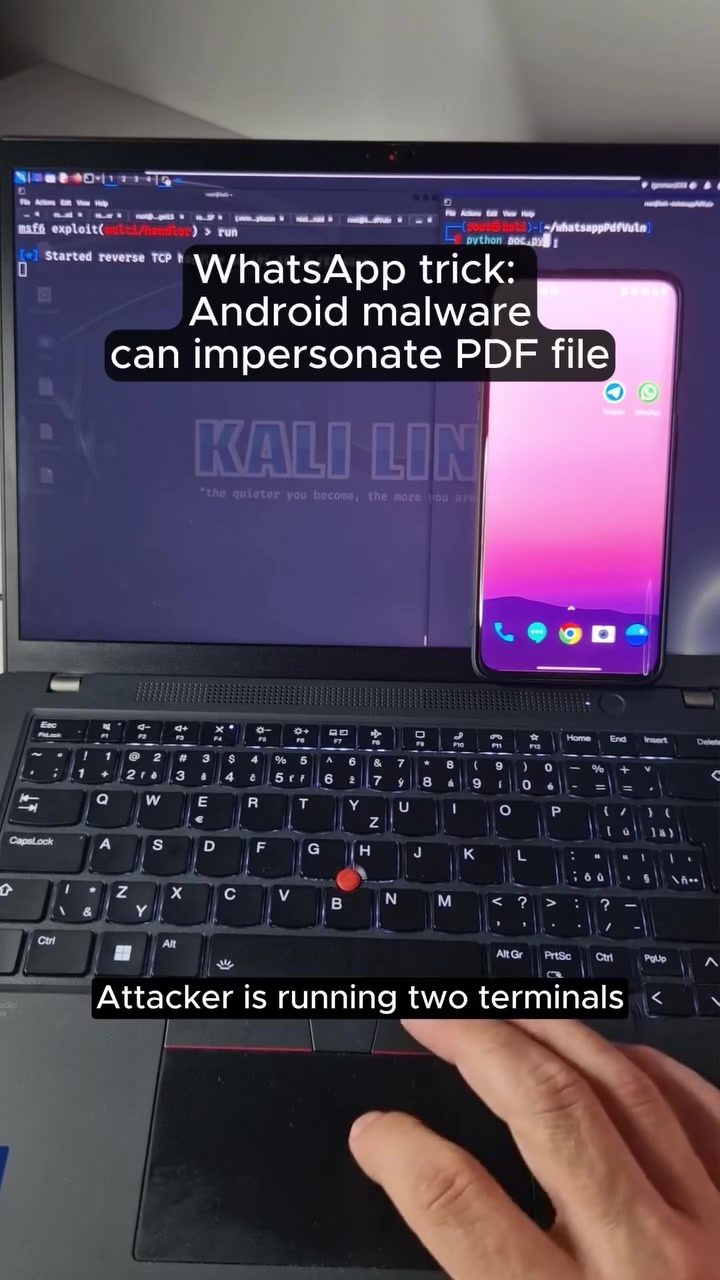
The attack begins with the attacker running two terminals using Kali Linux, a powerful operating system designed for penetration testing and security research. One terminal runs the Metasploit framework, a tool used to develop and execute exploit code against a remote target machine. The other terminal acts as a listener, waiting for the malicious payload to be executed. The attack involves sending a message with a malicious payload disguised as an invoice.pdf file in a WhatsApp chat. This payload, once downloaded and installed, gives the attacker control over the compromised device.
The Deception
Once the malicious PDF file is opened, the device prompts the user to allow access to photos, media, and files. This request exploits the trust users have in familiar document formats, leading many to grant the necessary permissions without hesitation. By doing so, the user inadvertently grants the attacker a meterpreter session, a powerful tool that allows for remote control of the compromised device. This session can then be used to steal sensitive data, install additional malicious software, or even control the device remotely.
How the Attack Unfolds
Metasploit and Meterpreter
Metasploit is a versatile framework that provides a wide range of tools for developing, testing, and executing exploit code. It is often used by security researchers to identify and mitigate vulnerabilities. However, in the wrong hands, it can be a potent weapon for cyber attacks. Meterpreter, a part of the Metasploit framework, is particularly powerful as it allows for remote control of the compromised device, providing the attacker with extensive control over the system.
Impersonating Familiar Files
The malicious payload in this attack is disguised as an invoice.pdf file, a common and trusted document format. When the user receives the file, it appears as a legitimate invoice, making it more likely that they will open it. This deceptive tactic is designed to mislead non-technical users, who may not recognize the signs of a malicious file.
The Impact on the Device
Once the attacker gains access through the meterpreter session, they can execute a variety of malicious activities. This includes stealing sensitive data, installing additional malware, or even spying on the user through the device's camera and microphone. The scope of the attack depends on the attacker's intentions and the vulnerabilities present on the compromised device.
Practical Tips for Protection
Stay Vigilant
Always be cautious when receiving files from unknown or untrusted sources. Even if the file appears to be a legitimate document, verify its authenticity before opening it. Look for any suspicious signs, such as unexpected file names or unusual file sizes.
Verify File Sources
Before downloading any file, especially from messaging apps like WhatsApp, verify the source. Ensure that the sender is a trusted contact and that the file was sent intentionally. If in doubt, contact the sender to confirm the authenticity of the file.
Update Your Device
Keep your device's operating system and applications up to date. Regular updates often include security patches that protect against known vulnerabilities. This reduces the risk of falling victim to malware attacks.
Use Security Software
Install and regularly update security software on your device. This can include antivirus programs, anti-malware tools, and firewall applications. These tools can detect and block malicious files before they cause harm.
Limit Permissions
Be cautious about granting permissions to apps and files. Only allow access to sensitive data and features when absolutely necessary. Limiting permissions can reduce the potential damage if a device is compromised.
Important Takeaways
Malware attacks disguised as PDF files on WhatsApp are a significant threat. Understanding the tactics used by attackers can help users protect their devices and data. By staying vigilant, verifying file sources, keeping devices updated, using security software, and limiting permissions, users can significantly reduce the risk of falling victim to these attacks.
Conclusion
The threat of malware impersonating PDF files on WhatsApp is real and growing. By being aware of the tactics used by attackers and taking proactive steps to protect your device, you can safeguard your sensitive information and maintain the security of your smartphone. Always remember that vigilance and caution are key to staying safe in the digital age.
Watch the Reel
Questions readers ask
What makes PDF impersonation malware on WhatsApp so dangerous?
PDF impersonation malware on WhatsApp is particularly dangerous because it exploits users' trust in familiar and commonly used file formats. By disguising itself as a PDF, often an invoice or other important document, it tricks users into granting permissions that allow attackers to take control of their Android devices.
How do attackers use WhatsApp to distribute malicious PDF files?
Attackers leverage the popularity and trust users have in WhatsApp to distribute malicious PDF files. They often send these files via direct messages or group chats, making users believe they are receiving a legitimate document. Once downloaded and opened, the file can execute malicious code.
What permissions should I be wary of when receiving a PDF file on WhatsApp?
Be cautious of any requests for permissions that seem unrelated to viewing a PDF, such as access to your contacts, messages, or device settings. Malicious files may ask for these permissions to facilitate further unauthorized activities on your device.
Can Android malware disguised as a PDF access my personal data?
Yes, Android malware disguised as a PDF can access your personal data. Once installed, it can steal information such as contacts, messages, photos, and even login credentials, putting your personal and professional data at risk. It’s crucial to verify the authenticity of any PDF files you receive on WhatsApp and to avoid granting unnecessary permissions.
What steps can I take to protect my Android device from WhatsApp malware?
To protect your Android device from WhatsApp malware, always verify the sender's identity before opening any files and avoid downloading files from unknown sources. Keep your WhatsApp and operating system updated, and use reliable security software to scan and detect potential threats. Additionally, be cautious of any unusual permission requests.
How can I identify a malicious PDF file on WhatsApp?
Identifying a malicious PDF file on WhatsApp involves looking for unusual behavior, such as requests for permissions that seem unrelated to viewing a PDF. Another clue is the file name or content; if it seems odd or too good to be true, it might be malicious. Always verify the authenticity of the document and consider using reputable security tools to scan files before opening.
What should I do if I suspect my Android device has been compromised by PDF impersonation malware?
If you suspect your Android device has been compromised by PDF impersonation malware, immediately run a scan using a reputable security app. Revoke any suspicious permissions that may have been granted and update your device and apps to the latest versions. As a precaution, you may also want to change your passwords for sensitive accounts and consider performing a full factory reset if necessary.
Related deep dives
Similar reads based on topic and creator.

Recent articles
Fresh deep dives from the latest Reels we unpacked.




Comments
Be the first to comment.