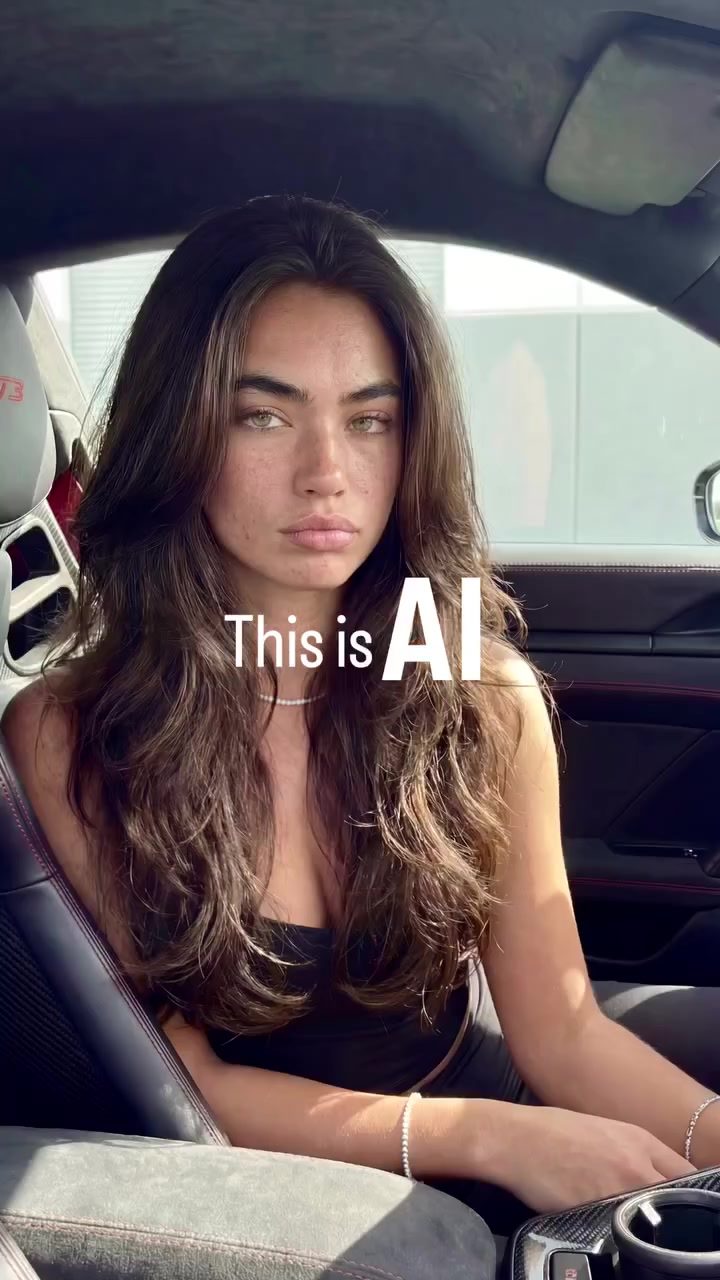
AI UGC Workflow for Digital Content Creation
Creating realistic and engaging user-generated content (UGC) has become a cornerstone of digital marketing. The integration of AI in content creation has opened up new avenues for producing high-quality, stylistically consistent content. Understanding the workflow for AI-generated content can help digital creators elevate their output and achieve a professional finish.
Why This Matters
The demand for realistic AI-generated content is on the rise. As technology advances, so do the expectations of audiences. By 2026, AI-generated content will likely become the standard for authenticity and quality. Whether you're a professional photographer, a content creator, or a marketer, mastering AI workflows can set your content apart in a crowded digital landscape.
Main Discussion
Understanding the AI UGC Workflow
The process of creating AI-generated content involves several key steps. Each step is crucial for maintaining the original style and achieving a high-quality, realistic finish.
Step 1: Reference Image and Prompt Generation
The first step in the AI UGC workflow is to upload a reference image and a prompt. This reference image serves as the basis for the AI to generate new content. The prompt provides specific instructions or descriptions that guide the AI in creating the desired output. This step is essential for ensuring that the generated content stays true to the original style and look.
Step 2: Nano Banana Pro
Once the reference image and prompt are uploaded, the next step is to input them into the Nano Banana Pro software. This software is designed to process the reference image and prompt, generating a new image that closely matches the original style and iPhone-like aesthetic. The software's advanced algorithms ensure that the details and nuances of the original image are preserved, resulting in a high-quality output.
Step 3: Skin Enhancer
After the initial generation, the process moves to the skin enhancer stage. This step involves passing the generated image through a specialized skin enhancement tool. The skin enhancer focuses on refining the skin texture, ensuring it looks natural and realistic. This step is crucial for maintaining the quality and authenticity of the final output.
Enhancing the Final Output
The process doesn't stop at skin enhancement. To achieve the best results, several additional steps are involved:
Upscaling
Upscaling is the process of increasing the resolution of the generated image without losing quality. This step ensures that the final output is high-resolution and suitable for various digital platforms. Upscaling tools like Kling 2.6 are commonly used to achieve this.
Video Upscale
For those creating video content, the final step involves video upscale. This process enhances the quality of the video, making it smoother and more visually appealing. It ensures that the video maintains the same level of realism and quality as the still images.
Practical Tips
Creating AI-generated content can be a complex process, but with the right tools and techniques, it can be streamlined. Here are some practical tips to help you get started:
-
Choose the Right Software: Tools like Nano Banana Pro are specifically designed for AI content creation. They offer advanced features that make the process more efficient and effective.
-
Focus on Detail: Pay attention to the details in your reference image and prompt. The more specific and accurate your inputs, the better the output will be.
-
Experiment with Enhancements: Don't be afraid to experiment with different enhancement tools. Skin enhancers and upscaling tools can significantly improve the quality of your final output.
-
Follow the Workflow: Sticking to a structured workflow ensures consistency and quality. Follow the steps meticulously to achieve the best results.
Important Takeaways
AI-generated content is quickly becoming the standard for realism and quality in digital content creation. By following a structured workflow that includes reference image and prompt generation, software processing, skin enhancement, and upscaling, you can achieve high-quality, realistic content.
Key Steps to Remember
- Reference Image and Prompt: Start with a clear and detailed reference image and prompt.
- Software Processing: Use specialized software like Nano Banana Pro to process the inputs.
- Enhancement Tools: Utilize skin enhancers and upscaling tools to refine the final output.
- Consistency: Maintain consistency in your workflow to ensure high-quality results.
Conclusion
The AI UGC workflow is a powerful tool for digital content creation. By understanding and implementing the key steps involved, you can create realistic, high-quality content that stands out in the digital landscape. Whether you're a professional or a hobbyist, mastering this workflow can significantly enhance your content creation skills and help you achieve your creative goals.
Watch the Reel
Questions readers ask
What are the initial steps to start generating UGC with AI?
To begin generating UGC with AI start by collecting a set of reference images that align with the desired style and quality. Next, upload these images into the AI software to serve as a guide for the AI. This helps the AI understand the visual elements and style you want to replicate in your digital content.
How does AI help maintain a consistent style in digital content?
AI algorithms analyze the uploaded reference images to identify patterns, color schemes, and other stylistic elements. By understanding these features, the AI can generate new content that matches the original style, ensuring consistency across all digital outputs.
What role do reference images play in the AI UGC creation process?
Reference images are crucial in the AI UGC creation process as they provide the AI with a visual benchmark. These images guide the AI in creating new content that mimics the style, tone, and quality of the originals, resulting in realistic and high-quality UGC.
Can AI workflows be used for video content creation?
Yes, AI workflows can be applied to video content creation. By using AI, you can generate realistic and consistent video content that aligns with your brand's style and tone. This involves inputting reference videos or keyframes, which the AI will analyze to create new, stylistically consistent footage.
How can AI software enhance the quality of user-generated content?
AI software enhances the quality of UGC by analyzing and replicating the visual elements of reference images. This ensures that the generated content is not only high-quality but also consistent with the desired style. The AI can refine details, improve resolution, and maintain a professional finish in every piece of content created.
Related deep dives
Similar reads based on topic and creator.




Recent articles
Fresh deep dives from the latest Reels we unpacked.




Comments
Be the first to comment.