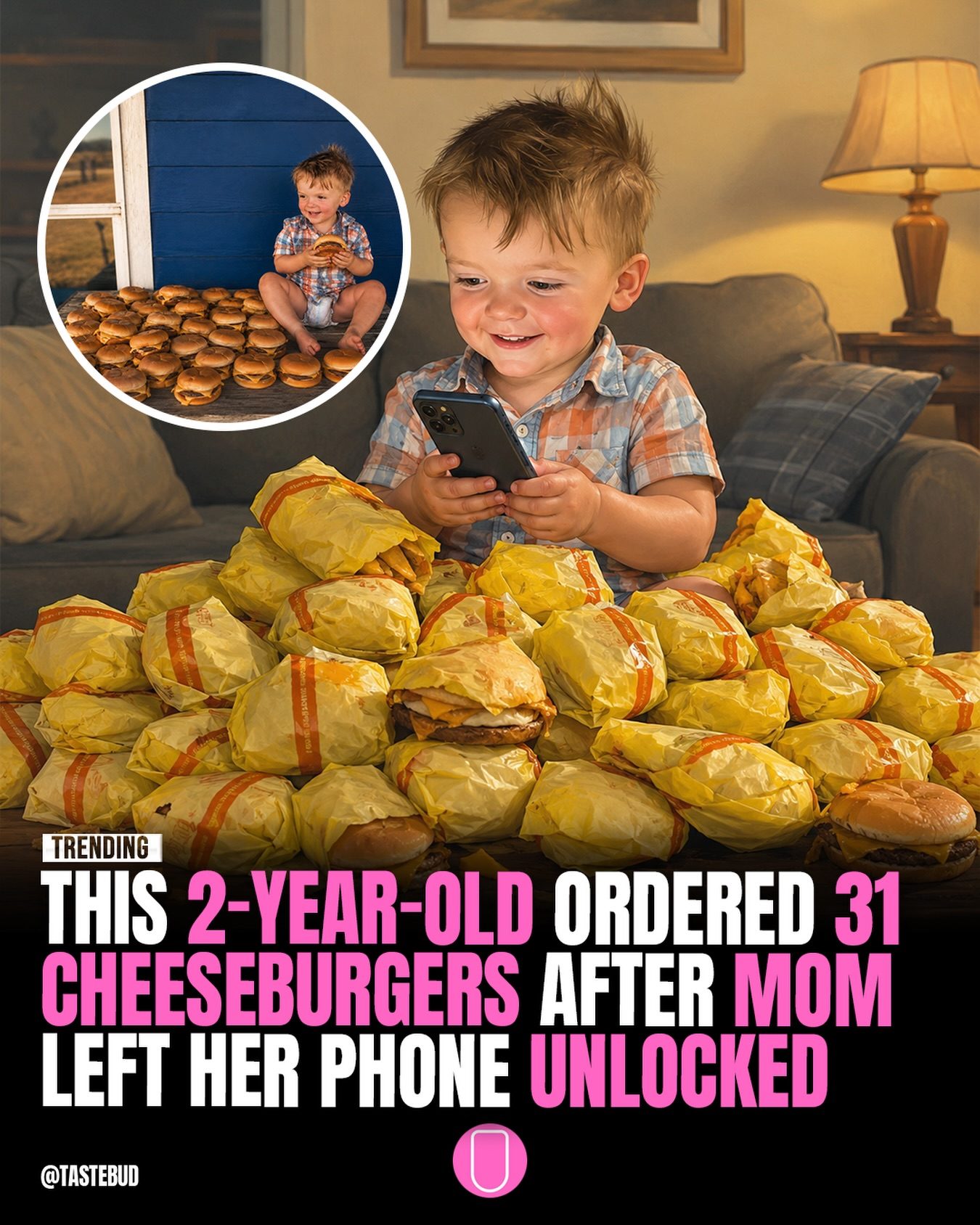
Cheeseburger Order: The Unintended Food Delivery
A toddler in the U.S. made headlines when they accidentally ordered a massive quantity of cheeseburgers through an unlocked phone. The unexpected delivery was a surprise, but it also highlighted a serious issue regarding device security. Let's dive into what happened, why it matters, and how to prevent similar incidents.
Context / Why this matters
In today's digital age, smartphones are ubiquitous, and nearly everyone uses them for various tasks, including online shopping and food delivery. The incident involving the 2-year-old ordering 31 cheeseburgers underscores the importance of securing your devices. With just a few taps, children or even pets can accidentally make purchases, leading to unexpected charges and potential waste.
Main discussion
The incident
The family in question experienced a surreal moment. After leaving a phone unlocked, a 2-year-old managed to order 31 cheeseburgers. The delivery arrived, surprising everyone. The family's reaction captured in the reel showcases both the humor and the shock of the situation. While the delivery of the cheeseburgers turned into a viral social media moment, it also raised awareness about the security risks of leaving devices unsecured.
The implications
The event demonstrates how easily purchases can be made on unsecured devices. With the rise of food delivery apps and online shopping, it's crucial to ensure that your phone is secure. Unlocked devices can lead to accidental orders, unexpected charges, and potential misuse of personal information.
The role of apps
Food delivery apps have revolutionized the way people order meals. However, they also come with their own set of risks. Many apps are designed to be user-friendly, which means they can be easily accessed by anyone. Security features like biometric locks, PINs, and authentication settings are essential to prevent unauthorized access.
Practical tips
Secure your devices
- Biometric locks: Use fingerprint recognition or facial recognition to unlock your phone. These methods are generally more secure than traditional passcodes.
- PINs and passwords: Set a strong, unique passcode for your device. Avoid using easily guessable combinations like "1234" or "0000."
- Two-factor authentication: Enable two-factor authentication (2FA) for an extra layer of security. This ensures that even if someone gains access to your phone, they won't be able to make purchases without additional verification.
- App-specific passwords: Use app-specific passwords for sensitive apps like food delivery services. This way, even if someone gains access to your phone, they won't be able to use your credentials elsewhere.
Monitor your child's activity
- Child locks: Enable child locks on your devices to restrict access to certain apps and features.
- Supervision: Keep an eye on your child's activities and ensure they do not have unsupervised access to your phone.
- Parental controls: Use parental control features to limit access to specific apps and set usage limits.
Stay alert
- Monitor transactions: Regularly check your transaction history to ensure there are no unauthorized purchases.
- Immediate action: If you notice an unauthorized purchase, immediately report it to the delivery service and your bank to resolve the issue.
Important takeaways
The unexpected delivery of 31 cheeseburgers serves as a reminder of the potential risks associated with unsecured devices. It also highlights the importance of taking proactive measures to secure your phone. By implementing simple security measures, you can prevent unauthorized access and protect your financial information. Additionally, being mindful of your child's activities and setting appropriate restrictions can minimize the risk of accidental purchases.
Conclusion
The viral moment involving a 2-year-old ordering 31 cheeseburgers has brought attention to the security risks of leaving devices unlocked. It's a valuable reminder to secure your devices and monitor your transactions. By taking the necessary precautions, you can avoid unexpected charges and ensure a smoother, safer digital experience. In an age where technology is integral to our daily lives, maintaining strong security measures is more crucial than ever.
Watch the Reel
Questions readers ask
What can happen if a phone is left unlocked and accessible to young children?
If a phone is left unlocked, young children can easily access apps and place orders, leading to accidental purchases. For instance, a toddler might order food through a delivery app, resulting in unwanted charges and potential food waste.
How can parents prevent accidental orders from their children?
Parents can prevent accidental orders by enabling security features like passcodes, fingerprint or facial recognition, and using app-specific restrictions. Keeping devices out of reach when not in use can also minimize risks.
What are the potential risks of using food delivery apps on an unlocked phone?
Using food delivery apps on an unlocked phone can lead to accidental orders, unwanted charges, and potential fraud. It can also result in food waste if orders are placed unintentionally.
Are there any specific safety features that can help protect against accidental orders?
Yes, many smartphones offer safety features such as passcodes, biometric locks, and app-specific restrictions. These features can prevent unauthorized access and accidental orders from young children or even pets. Additionally, some food delivery apps have their own safety measures, such as order confirmation steps, that can help mitigate risks.
What should you do if your child accidentally orders food through a delivery app?
If your child accidentally orders food, immediately contact the delivery app's customer service to explain the situation. Most apps have policies to refund or cancel accidental orders. Additionally, review and enhance your device's security settings to prevent future incidents.
How can you make food delivery apps safer for families with young children?
To make food delivery apps safer, ensure your device is locked with a secure passcode or biometric lock. Enable app-specific restrictions to prevent young children from accessing the apps. Additionally, some apps allow you to set up parental controls or order confirmations.
Related deep dives
Similar reads based on topic and creator.

Recent articles
Fresh deep dives from the latest Reels we unpacked.




Comments
Be the first to comment.