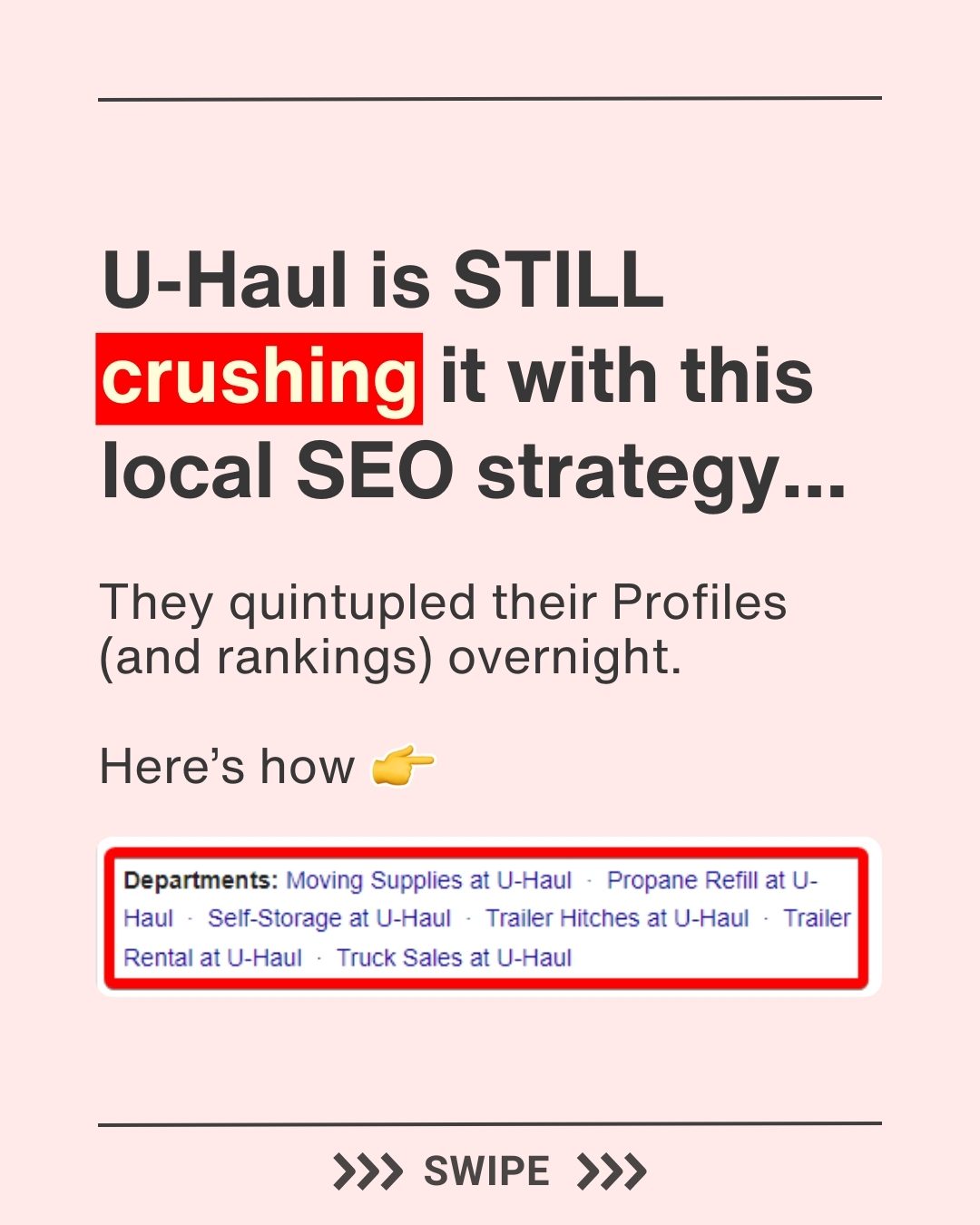
U-Haul's Local SEO Strategy: Leveraging Department Profiles for Ranking Success
U-Haul's local SEO strategy has gained significant attention. The moving and storage company has successfully quintupled its Google Business Profiles and rankings by utilizing department profiles. This approach has not only increased their online presence but also driven leads effectively.
Why This Matters
For any business with multiple lines of service or product offerings, optimizing local SEO can be a game-changer. U-Haul's strategy demonstrates how to maximize Google Business Profiles to boost rankings and attract more customers. By creating department profiles, businesses can target specific keywords and categories, making it easier for potential customers to find exactly what they need.
Key Aspects of U-Haul’s Department Profile Strategy
What Are Department Profiles?
Department Profiles on Google are individual listings for different lines of business within a main business location. These profiles allow businesses to target specific keywords and categories, enhancing their visibility on Google Maps and Search. Unlike separate legal entities, department profiles do not require legal separation but do have specific requirements to ensure they are distinct and useful for users.
Requirements for Creating Department Profiles
To create a department profile, you need to meet several criteria:
- Designated Signage: Clear signage that indicates the department's presence within the main business location.
- Different Phone Number: Each department should have a unique phone number.
- Different Primary Category: The primary category for each department should differ from the main business and from other departments.
Steps to Create a Department Profile
Creating a department profile involves a few distinct steps:
- Use the "Add a Business" Flow: Begin by using the standard process for adding a new business profile on Google.
- Verify the New Profile: After setting up the new profile, verify it through Google's verification process.
- Suggest an Edit: Once verified, go to the profile on Google Maps and suggest an edit to indicate that it is a department located within the main business location.
Practical Tips for Implementing Department Profiles
1. Identify Separate Lines of Business
Start by identifying the different lines of business or services within your main location. For U-Haul, these include departments like Moving Supplies, Propane Refill, Self-Storage, Trailer Rental, and Truck Sales.
2. Ensure Compliance with Google’s Requirements
Make sure each department has the necessary signage, a unique phone number, and a distinct primary category. This will help Google recognize each department as a separate entity, improving your chances of ranking higher for relevant keywords.
3. Optimize Each Department Profile
Once created, optimize each department profile with relevant keywords, accurate business hours, and comprehensive descriptions. High-quality images and regular updates can also enhance the profile's appeal and relevancy.
4. Monitor and Update Regularly
Regularly monitor the performance of your department profiles and make necessary updates. This includes responding to reviews, updating business hours, and adding new photos or posts.
5. Utilize Google My Business Insights
Google My Business provides valuable insights into how users interact with your profiles. Use this data to understand which keywords are driving the most traffic and adjust your strategies accordingly.
6. Create Local Content
Developing local content that highlights each department can further boost your SEO efforts. This could include blog posts, social media updates, or even customer testimonials that mention specific departments.
7. Engage with Local Community
Engaging with the local community through events or sponsorships can also enhance your local SEO. This not only builds brand awareness but also provides opportunities for local links and mentions.
Important Takeaways
- Increase Visibility: Department Profiles can significantly increase your business's online visibility by targeting specific keywords and categories.
- Drive Leads: By providing detailed and accurate information, department profiles can drive more qualified leads to your business.
- Enhance User Experience: Clear and distinct department profiles improve the user experience by making it easier for customers to find exactly what they need.
Conclusion
U-Haul's strategy of using department profiles to enhance local SEO is a powerful approach for any business with multiple lines of service or product offerings. By following the outlined steps and tips, you can effectively create and optimize department profiles to boost your rankings and attract more customers. Implementing this strategy can help your business stand out in local search results and drive more targeted traffic to your location.
Watch the Reel
Questions readers ask
What are department profiles and how do they benefit local SEO?
Department profiles are individual listings created for different service lines or departments within a business. They benefit local SEO by allowing businesses to target specific keywords and categories, making it easier for potential customers to find specific services and improving overall online visibility.
How did U-Haul increase its Google Business Profiles and rankings?
U-Haul significantly boosted its Google Business Profiles and rankings by implementing a strategy that involved creating department profiles. This approach allowed them to target specific keywords and categories for each of their service lines, enhancing their local SEO strategy and driving more leads.
Can businesses with multiple locations benefit from department profiles?
Yes, businesses with multiple locations can greatly benefit from department profiles. By creating separate profiles for each department at each location, they can improve local rankings and attract more customers by making their services more accessible and visible online.
What steps can a business take to create department profiles for better SEO?
To create department profiles, a business should first identify its different service lines or departments. Then, create separate Google Business Profiles for each department, ensuring each profile is optimized with relevant keywords, categories, and contact information. Regularly update these profiles to maintain accuracy and relevance.
How does targeting specific keywords with department profiles improve business visibility?
Targeting specific keywords with department profiles helps improve business visibility by making it easier for potential customers to find exactly what they need. When each department has its own listing, it increases the chances of appearing in local search results for relevant queries, thereby driving more traffic and leads.
What are the benefits of optimizing Google Business Profiles for local rankings?
Optimizing Google Business Profiles for local rankings helps businesses appear more prominently in local search results, making it easier for potential customers to discover their services. This increased visibility can lead to more website visits, phone calls, and in-store visits, ultimately driving more business.
How can businesses with diverse service lines optimize their local SEO strategy?
Businesses with diverse service lines can optimize their local SEO strategy by creating department profiles for each service line. This allows them to target specific keywords and categories, making it easier for potential customers to find the exact services they need. Regularly updating these profiles and ensuring they are accurate and relevant can further enhance local rankings.
Recent articles
Fresh deep dives from the latest Reels we unpacked.




Comments
Be the first to comment.