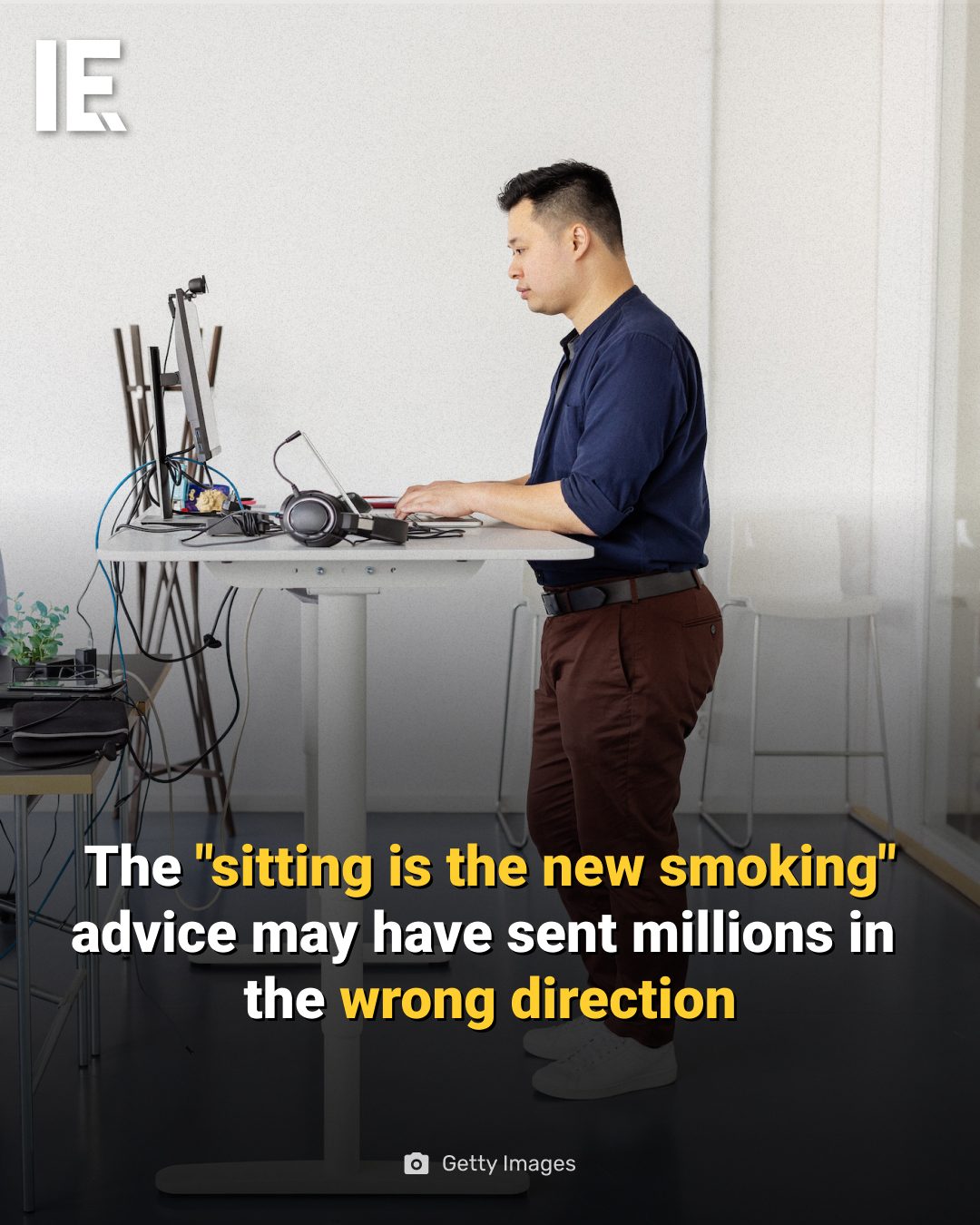
Desk Setup: The Truth About Sitting and Standing
Sitting for extended periods can lead to discomfort and pain in the lumbar region, neck, and shoulders. However, standing for too long isn't the solution either, as it can cause fatigue, lower back pain, and excessive pressure on the legs and feet. The idea that standing is universally healthier than sitting oversimplifies a complex issue. Musculoskeletal disorders are the most prevalent workplace health problem in Europe, impacting both desk workers and those who stand all day equally. Researchers emphasize that the key isn't choosing between sitting and standing, but rather focusing on how long you stay in any single position without moving.
Why This Matters
Understanding the nuances of desk ergonomics is crucial for maintaining long-term health and productivity. Many office workers spend hours at their desks, and the ergonomics of their workspace can significantly impact their well-being. By adopting a more dynamic approach to desk work, individuals can mitigate the risks associated with prolonged sitting or standing.
The Impact of Prolonged Sitting and Standing
Health Implications of Prolonged Sitting
Prolonged sitting can lead to various health issues, including:
- Lumbar Region Strain: Extended periods of sitting can cause lower back pain and strain the muscles in the lumbar region.
- Neck and Shoulder Discomfort: Poor posture while sitting can lead to tension and pain in the neck and shoulders.
- Cardiovascular Risks: Studies have linked prolonged sitting to an increased risk of cardiovascular diseases, even for those who exercise regularly.
Health Implications of Prolonged Standing
Similarly, standing for too long can also have adverse effects:
- Fatigue and Lower Back Pain: Prolonged standing can cause fatigue and lower back pain, especially if the standing position is not ergonomically optimized.
- Pressure on Legs and Feet: Standing for extended periods can lead to excessive pressure on the legs and feet, potentially causing swelling, varicose veins, and other circulatory issues.
- Muscle Strain: Standing in one position for too long can lead to muscle strain and discomfort, particularly in the lower back and legs.
The Nuanced Reality of Desk Ergonomics
The idea that "sitting is the new smoking" has sent millions in the wrong direction by oversimplifying the issue. The reality is more nuanced, as both prolonged sitting and standing can have negative health impacts. Researchers highlight that the key to a healthier work environment lies in regular movement, task rotation, and workstation adjustments.
Regular Short Breaks
Taking regular short breaks to move around can significantly improve your overall health. These breaks allow your muscles to relax and can help reduce the risk of musculoskeletal disorders. Some effective strategies for incorporating breaks into your workday include:
- Set Reminders: Use your computer or smartphone to set reminders to take short breaks every 30-60 minutes.
- Stretch Exercises: Perform simple stretching exercises during your breaks to help alleviate muscle tension.
- Walk Around: If possible, take a short walk around the office or your workspace to get your blood flowing.
Task Rotation
Rotating tasks can help prevent muscle strain and reduce the risk of musculoskeletal disorders. Task rotation involves switching between different types of tasks to avoid staying in one position for too long. For example, if you spend most of your day sitting at a computer, try incorporating tasks that require standing or moving around, such as filing or making copies.
Workstation Adjustments
Adjusting your workstation to promote better posture and ergonomics can also make a significant difference. Consider the following adjustments:
- Chair and Desk Height: Ensure your chair and desk are at the correct height to support good posture. Your feet should be flat on the floor, and your knees should be at a 90-degree angle.
- Monitor Position: Position your monitor at eye level to avoid straining your neck. Use a monitor stand or adjustable arm if necessary.
- Keyboard and Mouse Placement: Keep your keyboard and mouse within easy reach to avoid excessive stretching or twisting of your wrists and arms.
Practical Tips for a Healthier Desk Setup
Choosing the Right Chair
Selecting the right chair is crucial for maintaining good posture and reducing the risk of musculoskeletal disorders. Look for a chair with the following features:
- Adjustable Height: Ensure the chair can be adjusted to the correct height for your desk.
- Lumbar Support: A chair with good lumbar support can help maintain the natural curve of your spine and reduce lower back pain.
- Adjustable Armrests: Armrests that can be adjusted to the correct height can help reduce strain on your shoulders and neck.
Setting Up a Standing Desk
If you opt for a standing desk, ensure it is properly adjusted to support good posture. Standing desks can be a good option for those who prefer to stand while working, but it's essential to switch between sitting and standing throughout the day to avoid the health risks associated with prolonged standing.
Using Ergonomic Accessories
Ergonomic accessories, such as wrist rests, footrests, and monitor stands, can help improve your desk setup and reduce the risk of musculoskeletal disorders. These accessories can help promote better posture and make your workspace more comfortable.
Important Takeaways
- Avoid Prolonged Sitting or Standing: Both prolonged sitting and standing can have negative health impacts. The key is to move regularly and avoid staying in any single position for too long.
- Regular Breaks and Task Rotation: Incorporate regular short breaks and task rotation into your workday to reduce the risk of musculoskeletal disorders.
- Workstation Adjustments: Adjust your workstation to promote good posture and ergonomics. This includes choosing the right chair, setting up a standing desk correctly, and using ergonomic accessories.
Conclusion
Maintaining a healthy desk setup requires a nuanced approach that goes beyond the simplistic advice of "sitting is the new smoking." By understanding the health implications of prolonged sitting and standing, incorporating regular movement, and making necessary workstation adjustments, you can create a more comfortable and productive work environment.
Watch the Reel
Questions readers ask
Is standing at work always better than sitting?
No, standing is not always better than sitting. Both postures have their pros and cons. Prolonged standing can lead to fatigue, lower back pain, and excessive pressure on the legs and feet. Therefore, the healthiest approach is to combine both, with a focus on movement and ergonomics.
What are the health effects of prolonged sitting?
Prolonged sitting is linked to discomfort and pain in the lumbar region, neck, and shoulders. It can also increase the risk of developing musculoskeletal disorders and other health issues. To mitigate these risks, incorporate dynamic movement and proper ergonomics into your workday.
What are the benefits of using a standing desk?
A standing desk can help reduce the negative effects of prolonged sitting. It encourages movement, burns more calories, and can alleviate some of the pains associated with sitting. However, it is important to adjust the height of the desk, using ergonomics for standing, and not remain standing without proper breaks.
How can I reduce neck pain while working at a desk?
To reduce neck pain, ensure your computer screen is at eye level and your keyboard and mouse are within easy reach. Use lumbar support for added comfort while sitting. Taking regular breaks to move around and stretch can also alleviate neck pain.
What is the healthiest work posture?
There is no single healthiest work posture. The key is to maintain a dynamic work environment, where you frequently change positions and incorporate movement. Use proper ergonomics, whether sitting or standing, to reduce physical discomfort.
How can I set up my desk for proper ergonomics, whether sitting or standing?
For both sitting and standing, ensure your monitor is at eye level, your wrists are straight while using the keyboard, and your chair or standing desk allows for proper posture. Your elbows should be at a 90-degree angle, and your keyboard and mouse should be within easy reach. Incorporate movement and breaks to avoid prolonged static positions.
What is the best standing desk setup for someone who spends a lot of time at their computer?
The best standing desk setup should include an adjustable desk, so you can switch from sitting to standing throughout the day. Ensure the desk height allows for proper ergonomics, with the monitor at eye level and the keyboard and mouse within easy reach. Use a supportive mat to reduce pressure on your legs and feet.
Recent articles
Fresh deep dives from the latest Reels we unpacked.




Comments
Be the first to comment.