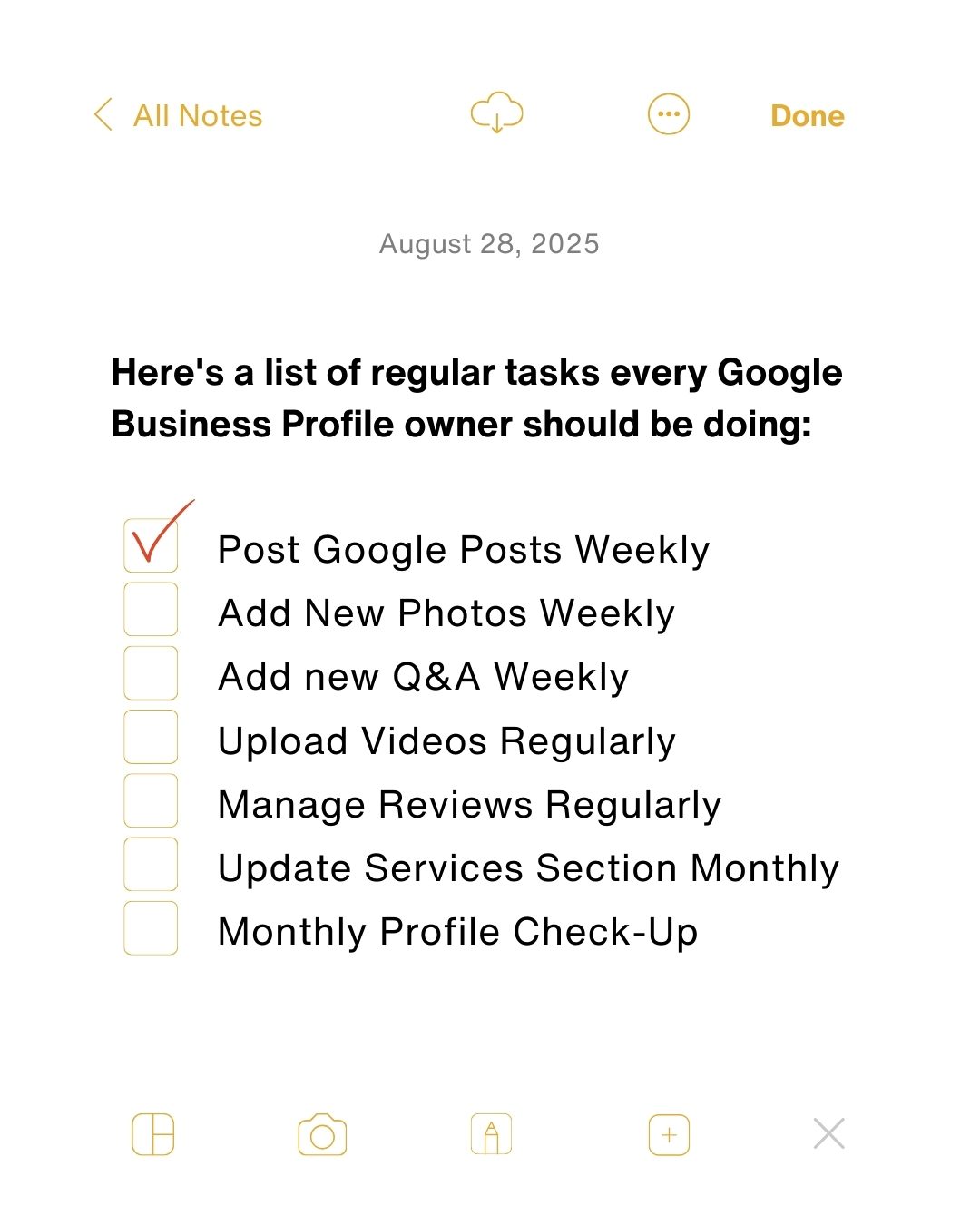
Google Business Profile Tasks
Congratulations on setting up your Google Business Profile. Now, what should you do to keep it fresh and engaging? Regular maintenance and updates are essential to ensure your profile remains relevant to both customers and search algorithms. These tasks aren't just about keeping your information current; they also play a crucial role in boosting your visibility and engagement.
Why This Matters
Google Business Profile is a powerful tool for enhancing your online presence and customer engagement. Your Google Business Profile isn't a "set it and forget it" kind of deal. Regular updates and engagement are necessary to stay competitive in today's digital landscape. The more active and up-to-date your profile, the higher your chances of appearing in local search results. This can significantly boost your visibility to potential customers, improve customer trust, and ultimately drive more traffic to your business.
Key Tasks to Maintain Your Google Business Profile
Post Google Posts Weekly
Google Posts are a fantastic feature that allows you to share updates, promotions, events, and more directly on your Google Business Profile. To maximize their impact, create them as ads rather than social posts. Treat them as mini advertisements that drive action, such as a call to action or a special offer.
Add New Photos Weekly
Photos are a crucial element of your Google Business Profile. Adding new photos weekly serves multiple purposes. They keep your profile visually appealing, provide potential customers with a better understanding of your business, and boost your rankings and conversion rates. Fresh photos signal to Google that your business is active and engaged.
Add New Q&A Weekly
The Questions and Answers section is an often-overlooked but valuable feature. Adding new Q&A weekly helps potential customers find answers to their queries directly on your profile, which can improve your reputation and trustworthiness. This also allows you to address common questions and build a comprehensive FAQ section that can be very useful for both new and returning customers.
Upload Videos Regularly
Regularly uploading videos to your Google Business Profile can significantly enhance your engagement and visibility. Videos can show off your products, services, or behind-the-scenes content, making your profile more dynamic and engaging. Viewers are more likely to spend time on your profile if it includes multimedia content.
Manage Reviews Regularly
Customer reviews are a vital part of your online presence. Responding to reviews as they come in shows that you are engaged and value your customers' feedback. This not only builds customer trust but also signals to Google that your business is active and responsive, potentially improving your search rankings.
Update Services Section Monthly
Your services section should be a live document that reflects any changes or updates to your offerings. Regularly reviewing and updating this section ensures that customers have the most accurate and up-to-date information. This can also help you stay relevant in search results and avoid any confusion or misinformation.
Monthly Profile Check-Up
Performing a monthly profile check-up is essential to ensure that all information is current and accurate. This includes checking for any new categories or attributes that Google may have added. Staying on top of these updates can help improve your rankings and keep your profile aligned with the latest best practices.
Practical Tips
Here are some practical tips to help you stay on top of these tasks:
Use a Content Calendar
Create a content calendar to plan and schedule your Google Posts, photos, and videos. This will help you stay organized and ensure that you're consistently updating your profile.
Set Reminders
Use reminders or alarms to stay on top of your weekly and monthly tasks. This can be as simple as setting a weekly reminder to add new photos or a monthly reminder to review your services section.
Engage with Your Audience
Encourage customers to leave reviews and engage with their feedback. Responding to reviews and addressing questions shows that you value your customers and are committed to providing excellent service.
Leverage Tools and Apps
There are various tools and apps available that can help you manage your Google Business Profile more efficiently. These tools can automate some of the tasks and provide insights to help you improve your engagement and visibility.
Important Takeaways
Stay Consistent
Consistency is key when it comes to maintaining your Google Business Profile. Regular updates and engagement are crucial for staying competitive. Your competitors are likely doing the same, so staying consistent will help you stay ahead of the game.
Keep It Fresh
Regularly updating your content helps keep your profile fresh and engaging. This not only improves your rankings but also makes your profile more attractive to potential customers.
Stay Active
An active Google Business Profile signals to both customers and Google that your business is relevant and engaged. This can lead to increased visibility, engagement, and ultimately, more traffic to your business.
Conclusion
Maintaining your Google Business Profile requires consistent effort and attention. By following the key tasks outlined—posting weekly, adding photos, managing Q&A, uploading videos, managing reviews, updating services, and performing monthly check-ups—you can keep your profile fresh, engaging, and relevant. Regular updates not only improve your visibility and rankings but also build customer trust and engagement. Make a commitment to these tasks and watch your Google Business Profile thrive.
Watch the Reel
Questions readers ask
How often should I update my Google Business Profile?
It's recommended to update your Google Business Profile at least once a week, but more frequent updates can be beneficial. This includes posting new updates, adding fresh photos, and responding to reviews or answering Q&As. The key is to keep your profile fresh and relevant to both customers and search engines.
What types of posts should I add to my Google Business Profile weekly?
You can add a variety of posts, such as offers, events, what's new, or product updates. These posts help keep your audience informed and engaged. Make sure they are relevant to your business and include high-quality visuals. Always keep in mind that consistency and relevance are key.
Why is it important to add photos to my Google Business Profile regularly?
Regularly adding photos to your Google Business Profile helps create a visual story for customers. It also increases the time visitors spend on your profile, which can boost your visibility. Aim to add photos of your products, services, team, and location at least once a week and include a variety of images.
How can I effectively engage with the Q&A section on my Google Business Profile?
The Q&A section is a place where potential customers can ask questions about your products, services, or business. It's important to answer these questions promptly and accurately to build trust and provide value. You can also add frequently asked questions yourself and answer them to proactively address customer concerns. You should monitor this section daily for new questions.
What should I do if I receive negative reviews on my Google Business Profile?
Respond to negative reviews in a timely and professional manner. Publicly acknowledge the issue and offer a solution or apology, demonstrating your commitment to customer satisfaction. If appropriate, direct the customer to a private channel, such as email or phone, to resolve the issue more thoroughly.
How can I ensure my Google Business Profile contains relevant content?
Regularly updating your Google Business Profile with relevant content is essential. This includes keeping your business hours, contact information, and services up-to-date. Additionally, posting regular updates, photos, and videos related to your business can help keep your profile engaging and relevant. Always consider the interests and needs of your target audience when adding content.
Recent articles
Fresh deep dives from the latest Reels we unpacked.




Comments
Be the first to comment.