The Ultimate Google Maps Checklist for Your Business
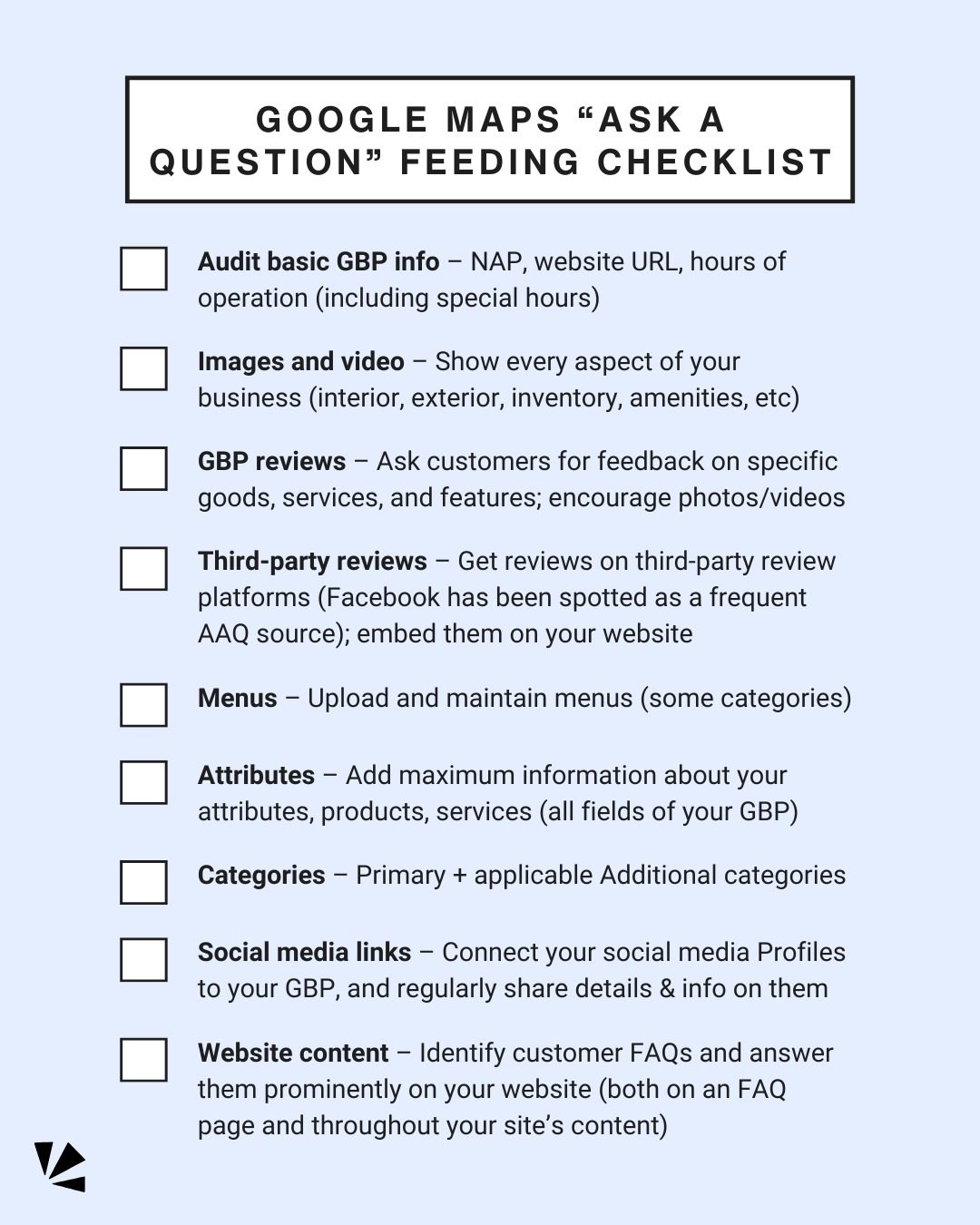
In the ever-evolving digital landscape, optimizing your business's presence on Google Maps can significantly boost visibility, engagement, and ultimately, your bottom line. With the advent of AI-powered features like "Ask a Question" (AAQ), businesses need to be proactive in providing comprehensive information to avoid falling behind in search results. Here's a detailed checklist to ensure your Google Business Profile (GBP) is fully optimized.
Why This Matters
Google Maps isn’t just a navigation tool; it’s a powerful platform for local businesses to attract customers. With the AI-generated answers in Google Maps, potential customers can get instant responses to their queries, making it crucial to provide as much relevant information as possible. A well-optimized GBP can help you stand out from competitors and keep potential customers from moving on to more informative listings.
Main Discussion
1. Audit Basic GBP Information
Start with the fundamentals. Ensure that your GBP includes accurate and up-to-date information. This includes:
- NAP (Name, Address, Phone number): Consistency is key. Ensure your NAP details match across all online platforms.
- Website URL: Include a direct link to your website to drive traffic and provide more information.
- Hours of Operation (including special hours): Keep your hours updated, especially if you have special operating hours for holidays or events.
2. Showcase Your Business
Visual content speaks volumes. Enhance your GBP by adding high-quality images and videos. Include shots of:
- Interior and exterior views: Give potential customers a feel for your place.
- Inventory and products: Showcase what you offer.
- Amenities: Highlight any unique features or services.
3. Encourage and Embed Reviews
Reviews are crucial for building trust. Here's how to manage them effectively:
- GBP Reviews: Actively encourage customers to leave reviews on your GBP. Embed these reviews on your website to build credibility and improve SEO.
- Third-Party Reviews: Encourage reviews on platforms like Yelp, TripAdvisor, or industry-specific sites. This can provide a more comprehensive view of your business.
4. Upload and Maintain Menus
If your business category allows, upload and regularly update your menus. This is especially important for restaurants, cafes, and other food-related businesses. Ensure all menu items, prices, and availability are current.
5. Provide Maximum Information About Your Attributes, Products, and Services
Fill out all relevant fields in your GBP. This includes:
- Attributes: Highlight unique features such as wheelchair accessibility, free Wi-Fi, and more.
- Products and Services: Ensure all offerings are listed to give customers a clear view of what you provide.
6. Select Relevant Categories
Choosing the right categories can greatly impact your visibility:
- Primary Category: Select the most relevant primary category that best describes your business.
- Additional Categories: Add applicable secondary categories to cover all aspects of your business.
7. Link Social Media Profiles
Integrate your social media profiles into your GBP. This not only drives traffic to your social platforms but also keeps your audience engaged with regular updates and information. Make sure to regularly share details and information on these profiles to keep them active and relevant.
8. Answer Customer FAQs
Identify common questions your customers might have and answer them prominently on your website. This can help Google's AI provide accurate and relevant answers, enhancing your trustworthiness and reducing customer frustration.
Practical Tips
- Regularly Update Your GBP: Keep all information current, especially during special events or changes in business hours.
- Engage with Reviews: Respond to both positive and negative reviews to show customers that you value their feedback.
- Use High-Quality Visuals: Invest in professional photography and videos to make a strong first impression.
- Monitor Analytics: Use Google My Business insights to understand customer interactions and adjust your strategy accordingly.
Important Takeaways
Optimizing your Google Business Profile is essential for improving visibility, engagement, and customer trust. The checklist provided ensures that you cover all critical aspects, from basic information to visual content, reviews, and social media integration. By staying proactive and regularly updating your profile, you can effectively leverage Google Maps to attract more customers and stay ahead of the competition.
Conclusion
With the AI-powered “Ask a Question” feature, it's crucial to feed Google as much relevant information as possible. By following this checklist, you can ensure your business stands out on Google Maps, providing potential customers with all the information they need to choose your business over competitors. Stay vigilant, regularly update your profile, and watch your business thrive in the digital landscape.
Watch the Reel
Questions readers ask
What is a Google Business Profile and why is it important for my business?
A Google Business Profile is a free tool provided by Google that allows businesses to manage their online presence across Google, including Search and Maps. It is important because it helps improve your local SEO, increases visibility, and provides potential customers with essential information about your business, such as hours, location, and contact details. It is a very powerful platform to utilize.
How can I optimize my Google Business Profile to improve local SEO?
To optimize your Google Business Profile, ensure your listing is complete and accurate with up-to-date information. Use relevant keywords to describe your business, choose the right categories, and include high-quality images and videos. Regularly update your profile with posts, offers, and events to keep it fresh and engaging.
What are the key sections I should focus on in my Google Business Profile?
Key sections to focus on include the 'About' section, where you provide a brief description of your business; the 'Services' or 'Products' section, to list what you offer; and the 'Reviews' section, where you encourage and respond to customer feedback. Additionally, use the 'Posts' feature to share updates, promotions, and events.
How do Google Business reviews impact my ranking on Google Maps?
Google Business reviews significantly impact your ranking on Google Maps. More reviews, especially positive ones, can improve your local search ranking. Encourage customers to leave reviews, and respond to them promptly to show that you value customer feedback. The quality of your responses also affects how Google evaluates your listing.
What should I do if my Google Business Profile is not appearing on Google Maps?
If your Google Business Profile is not appearing on Google Maps, first ensure that your listing is verified and that all information is accurate. Use Google’s ‘Find a Business’ feature to search for your business and make sure it’s listed correctly. If issues persist, you can contact Google My Business support for assistance. Double-check that you have selected the right categories for your business.
How can I leverage the 'Ask a Question' feature on my Google Business Profile?
The 'Ask a Question' feature allows potential customers to inquire about your business directly through your Google Business Profile. Enable this feature and monitor questions closely. Respond promptly and thoroughly to provide a great first impression. Use this as an opportunity to showcase your customer service and highlight unique aspects of your business.
What are the benefits of using the right categories in my Google Business Profile?
Using the right categories in your Google Business Profile ensures that your business appears in relevant searches. Categories help Google understand what your business does and matches it with appropriate search queries. This can increase the chances of your business being seen by potential customers. Choose categories that accurately represent your business offerings and avoid using too many categories as it may dilute your profile's effectiveness.
Recent articles
Fresh deep dives from the latest Reels we unpacked.




Comments
Be the first to comment.