Google Business Profile Optimization
For businesses looking to enhance their online visibility, optimizing their Google Business Profile (GBP) categories can be a game-changer. By providing Google with a comprehensive understanding of your business offerings, you can unlock new ranking opportunities and significantly improve your search visibility. This article explores how a simple adjustment to GBP categories can yield substantial results, using a real-world example from Whitespark.
Why This Matters
Google Business Profile categories play a crucial role in how your business appears in search results. When you select multiple relevant categories, you provide Google with more context about your services, enabling it to show your business for a wider range of related searches. Conversely, choosing only one category limits the information Google has to work with, resulting in fewer ranking opportunities.
The Impact of Comprehensive Category Selection
A Real-World Case Study
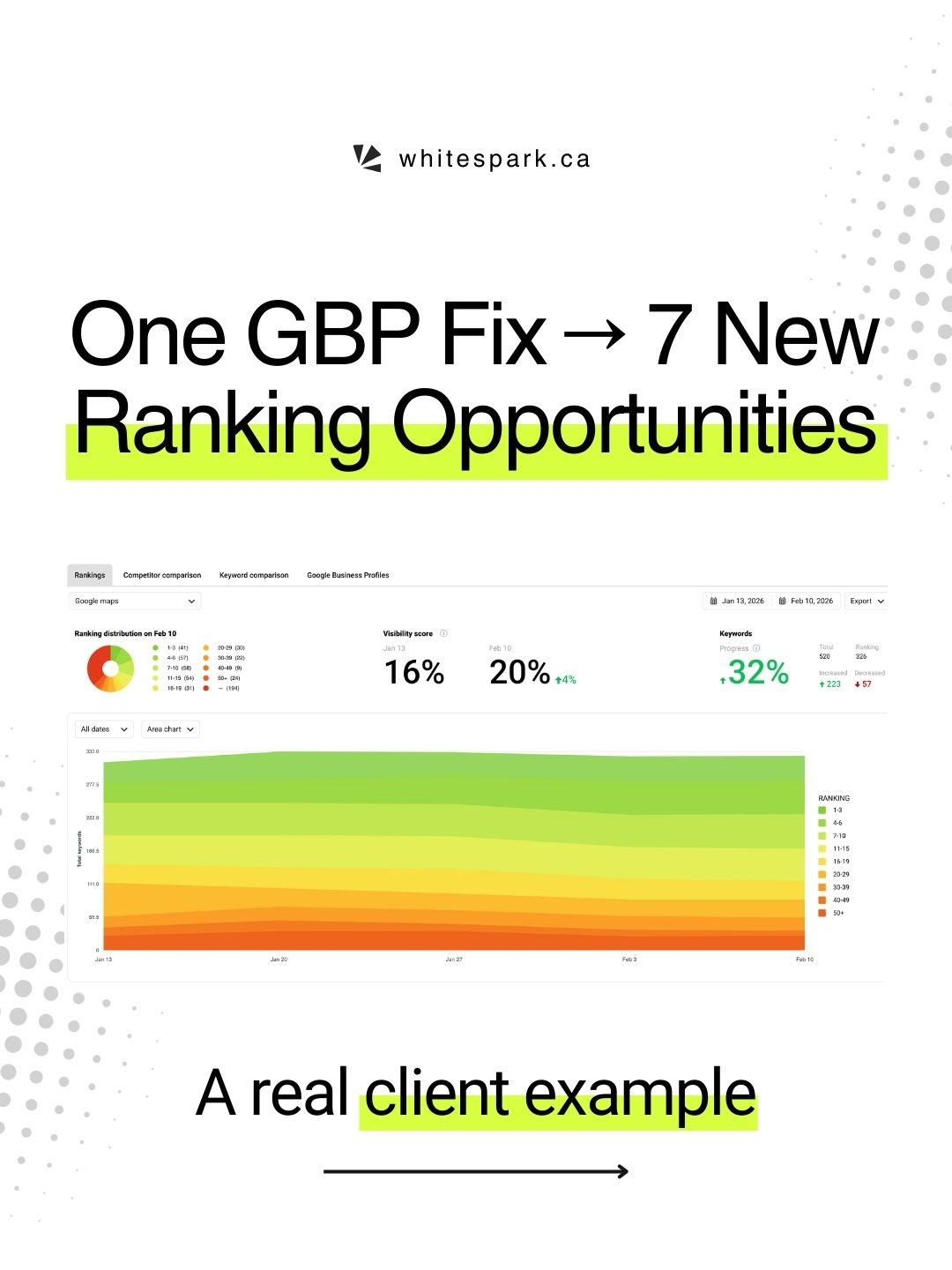
A gym, a client of Whitespark, initially had only one category selected on their Google Business Profile: "Gym." This limitation meant they were missing out on numerous relevant search opportunities. By leveraging the Category Suggestions feature in Whitespark’s Local Rank Tracker, the team identified additional categories that competitors were using but the gym was not.
Adding Relevant Categories
After analysis, several relevant categories were added to the gym's profile:
- Boot Camp
- Yoga Studio
- Training Center
- Personal Trainer
- Weightlifting Area
- Weight Loss Service
- Physical Fitness Program
These additions provided a more comprehensive view of the gym's offerings, allowing Google to better understand and categorize the business.
The Results
The impact of these changes was immediate and significant. The gym saw a 32% increase in keyword progress and a 21% increase in total interactions compared to the previous month. Moreover, there was a 41% increase in total interactions compared to the previous year and a 5% increase in total views compared to the previous month. Perhaps most notably, the gym gained 7 new ranking opportunities, all thanks to the added categories.
The Significance of These Changes
The key takeaway here is that optimizing your Google Business Profile categories can unlock ranking opportunities that many businesses overlook. Simple optimizations can lead to substantial gains, as demonstrated by this case study. By providing Google with more context about your business, you can improve your visibility and attract more potential customers.
Practical Tips for Optimizing Your Google Business Profile Categories
Conduct a Thorough Analysis
Before making any changes, conduct a thorough analysis of your current categories and those used by your competitors. Tools like Whitespark’s Local Rank Tracker can be invaluable in this process, helping you identify categories that are relevant to your business but are currently missing.
Choose Relevant Categories
Select categories that accurately represent your business offerings. Be as specific as possible to provide Google with a clear understanding of what your business does. Avoid choosing categories that are too broad or generic, as this can dilute the effectiveness of your optimization efforts.
Monitor and Adjust
Optimizing your Google Business Profile categories is an ongoing process. Regularly monitor your search rankings and interactions to see the impact of your changes. Be prepared to adjust your categories as your business evolves or as new opportunities arise.
Utilize Tools and Resources
Take advantage of tools and resources designed to help you optimize your Google Business Profile. For instance, Whitespark offers a range of services and tools that can streamline this process and help you achieve better results.
Important Takeaways
The Power of Context
Providing Google with a comprehensive understanding of your business offerings is crucial for improving your search visibility. By selecting multiple relevant categories, you can unlock new ranking opportunities and attract more potential customers.
The Importance of Regular Optimization
Optimizing your Google Business Profile categories is not a one-time task. Regularly reviewing and updating your categories can help you stay ahead of the competition and maximize your search ranking potential.
The Benefits of Simple Optimizations
Sometimes, the biggest wins come from simple optimizations. By taking the time to choose and add relevant categories, you can see significant improvements in your search visibility and engagement.
Conclusion
Optimizing your Google Business Profile categories is a straightforward yet powerful way to enhance your online visibility. By providing Google with a clear understanding of your business offerings, you can unlock new ranking opportunities and attract more potential customers. Whether you're a small business owner or a marketing professional, taking the time to optimize your GBP categories can lead to substantial gains and help you stay ahead of the competition.
Watch the Reel
Questions readers ask
What are Google Business Profile categories and why are they important for my gym?
Google Business Profile categories are specific labels that describe what your gym offers. They are important because they help Google understand and showcase your gym's services to potential clients searching for relevant terms. By selecting the right categories, you can increase the chances of appearing in more searches, thereby boosting your gym's visibility.
How do I choose the most effective categories for my gym's Google Business Profile?
To choose effective categories, consider all the services your gym offers beyond just 'Gym.' For example, if you provide personal training, yoga classes, or physical therapy, add those categories as well. The key is to be as comprehensive as possible while remaining relevant to your core business. Review Google's category list to ensure you're using the most accurate and specific terms.
Can I change or add categories to my gym's Google Business Profile if I've already created it?
Yes, you can change or add categories to your gym's Google Business Profile at any time. To do this, sign in to your Google Business Profile, go to the 'Info' section, and select the 'Edit' pen icon. From there, you can add or modify your categories. Keep in mind that changes may take some time to reflect in search results.
What are some of the best categories for a gym to use on Google Business Profile?
The best categories for a gym include but are not limited to 'Gym,' 'Fitness Center,' 'Personal Trainer,' 'Yoga Studio,' and 'Sports Club.' If your gym offers specialized services like physical therapy or sports training, include those as well. The goal is to cover all the services you offer to maximize your visibility in search results.
How can optimizing Google Business Profile categories boost my gym's ranking opportunities?
Optimizing your gym's Google Business Profile categories helps Google better understand and categorize your business, making it more likely to appear in relevant searches. When you select multiple, relevant categories, you open up new ranking opportunities, as Google can show your gym for a wider range of search queries that match your services.
What steps should I follow to optimize my gym's Google Business Profile?
First, conduct a thorough audit of your gym's services and facilities. Next, sign in to your Google Business Profile and navigate to the 'Info' section. Choose the most relevant categories that accurately describe your gym. Lastly, ensure all other information on your profile, such as contact details and business hours, is accurate and up-to-date.
How long does it take for changes to Google Business Profile categories to impact my gym's visibility?
The time it takes for changes to Google Business Profile categories to impact your gym's visibility can vary. Typically, it may take a few days to a few weeks for Google to process the changes and for them to reflect in search results. During this time, continue to monitor your Google Business Profile and make any additional optimizations as needed.
Recent articles
Fresh deep dives from the latest Reels we unpacked.




Comments
Be the first to comment.