Deobfuscating Android Apps with LLM
Deobfuscating Android apps can be a complex task, especially when dealing with obfuscated code that has been deliberately made difficult to read. However, using a combination of LLM (Large Language Models) and tools like Androidmeda, the process can be made more efficient and effective.
Why This Matters
In the digital age, ensuring the security and integrity of Android applications is crucial. Many apps undergo obfuscation to protect their code from reverse engineering. However, there are times when you need to deobfuscate these apps for legitimate reasons, such as security analysis, malware detection, or even for educational purposes. Understanding how to deobfuscate Android apps can be invaluable for developers and security professionals alike.
Main Discussion
Understanding Obfuscation
Obfuscation is a process that makes the code more difficult to understand by renaming variables, functions, and classes in a way that obscures their original purpose. This is often done to protect intellectual property and prevent reverse engineering. However, for security researchers and developers, deobfuscating this code is essential to identify vulnerabilities, understand the app's behavior, and ensure that it is secure.
What is Androidmeda LLM?
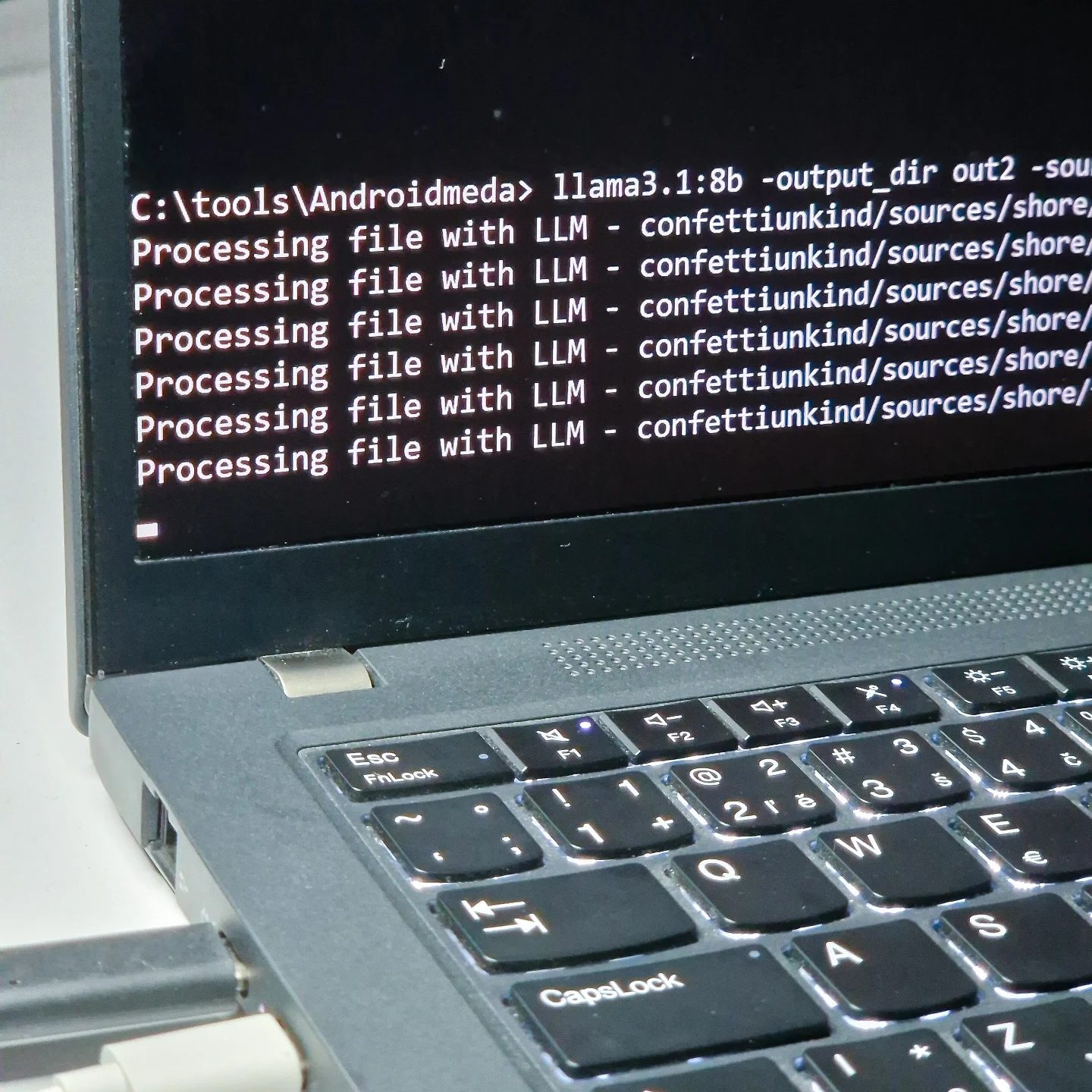
Androidmeda LLM is a tool specifically designed to help with the deobfuscation of Android apps. It leverages the power of Large Language Models (LLMs) to analyze and deobfuscate code more efficiently. This tool can be particularly useful for complex projects involving multiple layers of obfuscation, such as the "confettiunkind" and "shore" projects mentioned in the on-screen text.
Example of Deobfuscating Crocodilus Malware
One notable example of deobfuscating Android apps is the Crocodilus Malware. This malware is known for its sophisticated obfuscation techniques, making it a challenge to analyze. By using Androidmeda LLM, security researchers can deobfuscate the code and understand its behavior, allowing them to develop countermeasures and protect users from potential threats.
Practical Tips
Tools and Techniques for Deobfuscation
There are several tools and techniques available for deobfuscating Android apps. Some of the most commonly used tools include:
- Androidmeda LLM: A powerful tool that leverages Large Language Models to deobfuscate code.
- JD-GUI and Dex2Jar: These tools can be used to convert the Android application package (APK) into a Java Archive (JAR) file, making it easier to decompile and analyze.
- Procyon: A decompiler that can be used to convert the bytecode back into readable Java code.
Steps to Deobfuscate an Android App
- Extract the APK: Use tools like APKTool or ADB to extract the APK file from the Android device.
- Convert to JAR: Use tools like Dex2Jar to convert the extracted APK into a JAR file.
- Decompile the JAR: Use a decompiler like JD-GUI or Procyon to convert the JAR file into readable Java code.
- Analyze the Code: Use Androidmeda LLM to analyze and deobfuscate the code, making it easier to read and understand.
- Identify Vulnerabilities: Look for vulnerabilities and security issues in the deobfuscated code.
Processing Files with LLM
When working with LLMs to process files, it's important to follow a structured approach. The on-screen text mentions "Processing file with LLM - confettiunkind/sources/shore/". This suggests that the file path is crucial for locating the specific file that needs to be processed. Make sure to keep track of file paths and ensure that all relevant files are included in the deobfuscation process.
Important Takeaways
- Understanding the Importance: Deobfuscating Android apps is essential for security analysis, malware detection, and ensuring the integrity of the code.
- Efficient Tools: Utilizing tools like Androidmeda LLM can significantly enhance the efficiency and accuracy of the deobfuscation process.
- Structured Approach: Following a structured approach, including extracting the APK, converting to JAR, and analyzing the code, will ensure a successful deobfuscation process.
Conclusion
Deobfuscating Android apps is a critical skill for anyone involved in Android development or security. By leveraging tools like Androidmeda LLM and following a structured approach, you can efficiently deobfuscate even the most complex code. Whether you're dealing with legitimate applications or malicious malware like Crocodilus, understanding how to deobfuscate Android apps is a valuable skill that can provide significant benefits.
Watch the Reel
Questions readers ask
What is deobfuscation and why is it important for Android apps?
Deobfuscation is the process of reversing the obfuscation applied to code, making it more readable and understandable. For Android apps, deobfuscation is important for security analysis, malware detection, and ensuring the integrity of the app. It helps security professionals and developers understand the inner workings of an app, even when the code has been deliberately made complex.
How does using a Large Language Model (LLM) aid in deobfuscating Android apps?
LLMs can assist in deobfuscating Android apps by analyzing and interpreting obfuscated code. These models can identify patterns, predict code structures, and generate readable versions of obfuscated code, making the deobfuscation process more efficient and accurate. By understanding the context and logic of the code, LLMs can help transform complex, unreadable code into a more comprehensible format.
What is Androidmeda and how does it work with LLMs for deobfuscation?
Androidmeda is a tool designed to aid in the deobfuscation of Android applications. It works in tandem with LLMs by providing a framework to analyze and deobfuscated obfuscated code. Androidmeda can process the obfuscated code and use LLMs to interpret and generate readable code, streamlining the deobfuscation process and making it more effective for security and integrity checks.
What are the benefits of using LLM and Androidmeda for deobfuscating Android apps?
Using LLM and Androidmeda for deobfuscating Android apps offers several benefits. It speeds up the deobfuscation process, making it more efficient and less time-consuming. Additionally, it enhances the accuracy of the deobfuscation, ensuring that the transformed code is more readable and understandable, which is crucial for thorough security analysis and malware detection.
Can deobfuscation help in detecting malware in Android apps?
Yes, deobfuscation is a key step in detecting malware in Android apps. By making the obfuscated code readable, deobfuscation allows security professionals to analyze the app's functionality more closely. This can reveal hidden malicious behavior that would otherwise go unnoticed, helping to identify and mitigate potential security threats.
What steps are involved in the Android deobfuscation process using LLM and Androidmeda?
The Android deobfuscation process using LLM and Androidmeda typically involves several steps. First, the app is analyzed to identify the type of obfuscation used. Then, the obfuscated code is processed using Androidmeda, which leverages LLM to interpret and generate readable code. The transformed code is then reviewed and verified for accuracy and completeness, ensuring that it accurately represents the original code.
Is deobfuscating Android apps legal and ethical?
Deobfuscating Android apps can be legal and ethical under certain circumstances. It is often necessary for legitimate purposes such as security analysis, malware detection, and ensuring the integrity of apps. However, it is important to ensure that any deobfuscation activities comply with legal standards and ethical guidelines, such as obtaining proper authorization and respecting the intellectual property rights of the app developers.
Related deep dives
Similar reads based on topic and creator.




Recent articles
Fresh deep dives from the latest Reels we unpacked.




Comments
Be the first to comment.